
 Share
Share
 Print
Print
|
|
|
|
|


Resend Via InvoiceWorks Button, via Order Update
The Resend Via InvoiceWorks  button sends selected Purchase Orders using InvoiceWorks XML format. This is useful for vendors that send invoices electronically.
From the Order/Update/Order Update window find a Closed Purchase Order. Place the Hand selector next to the PO then select the Resend Via InvoiceWorks button.
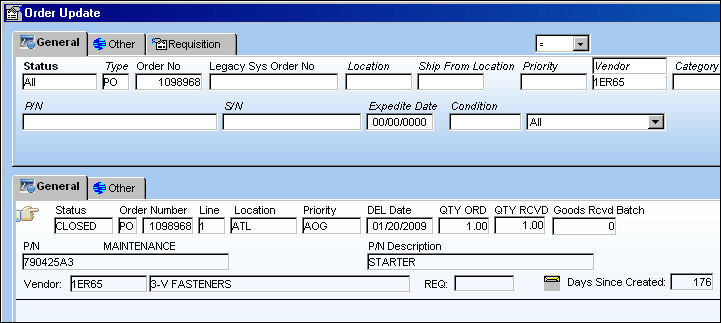
The following prompt will appear noting that the order will be marked to be resent to InvoiceWorks:
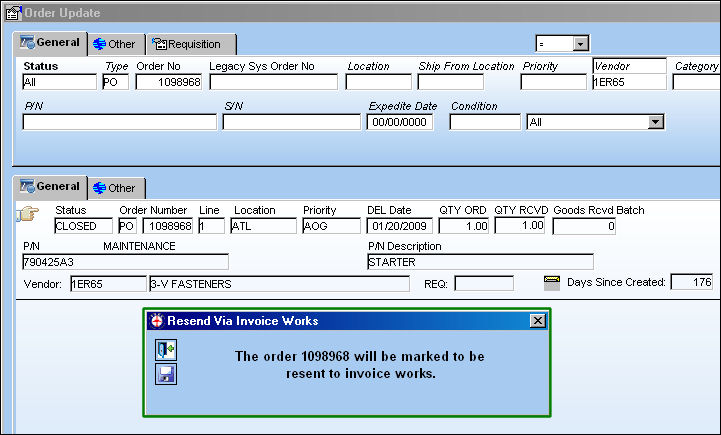
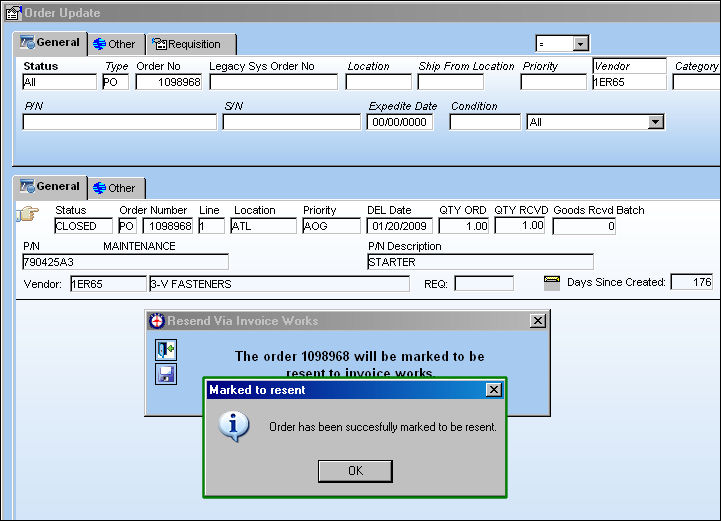
Select the Save  button to proceed. The following will appear:
For more information on the InvoiceWorks functionality refer to InvoiceWorks Purchase Orders and Inbound Notification via the Link Training Manual.
Share
Print
|
©1997-2026 Trax USA Corp. All rights reserved. This manual may not be copied, photocopied, reproduced, translated, or converted to any electronic or machine-readable form, in whole or in part, without prior written approval from Trax USA Corp. |
 |