
 Share
Share
 Print
Print
|
|
|
|
|


Orders Navigator

The Orders Navigator combines the Order Header and Order Detail into one efficient window to provide ease of use for the end user. Users are able to quickly create new line items in the Order Detail Area while viewing the Order Header information. This intuitive design allows the user to utilize the global search function where they are able to enter key words, vendors, order numbers and much more to quickly and effectively search for specific orders. The expand and collapse capability also enables the user to view all line items per order all within the same dynamic window.
 The Orders Navigator is security controlled via Orders/ Update/ Orders Navigator. For additional information, refer to the Security Explorer via the System Administration Training Manual.
In the following example, the user will select the order that is highlighted as shown below.
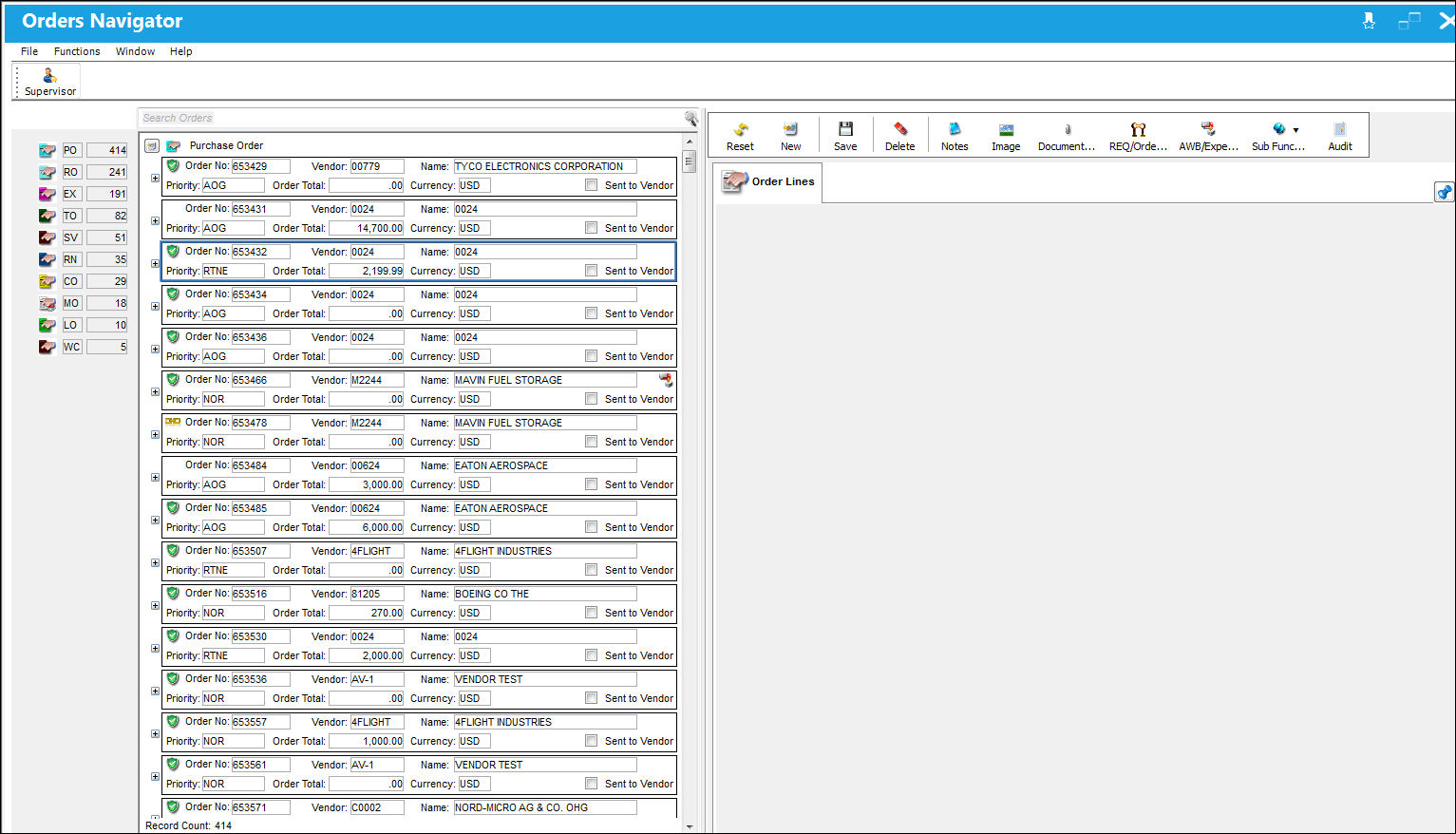
Selecting any of the orders listed in the Order Selection Area will open the Order Detail Area. Selecting the Show Header button  will display the Order Header area.
The Order Header and Order Detail Areas are populated as shown below:
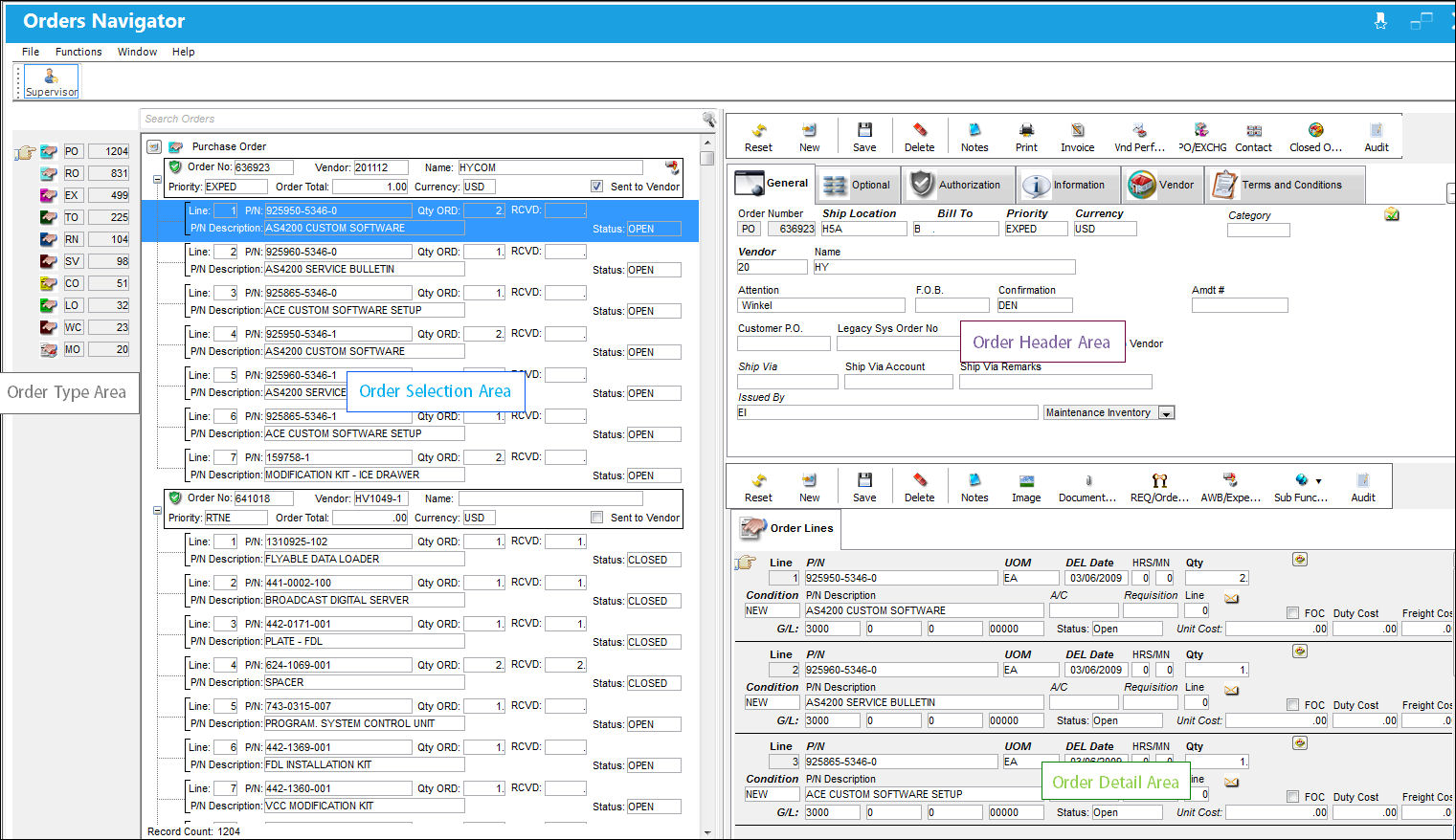
For information regarding the highlighted areas, please follow the links provided below:
- Order Type Area (grey)
- Order Selection Area (blue)
- Order Header Area (purple)
- Order Detail Area (green)
Additionally, the Supervisor  button offers the functionality of the main Supervisor windows for each Order Type.
Share
Print
|
©1997-2026 Trax USA Corp. All rights reserved. This manual may not be copied, photocopied, reproduced, translated, or converted to any electronic or machine-readable form, in whole or in part, without prior written approval from Trax USA Corp. |
 |