
 Share
Share
 Print
Print
|
|
|
|
|


Order Price Change Authorization

The Order Price Change Authorization window allows supervisors to authorize closed order price changes made by Buyers. This window contains price changes that were made by users who do not have sufficient pricing authorization limits. Only supervisors with a sufficient Authorization Amount Limit may authorize the changes (for more information refer to Authorization via the Settings Training Manual). These price changes were made via the Price Change  button of the Order Update window (see below for more information).
The following is the layout of the Order Price Change Authorization window.
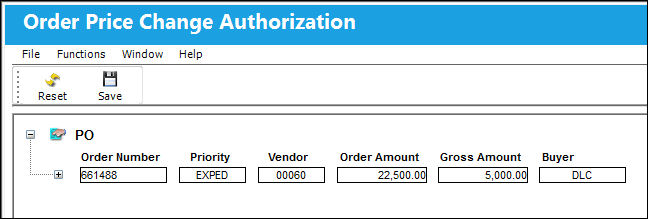
 This window is security-controlled via Orders/Update/Order Price Change Authorization. For more information refer to the Security Explorer via the Settings Training Manual.
The following information/options are available in this window:
_____________________________________________________________________________________
Order Type
The type of order that had its price changed. Only those orders with pending authorizations are listed. Select the Expand  button next to the order type to see detailed information. The Order Types that may require authorization are: Purchase Order, Repair Order, Loan Order, Exchange Order, and Service Order. (Warranty Claims do not require authorization.)
Expand / Collapse  buttons - Select the Expand buttons to view more specific information. Select the Collapse buttons to hide detailed information.
Order Number
The order number of the specific order that had its price changed.
Priority
The priority placed on the transaction (e.g., routine, AOG, etc.). For additional information and functionality, refer to the Priority transaction code via the Orders Transaction Codes.
Vendor
The system code for the service/part provider.
Order Amount
The order total before the proposed price change.
Gross Amount
The new proposed order total including the pending price change.
Buyer
Individual who issued the order to buy the part. The buyer can be created via P/N Master/Inventory Levels button.
Line Item
The order line item that had its price changed. To view this information, users must select the Expand button next to the Order Number.
QY ORD
The number of parts for the transaction.
QY RCVD
The quantity of parts that were received.
P/N Item
The Part Number reference for the aircraft part.
P/N Item Description
The description of the part.
Old Price
The original price of the line item.
New Price
The updated price of the line item (this is the price that requires authorization).
Authorization Status radio buttons
Indicate whether or not the price change has been authorized. The options are 'Pending' or 'Accept'. 'Pending' is selected by default. Select 'Accept' to authorize the price change.
Once the price change is authorized, the line item is no longer displayed in the window.
_____________________________________________________________________________________
Order Price Change Process:
To change to price of a closed order, find the order via the Order Update window then select the Price Change button.
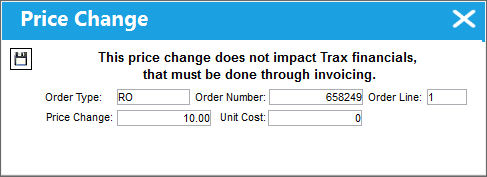
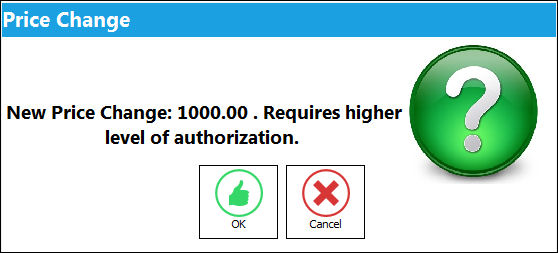
Enter the new price in the Price Change field then save. The following prompt appears if the user does not have a sufficient authorization level.
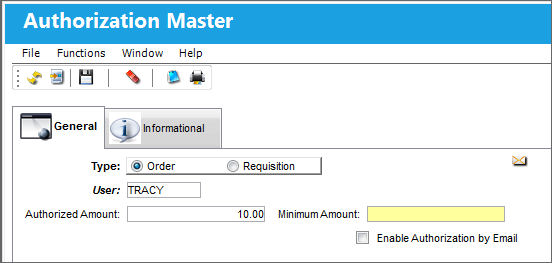
Notice that the following user cannot authorize orders amounting to over 20.00 dollars (via the Authorization window of the Settings module). This is why the price change must be authorized.
Because the price change must be authorized, the order is sent to the Order Price Change Authorization window. Notice the New Price is displayed.
Select the 'Accept' radio button to authorize the price change.
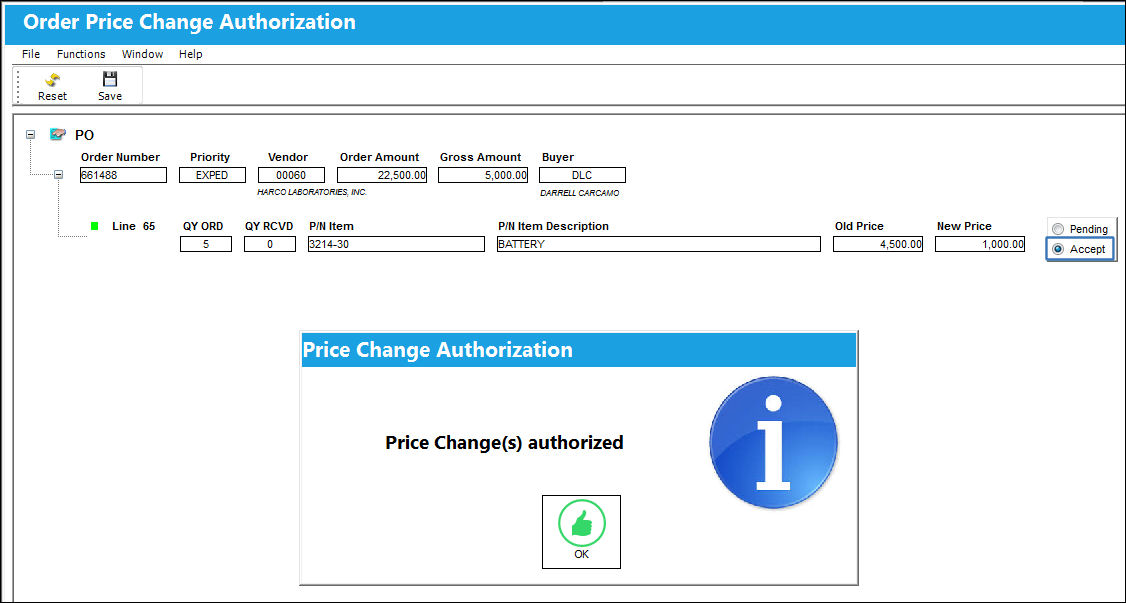
Once authorized, the order line item is automatically removed from the window.
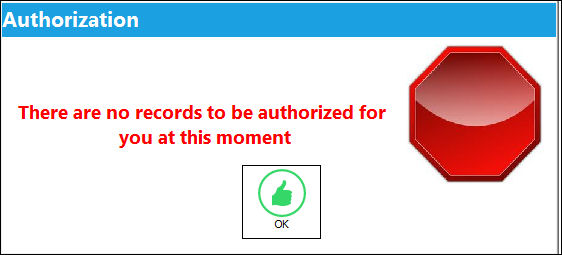
If there aren't any order price changes to be authorized, the Order Price Change Authorization window cannot be accessed. Users trying to access the window who do not have a sufficient authorization amount to be able to authorize the price changes will not be able to access the window either.
Share
Print
|
©1997-2026 Trax USA Corp. All rights reserved. This manual may not be copied, photocopied, reproduced, translated, or converted to any electronic or machine-readable form, in whole or in part, without prior written approval from Trax USA Corp. |
 |