
 Share
Share
 Print
Print
|
|
|
|
|


Display Control Area, via Man Hours Planner
The Display Control Area of the Man Hour Schedule Planner controls various display functions including the listed Locations, the Calendar settings and the window's refresh rate.
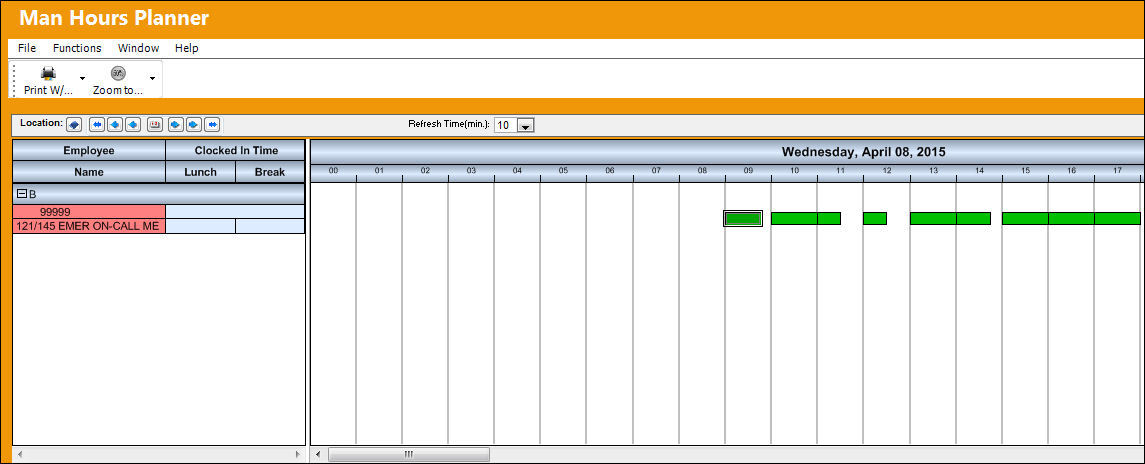
The following information/options are available in this window:
_____________________________________________________________________________________
Location  button
The Location for maintenance events, inventory stores, orders, transactions, or training events. Through this button users are to select the Locations/Sites for the Schedule Planner to display in the Work Group & Group Member Listing and the Work Schedule Calendar. The Locations/Sites are chosen by selecting the checkboxes to the left of each. Users can also utilize the Select All  or De-Select All
  buttons. When all selections have been made, click on the Select
  button to view the results.
Calendar buttons
These buttons allow users to change the displayed date. With these buttons users can move forward and/or backward or the exact date can be searched for through the Calendar button.
Year Back  - Moves the display date backward one year.
Month Back  - Moves the display date backward one month.
Day Back - Moves the display date backward one day.
Select Date  - Click to select a specific date to view.
Day Forward  - Moves the display date forward one day.
Month Forward - Moves the display date forward one month.
Year Forward  - Moves the display date forward one year.
Refresh Time (min.)
Users can enter the refresh rate for the Man Hour Schedule Calendar window. The refresh rate can be set to a certain amount of minutes. Additionally, all information is automatically refreshed when a user activates the window.
_____________________________________________________________________________________
Share
Print
|
©1997-2026 Trax USA Corp. All rights reserved. This manual may not be copied, photocopied, reproduced, translated, or converted to any electronic or machine-readable form, in whole or in part, without prior written approval from Trax USA Corp. |
 |