
 Share
Share
 Print
Print
|
|
|
|
|


The Close  button allows the user to update the status of a Customer Contract from 'Active Contract' to 'Closed Contract.'
Note that while the status of the contract is 'Active Contract', all of the fields are greyed out and can not be edited. A contract can only be edited when it is in 'Under Revision' status.
Select a contract that is in 'Active Contract' status and click on the Close button.
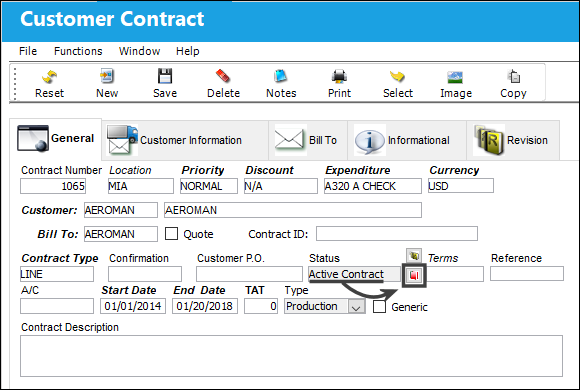
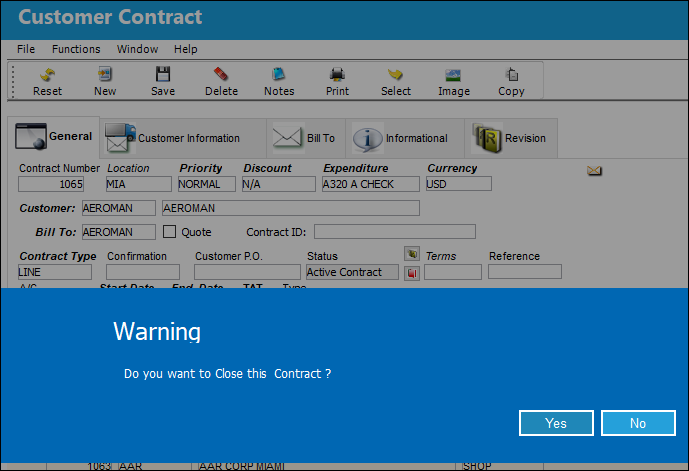
The system displays the following pop-up message asking the user if they would like to close the contract. In this example, the user will select 'Yes' to close the contract.
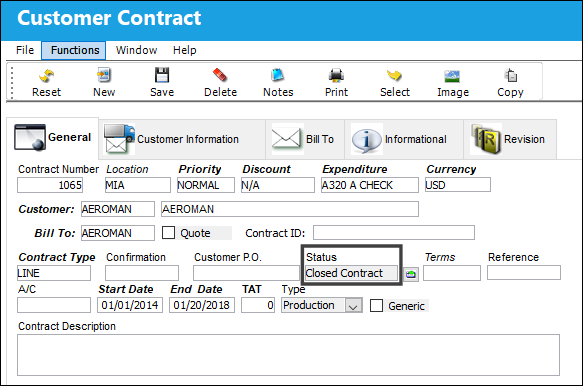
The status of the contract is now in 'Closed Contract.' The Open  button is now available. For information on how to open a contract, refer to the Open Button, via Customer Contract Header, General Tab.
Share
Print
|
©1997-2026 Trax USA Corp. All rights reserved. This manual may not be copied, photocopied, reproduced, translated, or converted to any electronic or machine-readable form, in whole or in part, without prior written approval from Trax USA Corp. |
 |