
 Share
Share
 Print
Print
|
|
|
|
|


Task Card Button, via Workpack Print
The Task Card  button allows users to print and/or email one or multiple Task Cards against the Work Pack Print.
From the Workpack Print window, enter a W/O then select the Task Card button.
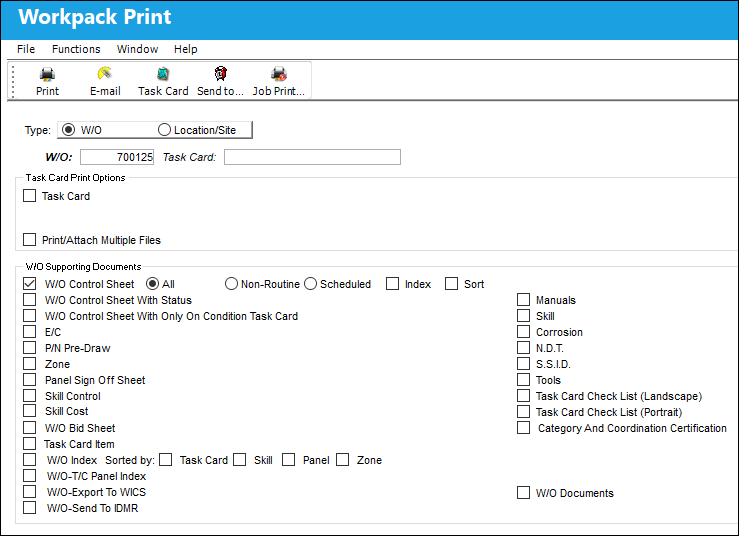
 : The Task Card button is security controlled via Production/ Print/ W/O Pack Print/ Task Card Button. For more information refer to the Security Explorer via the System Administration Training Manual.
: The Print  button button is security controlled via Production/ Print/ W/O Pack Print/ W/O Pack Print Button. For more information refer to the Security Explorer via the System Administration Training Manual.
Note: The E-mail  button is security controlled via Production/ Print/ W/O Pack Print/ W/O Pack Print Email Button. For more information refer to the Security Explorer via the System Administration Training Manual.
TRAX displays the W/O Task Card Print window.
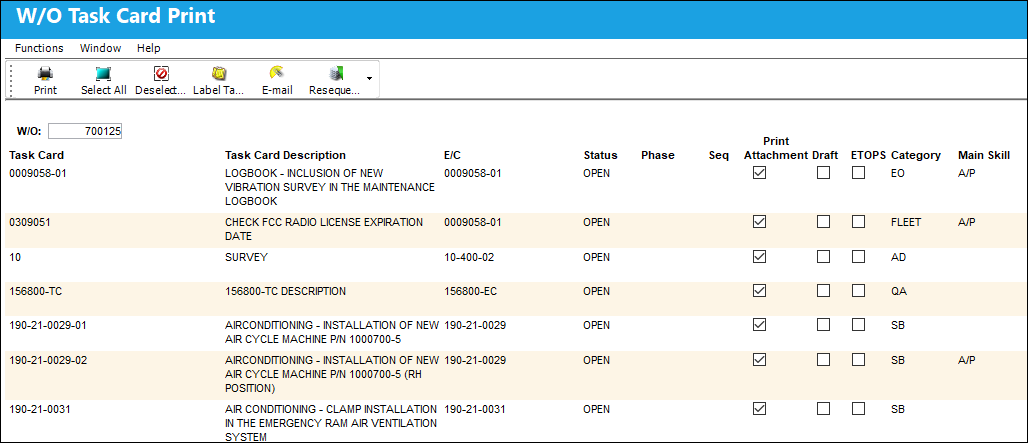
Select the Print button to print a Task Card.
Select the E-mail button to email a Task Card.
Select the Resequence  button to change the order of the Task Cards.
Select the Sequence  button to sort the Task Cards through a specific sequence.
Select the Select All  button to select (highlight in blue) all Task Cards.
Select the Deselect All  button to deselect all Task Cards.
 Select the Send to Queue
  button when a Print is ready to be requested. For more information, refer to the Work Order Pack Print - Report Server in the Production Training Manual.
Note: The Send to Queue button is security controlled via Production/ Print/ W/O Pack Print/ W/O Pack Print TC Send to Queue. For more information, refer to the Security Explorer via the System Administration Training Manual.
Select the Trax Job Printer Manager  button to view and manage all information related to Work Pack Print jobs. For more information, refer to the TRAX Job Printer Manager in the Systems Administration Training Manual.
Note: The Trax Job Printer Manager button is security controlled via Production/ Print/ W/O Pack Print/ W/O Pack Print T/C Job Print Manager. For more information, refer to the Security Explorer via the System Administration Training Manual.
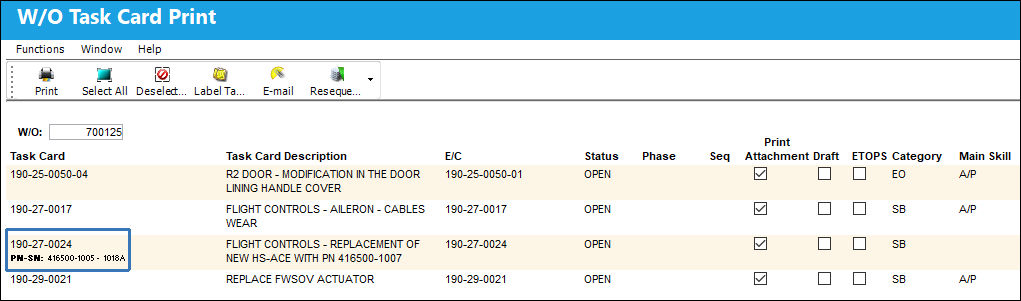
 P/N S/N Number Display
The assigned P/N S/N is displayed when a P/N S/N is assigned to a W/O Task Card.
Additional Functionality:
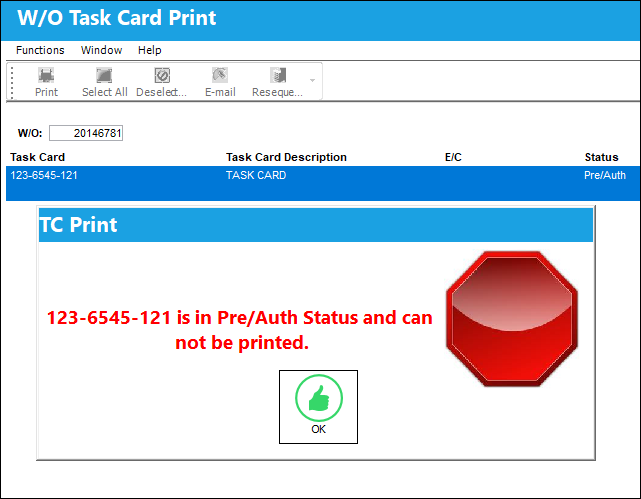
Users may not print Task Cards that are in 'Pre/Auth' status. TRAX will display the following error:
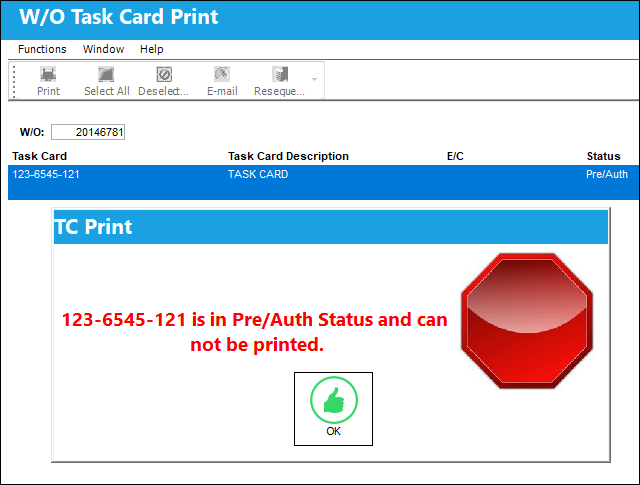
Users may not E-mail Task Cards that are in 'Pre/Auth' status. TRAX will display the following error:
Share
Print
|
©1997-2026 Trax USA Corp. All rights reserved. This manual may not be copied, photocopied, reproduced, translated, or converted to any electronic or machine-readable form, in whole or in part, without prior written approval from Trax USA Corp. |
 |