
 Share
Share
 Print
Print
|
|
|
|
|


Users can view detailed information for each job by selecting the Inspect Job  button via the TRAX Database Jobs window.
For example, select a job then select the Inspect Job button.
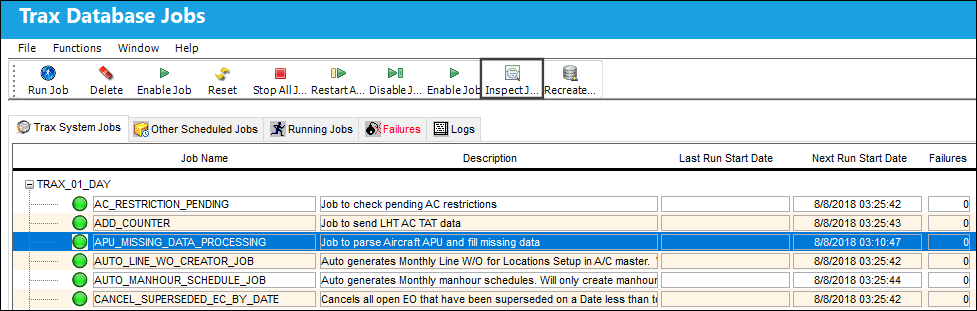
The TRAX Database Job Detail window appears as follows.
General Tab:
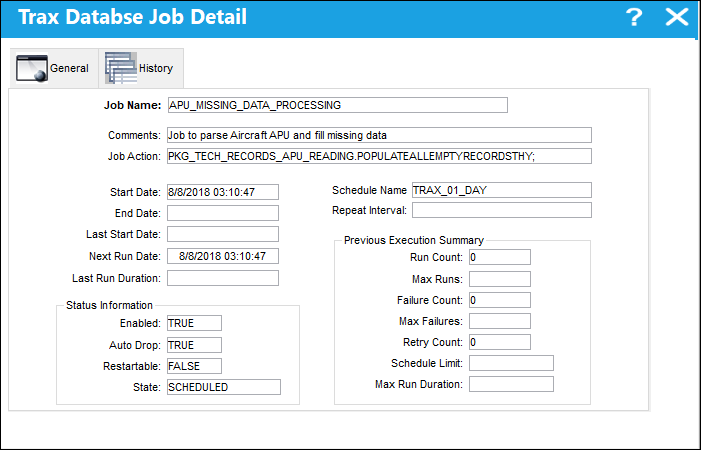
This field contains much of the same information as listed in the TRAX System Jobs Tab.
History Tab:
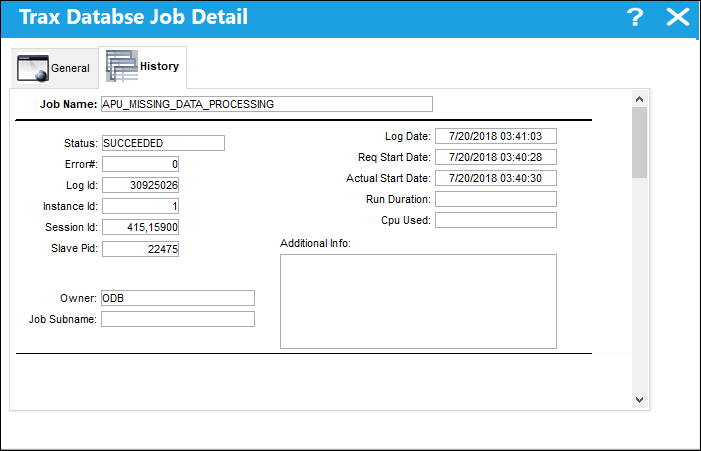
The History tab provides an audit of the previous job runs as well as the Status of each run. The Status field could either read 'SUCCEEDED', 'FAILED', or 'STOPPED'. If failed or stopped, the Additional Info field will contain information for the stoppage or the failure.
The information is provided is Oracle-based specifications.
Share
Print
|
©1997-2026 Trax USA Corp. All rights reserved. This manual may not be copied, photocopied, reproduced, translated, or converted to any electronic or machine-readable form, in whole or in part, without prior written approval from Trax USA Corp. |
 |