
 Share
Share
 Print
Print
|
|
|
|
|


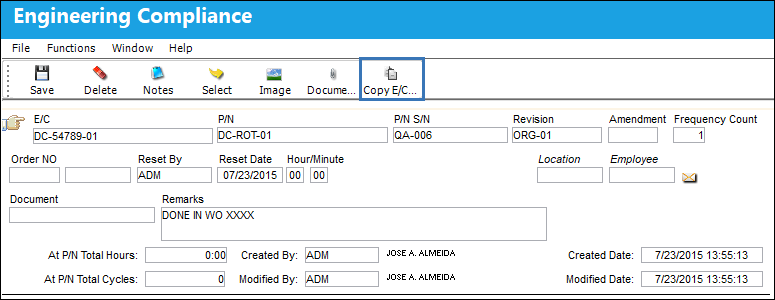
The Copy E/C Compliance  button is used to copy the E/C Compliance from one E/C to another.
 This button is security controlled via Engineering/Update/Engineering Compliance/Compliance Button
From the Engineering Compliance window, be sure the Hand  pointer is pointing to the correct record and select the Copy E/C Compliance button:
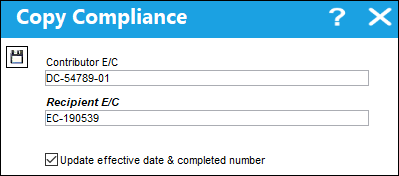
The Copy Compliance window appears. Select into the Recipient E/C field and select an E/C to copy the compliance to. If the user wants to copy the Effective Date and Completed Number of the compliance from the Contributor E/C to the Recipient E/C, select the Update effective date & completed number checkbox..
Once the Recipient E/C has been selected, select the Save  button.
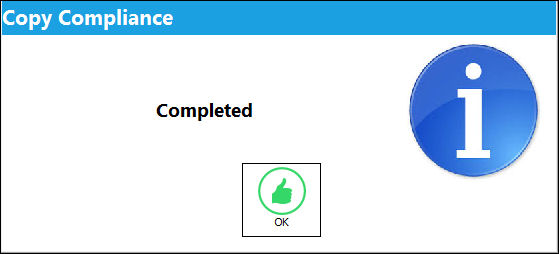
Once the compliance has been copied over, the following information box will appear. Select 'OK'.
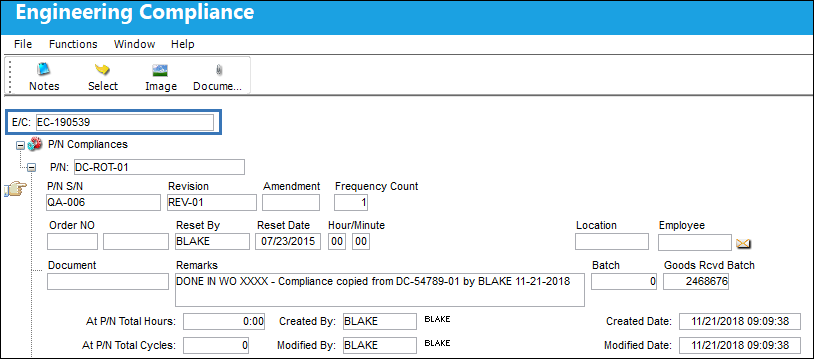
The compliance from the Contributer E/C has been copied to the Recipient E/C.
 Update Effective Date and Completed Number Checkbox:
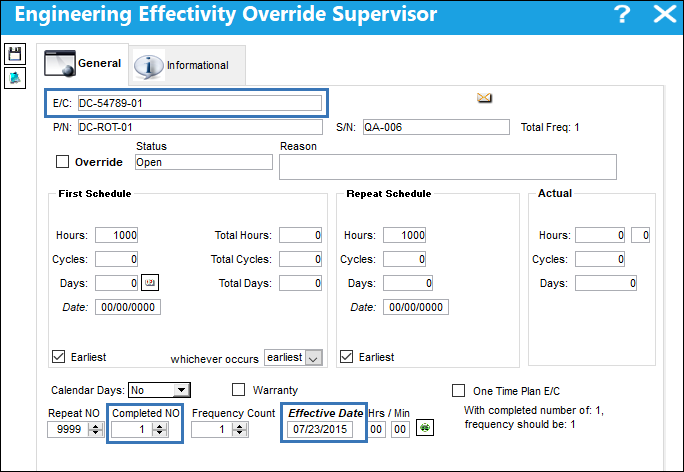
Because the Update effective date & completed number checkbox was selected, the Recipient E/C has inherited the Contributor E/Cs Completed NO and Effective Date.
The Contributor E/Cs Completed NO and Effective Date.
The Recipient E/Cs Completed NO and Effective Date has been carried over from the Contributor E/C.
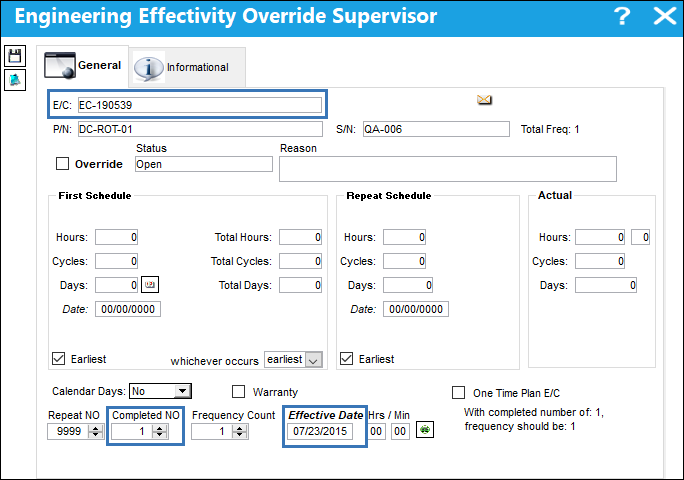
When the contributor E/C's Effective Date is greater than the recipient with a Completed NO of zero, the Effective Date will update accordingly. However, this will only change the Effective Date for the effective aircraft and not the Schedule tab of the E/C.
Share
Print
|
©1997-2026 Trax USA Corp. All rights reserved. This manual may not be copied, photocopied, reproduced, translated, or converted to any electronic or machine-readable form, in whole or in part, without prior written approval from Trax USA Corp. |
 |