
 Share
Share
 Print
Print
|
|
|
|
|


Engineering Control Compliance
Users can manually create a compliance record for an E/C via Engineering Compliance (as opposed to automated compliance via the Production module [Work Orders]).
From this window, manual compliance can be applied through two methods:
- For a specific aircraft by selecting the A/C CTL
 button (only for A/C E/Cs).
 - For a specific P/N S/N by selecting the P/N CTL
 button (only for P/N E/Cs).
This window is a query only window, and cannot be edited or updated. Any updates must be done via Engineering Control.
Select the E/C that the user would like to create the compliance record for.
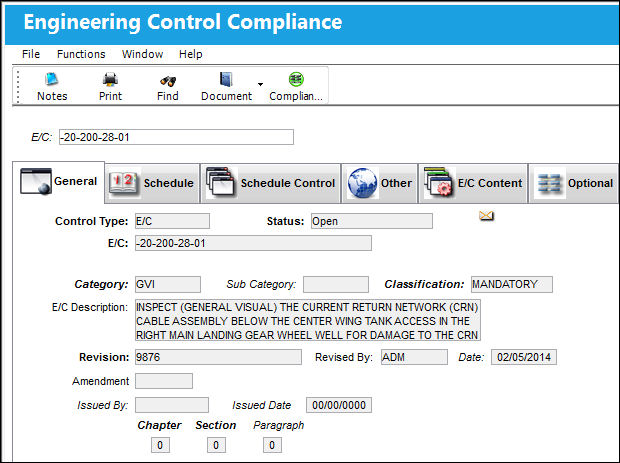
For information regarding all buttons available in this window, refer to the Engineering Control Compliance Buttons.

 Share
Print
Share
Print
|
©1997-2026 Trax USA Corp. All rights reserved. This manual may not be copied, photocopied, reproduced, translated, or converted to any electronic or machine-readable form, in whole or in part, without prior written approval from Trax USA Corp. |
 |