
 Share
Share
 Print
Print
|
|
|
|
|


The A/C Type & Series Revision  button allows the user to apply a revision for an entire A/C Type & Series.
From the P/N Software Configuration window, select the A/C Type & Series Revision button.
Be sure the Selection  arrow is pointing to the desired A/C Type/Series. In this example, it is pointing to the B737-700.
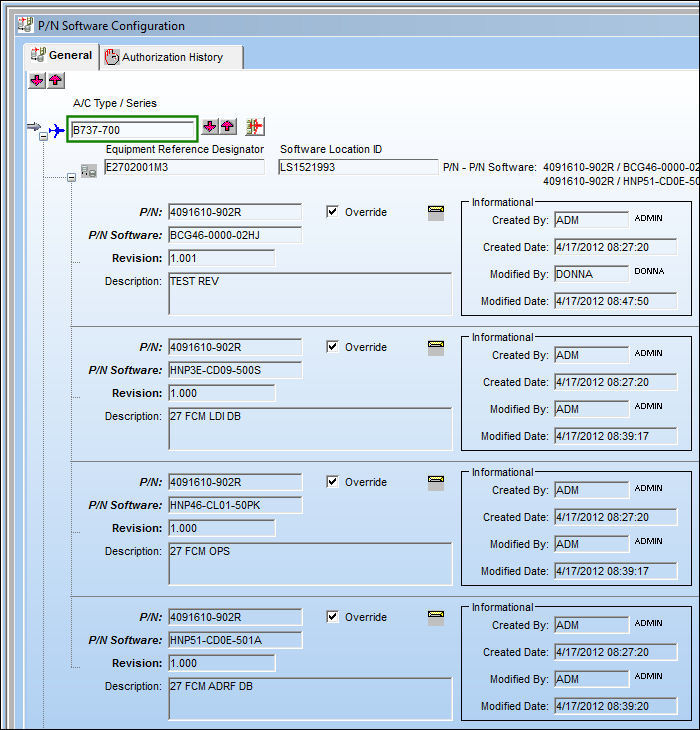
TRAX displays the Revision Control window. Populate the Description field and select the Save  button.
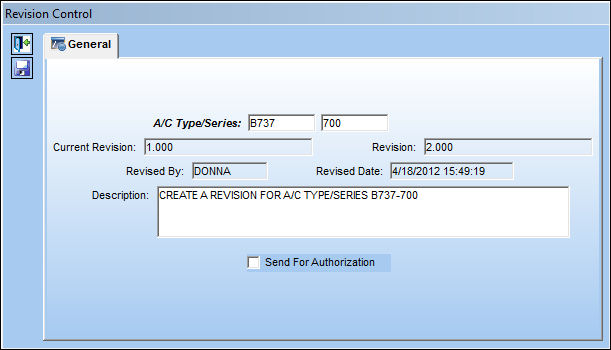
The following information/options are available in this window:
_____________________________________________________________________________________
A/C Type/Series
The Aircraft Type and Series/Fleet assignment.
Current Revision
The current revision number of the P/N Software Configuration.
Revision
The P/N Software Configuration revision.
Revised By
The user who created this revision.
Revised Date
The date the revision was revised.
Description
The P/N Software Configuration description.
Send For Authorization checkbox
Select this checkbox to send the entire A/C Type/Series for authorization. If this checkbox remains deselected, once the Revision is saved, the user will have to manually release the A/C Type/Series for authorization and accept it.
_____________________________________________________________________________________
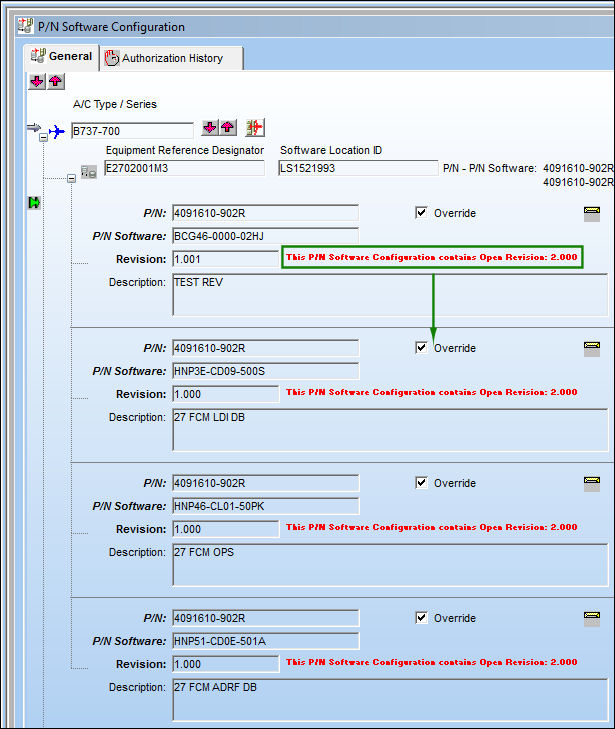
After saving the record, every P/N Software Configuration for the B737-700 A/C Type/Series is now under revision:
Only when the revision has been accepted will it take on the new revision values, and then it can be used throughout the system.
Share
Print
|
©1997-2026 Trax USA Corp. All rights reserved. This manual may not be copied, photocopied, reproduced, translated, or converted to any electronic or machine-readable form, in whole or in part, without prior written approval from Trax USA Corp. |
 |