
 Share
Share
 Print
Print
|
|
|
|
|


The Revision Control  button is used to apply a new revision against an existing P/N Software Configuration. A revision can also be applied to the entire A/C Type/Series. For additional information regarding how to apply a revision to the entire A/C Type/Series, refer to the A/C Type & Series Revision Button via P/N Software Configuration.
 The Revision Control button is security controlled via the Security Explorer/ Settings/ Update/ P/N Software Configuration/ PN Software Configuration Revision Control. For additional information, refer to the Security Explorer, via the System Administration Training Manual.
If Switch  AUTOAUTHPNSWCONF is set to Yes, when creating a new revision, the user must modify the P/N Software in the Revision Control window, otherwise the revision will be automatically authorized. For additional information, refer to Switch AUTOAUTHPNSWCONF, via the Settings Switches Manual.
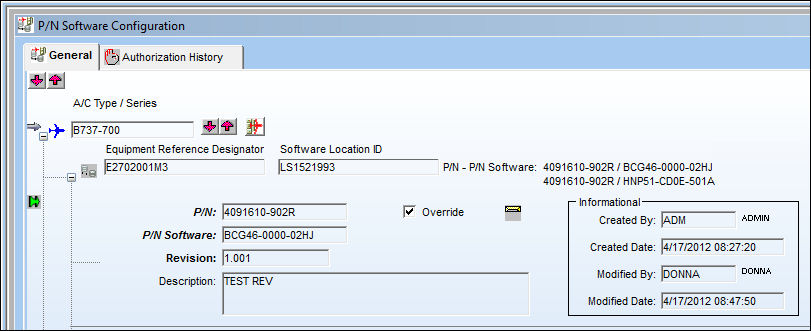
From the P/N Software Configuration window, select the Revision Control button.
Be sure the Selection  arrow is pointing to the desired P/N Software Configuration.
TRAX displays the Revision Control window. Populate the Description field and select the Save  button.
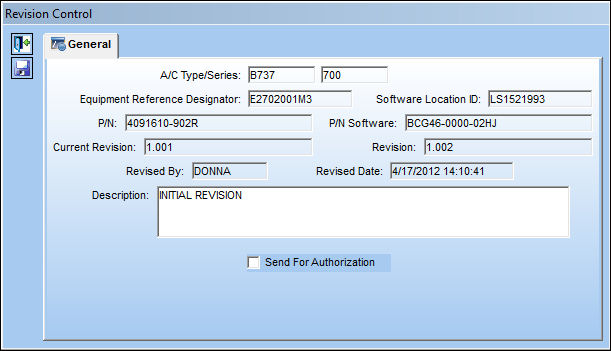
The following information/options are available in this window:
_____________________________________________________________________________________
A/C Type/Series
The Aircraft Type and Series/Fleet assignment.
Equipment Reference Designator
The aircraft position ERD (Equipment Reference Designator) reference. This is the physical position on the aircraft where the hardware part is installed.
Software Location ID
The Software Location Identification (SLID) code. The SLID is where the software for the part is loaded onto the hardware part's ERD location. One ERD may have multiple SLIDs as a hardware part may have multiple software components.
P/N
The Part Number reference for the aircraft part.
P/N Software
The software part that is installed on the aircraft for the hardware part.
Current Revision
The current revision number of the P/N Software Configuration.
Revision
The P/N Software Configuration revision.
Revised By
The user who created this revision.
Revised Date
The date the revision was revised.
Description
The P/N Software Configuration description.
Send For Authorization checkbox
Select this checkbox to send the revision for authorization. If this checkbox remains deselected once the Revision is saved, the user will have to manually release the revision for authorization and accept it.
_____________________________________________________________________________________
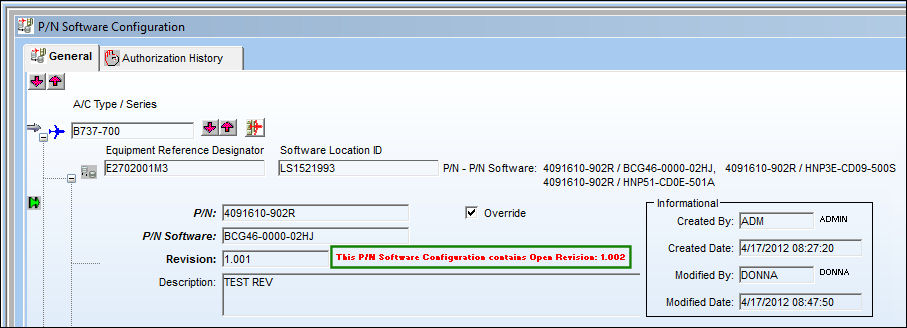
Once saved, the text in red indicates that there is an open revision for the following configuration:
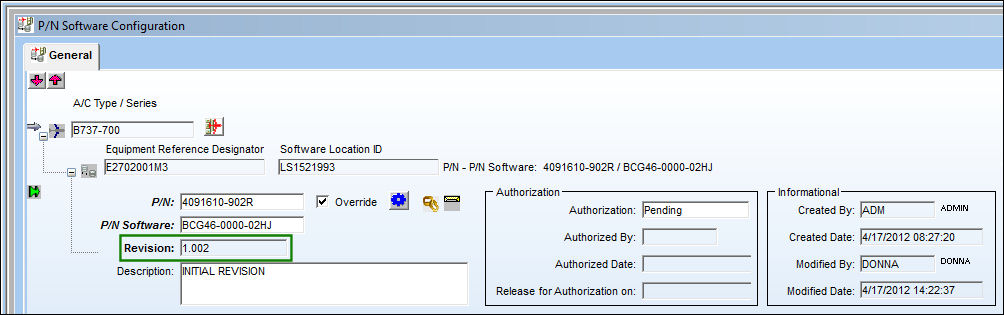
The new revision can be found in the P/N Software Configuration Authorization Management window:
Only when the revision has been accepted will it take on the new revision values, and then it can be used throughout the system.
Share
Print
|
©1997-2026 Trax USA Corp. All rights reserved. This manual may not be copied, photocopied, reproduced, translated, or converted to any electronic or machine-readable form, in whole or in part, without prior written approval from Trax USA Corp. |
 |