
 Share
Share
 Print
Print
|
|
|
|
|


When Follow Up Requirements (FUR) are created for Non-Routine Task Cards, they can be viewed from the Follow Up Requirements tab of the W/O Non-Routine Task Card window. This tab lists all FURs whether they are authorized, rejected, or pending authorization.
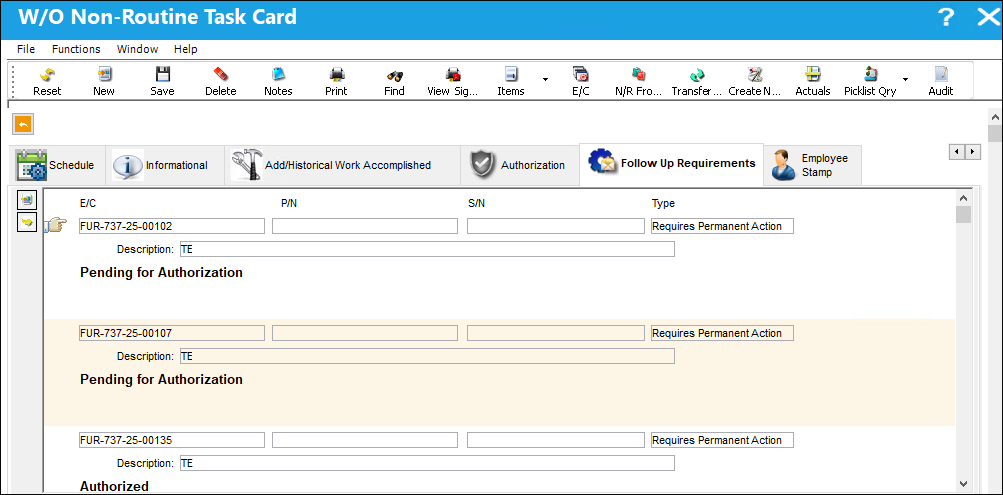
If a Non-Routine Task Card does not have any FURs, this tab is not displayed in the W/O Non-Routine Task Card window.
 : This tab is security-controlled via Production/ Update/ W/O/ W/O Non Routine FUR Tab. For more information, refer to the Security Explorer via the System Administration Training Manual.
 Note: When the Technical Records switch
  FURUPDATE is set to Yes, the system will allow users to update the editable fields in the Engineering Control General, Schedule, and Schedule Control tabs for FUR E/Cs (Follow-Up Requirements).
To open the Follow Up Requirements window, select the FUR E/C. To open/view a FUR's Engineering Control record, select the FUR E/C.
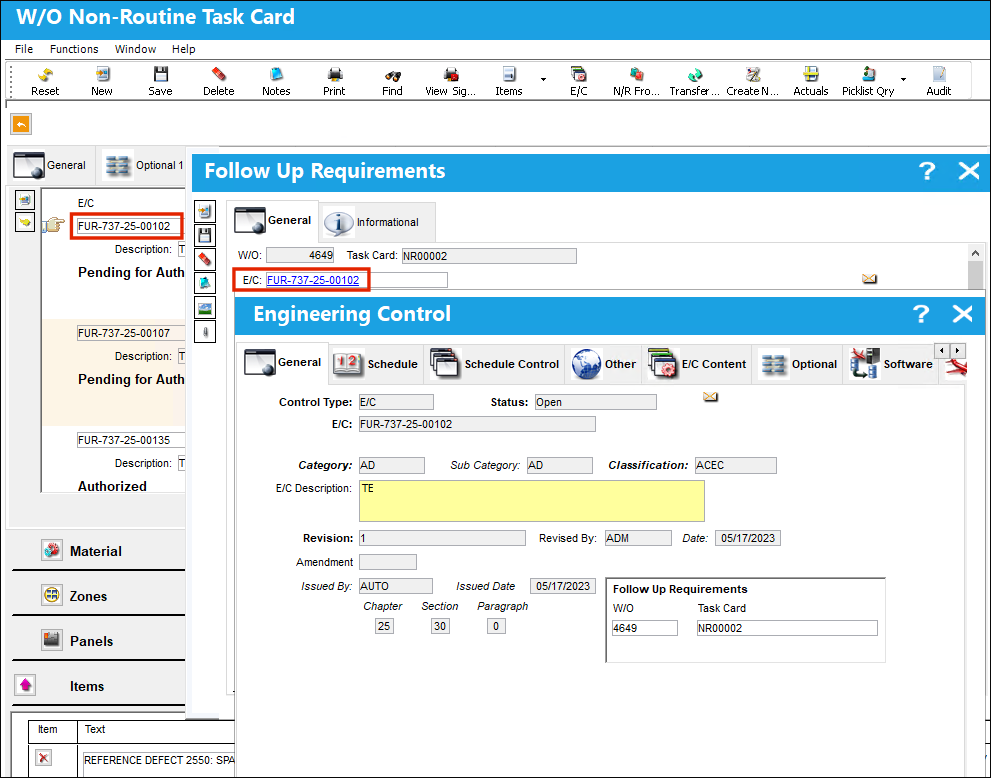
Note: The field and buttons in the Engineering Control General, Schedule, and Schedule Control tabs for FUR E/Cs are security controlled via Security Explorer/ Technical Record/ Update/ FUR Resolution Tab Edition. The field and button securities underneath the FUR Resolution Tab Edition section only apply to FUR E/Cs, not E/Cs created from the Engineering Control window. For more information, refer to the Security Explorer via System Administration Training Manual.
Share
Print
|
©1997-2026 Trax USA Corp. All rights reserved. This manual may not be copied, photocopied, reproduced, translated, or converted to any electronic or machine-readable form, in whole or in part, without prior written approval from Trax USA Corp. |
 |