
 Share
Share
 Print
Print
|
|
|
|
|


Capital Expenditure
The System Transaction Codes are displayed with both the Code Names and Descriptions. The Code Descriptions directly illustrate their functionality and role in the system, as fields are populated and tasks are performed.
Available Functionality:
The Capital Expenditure code describes the way in which a cost is to be accounted for.
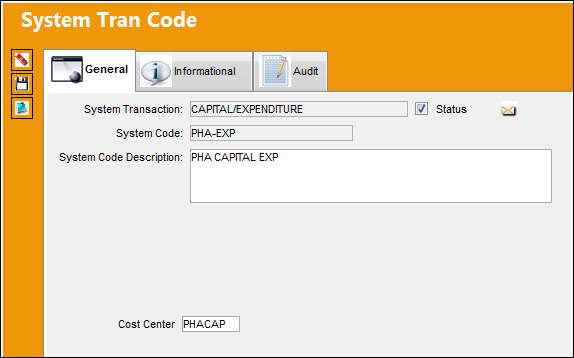
 Depending on the setting of Orders Switch
  CAPEXGL, either the Cost Center field or the Default G/L field is available. If Switch CAPEXGL is set to No, the Cost Center field is available. When Switch CAPEXGL is set to Yes, the Default G/L field is available.
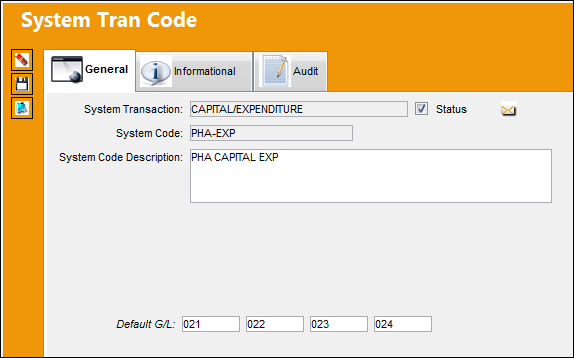
The following information/options are available in this window:
_____________________________________________________________________________________
Cost Center 
This field populates the Cost Center section of the G/L Account for received orders when the Capital Expenditure is entered in the Order Detail, Optional tab.
 This field and functionality is only available when Orders Switch CAPEXGL is set to No. For more information refer to the Orders Switches Manual.
Default G/L
The G/L Account associated to the Capital Expenditure transaction code. This field populates the G/L Account field in an order when this Capital Expenditure is entered in the Order Detail, Optional tab.
This field and functionality is only available when Orders Switch CAPEXGL is set to Yes. For more information refer to the Orders Switches Manual.
_____________________________________________________________________________________
Cost Center for Received Orders:
The Cost Center of the Capital Expenditure is populated in an order's G/L Account once the order is received. For example, notice the above Capital Expenditure is associated to a Cost Center.
This functionality is only available when Switch CAPEXGL is set to No. For more information refer to the Orders Switches Manual.
Now notice the following part contains a G/L Account with a particular Cost Center.
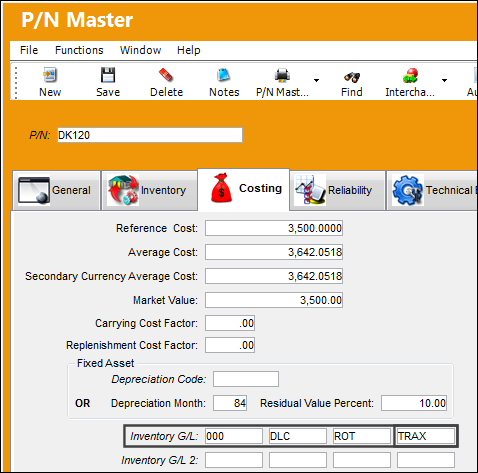
This same part is then ordered. A Capital Expenditure tran code (the same as above) is associated to the part via the Purchase Order Detail, Optional tab.
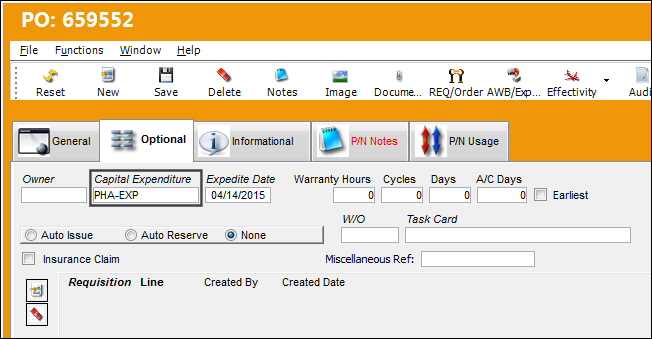
This functionality is available for Purchase Order, Repair Order, Exchange Order, Loan Order, and Service Order but not for Warranty Claim.
Once the part is received and Journal Entries are created, notice that the G/L Account registered for the ordered part contains the Cost Center associated to the Capital Expenditure.
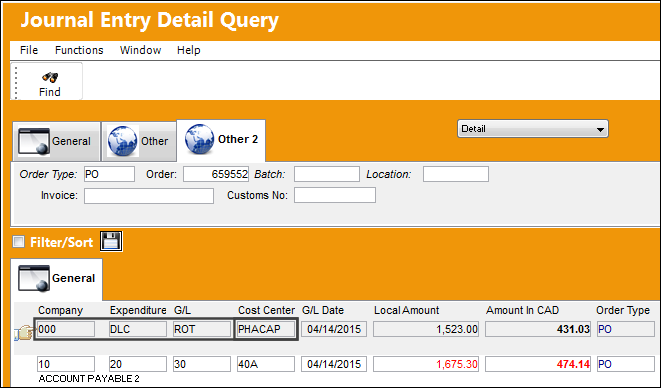
If the Cost Center field for the selected Capital Expenditure is null, the G/L of the ordered part will not be affected.
Share
Print
|
©1997-2026 Trax USA Corp. All rights reserved. This manual may not be copied, photocopied, reproduced, translated, or converted to any electronic or machine-readable form, in whole or in part, without prior written approval from Trax USA Corp. |
 |