
 Share
Share
 Print
Print
|
|
|
|
|


Order Category
The System Transaction Codes are displayed with both the Code Names and Descriptions. The Code Descriptions directly illustrate their functionality and role in the system, as fields are populated and tasks are performed.
Module: |
Orders |
Transaction Code: |
Order Category |
General Description: |
Descriptions of Order Category |
Are Authorization Steps Available? |
Y |
Is System Notification Available? |
Y |
Trax Control Panel Path(s): |
Transaction Code Explorer/ Orders/ Order Category. |
Windows(s): |
w_order_print_sel. |
Functions: |
Category of the Order. |
Available Functionality:
These Transaction Codes are optional but are used in conjunction with Order Types in the set-up of Authorization Steps.
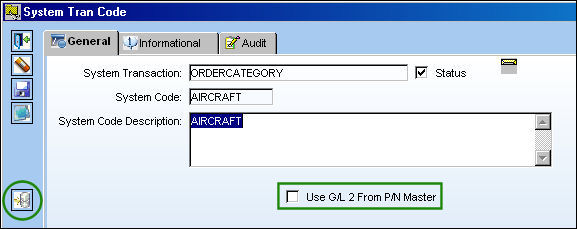
The user may select the Update G/L Code  button to update/modify all open orders.
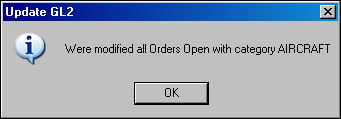
TRAX confirms the operation with this message window.
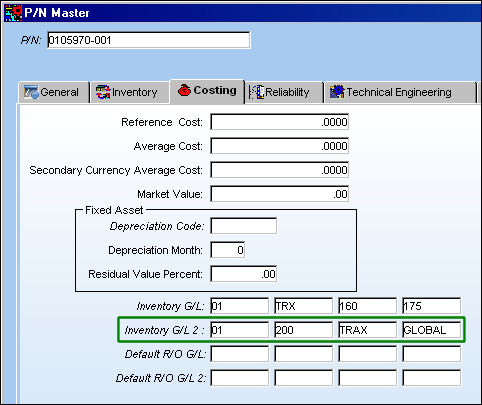
The user may select the Use G/L 2 From P/N Master checkbox to enable the Inventory G/L 2 via the P/N Master, Costing Tab (second General Ledger accounts) and make it effective for Inventory and Repair Orders set up in the P/N Category Transaction Code.
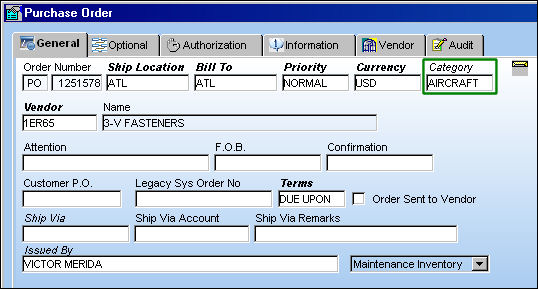
When this checkbox is selected, Purchase Orders created with this particular Order Category will have its G/L information populated by the ordered P/N's Inventory G/L 2 found in the P/N Master, Costing tab. Notice in the below Purchase Order header that the Order Category with the Use G/L 2 From P/N Master checkbox is entered.
When a P/N is entered in the P/O detail window, the P/N's Inventory G/L 2 populates the G/L field.
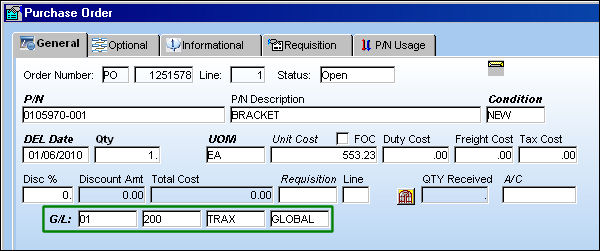
Notice the P/N's Inventory G/L 2 from the P/N Master, Costing Tab matches the G/L populated in the Purchase Order detail window.
Additional Functionality:
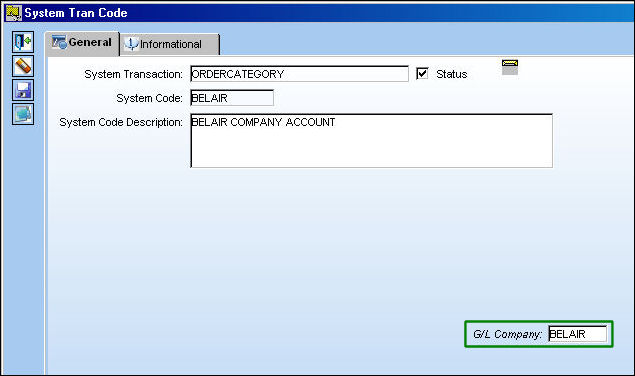
This Transaction Code has another function when G/L Interface Switch  COMPANYMULTI is set to 'Yes'. When set to 'Yes', the Category field will become the Company field. It is part of the Multi-Company functionality that allows Companies that own subsequent airlines to share the same database while differentiating the G/L information amongst each airline. From this Transaction Code, users are to enter a System Code and G/L Company that matches the G/L Account of a company/airline code.
For more information on the Multi-Company functionality, refer to the Switch COMPANYMULTI via the G/L Interface Switch Manual.
Share
Print
|
©1997-2026 Trax USA Corp. All rights reserved. This manual may not be copied, photocopied, reproduced, translated, or converted to any electronic or machine-readable form, in whole or in part, without prior written approval from Trax USA Corp. |
 |