
 Share
Share
 Print
Print
|
|
|
|
|


Print Recount Sheet
Print the Recount report that contains a list of part number information for items that need to be recounted. From the Physical Reconciliation Recount window select the Print  button to print a list of parts that need to be recounted. The following print will display:
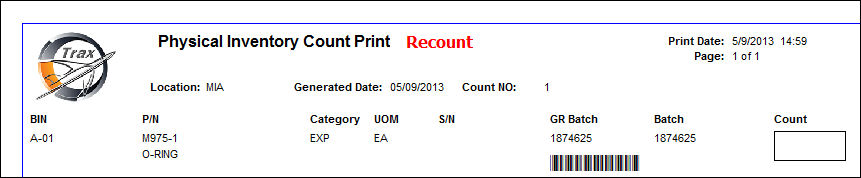
Note: The Count column to the right. Once the report is printed, this column can be used to enter the quantity that is actually counted during the Physical Inventory Count step explained in the following section. For more information go to Physical Inventory Count.
Note: This is a customizable print. The above example is the TRAX standard Physical Inventory Count Print.
Share
Print
|
©1997-2026 Trax USA Corp. All rights reserved. This manual may not be copied, photocopied, reproduced, translated, or converted to any electronic or machine-readable form, in whole or in part, without prior written approval from Trax USA Corp. |
 |