
 Share
Share
 Print
Print
|
|
|
|
|


Generate Physical Reconciliation Transactions Print
Inventory/ Print/ Physical Inventory Print/ Physical Inventory Reconciliation Amounts
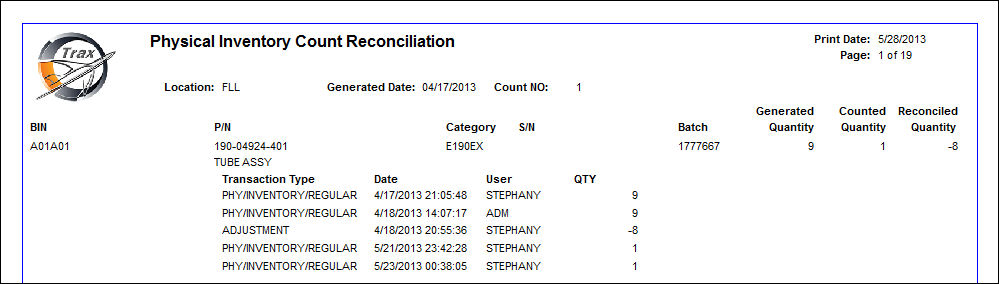
This print verifies the quantities in TRAX versus the actual physical part quantities manually counted. The report shows if any discrepancies were found and
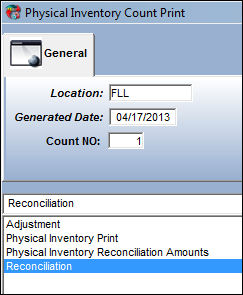
In the Physical Inventory Count Print window, select the Physical Inventory Reconciliation Amounts report. Now the Reconciliation Amounts report can be printed.
This report will show the system quantity, the counted quantity, and the reconciled quantity:
TRAX does not take into account issued out parts while undergoing a Physical Inventory Count.
Share
Print
|
©1997-2026 Trax USA Corp. All rights reserved. This manual may not be copied, photocopied, reproduced, translated, or converted to any electronic or machine-readable form, in whole or in part, without prior written approval from Trax USA Corp. |
 |