
 Share
Share
 Print
Print
|
|
|
|
|


Message, via Navigation Panel

In the Navigation Panel, the Message tab icons have been resized to a smaller size. The user can receive and send TRAX notifications through the available message options.
The Message folders are divided into Inbox, Inbox Read, Sent Items, Received Items, and Recycle.
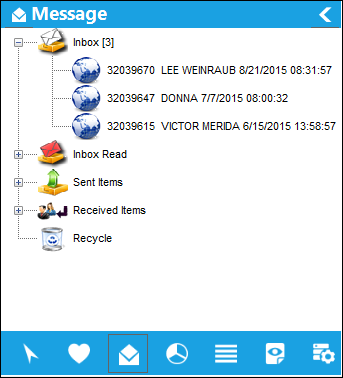
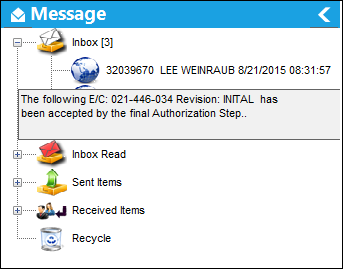
Hover over new messages to see a hypertext box with additional information.
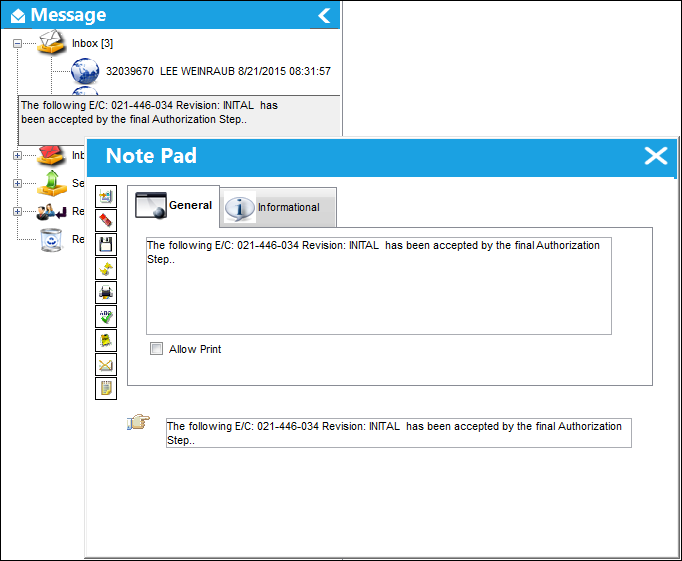
Select the message to open the message.
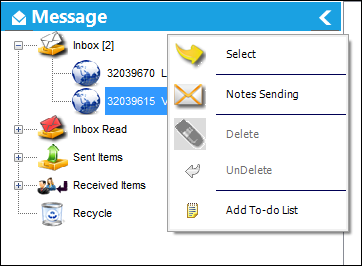
Right-click on a message to view multiple options.
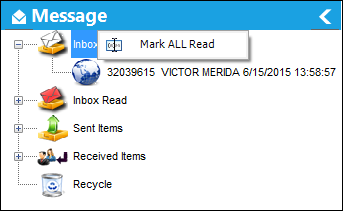
The Inbox folder contains all unread messages. Once read, the message automatically moves to the Inbox Read folder. All messages can be moved at the same time by right-clicking on 'Inbox' and selecting 'Mark ALL Read.'
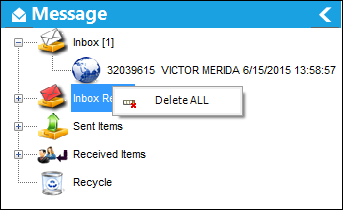
From the other folders, all messages can be deleted by right-clicking on the folder name and selecting the 'Delete ALL' button.
Share
Print
|
©1997-2026 Trax USA Corp. All rights reserved. This manual may not be copied, photocopied, reproduced, translated, or converted to any electronic or machine-readable form, in whole or in part, without prior written approval from Trax USA Corp. |
 |