
 Share
Share
 Print
Print
|
|
|
|
|



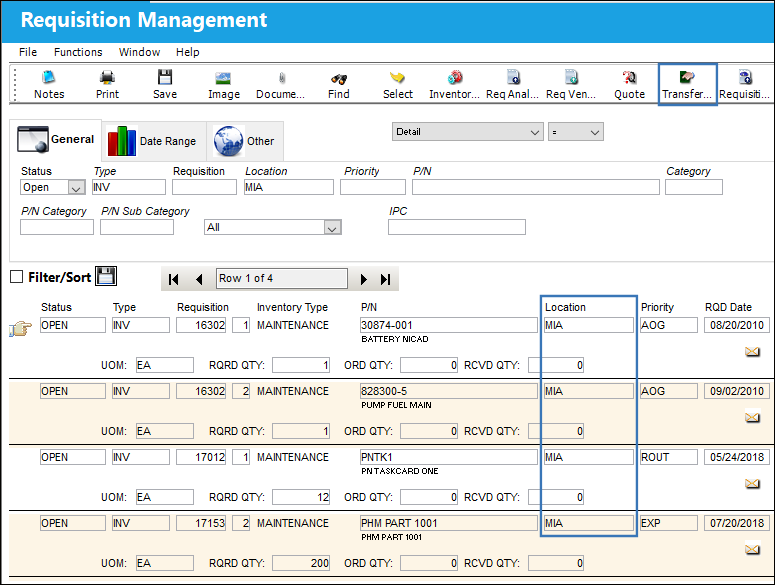
From the Requisition Management window, users are able to create a Transfer Order for all requisitions from the same Location. The parts being transferred to the Requisition Location through the T/O must come from the same Location.
The Transfer Order  button can only be selected when all of the listed Requisitions pertain to the same Location.
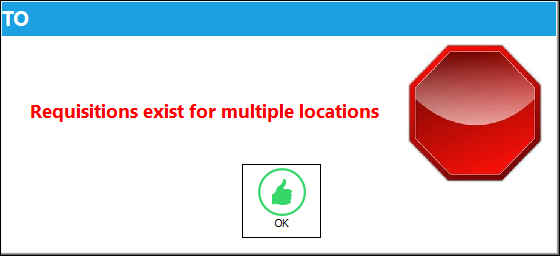
If multiple Locations are listed, the following warning prevents users from selecting the Transfer Order button.
 Transfer Order Button (via Requisition Management)
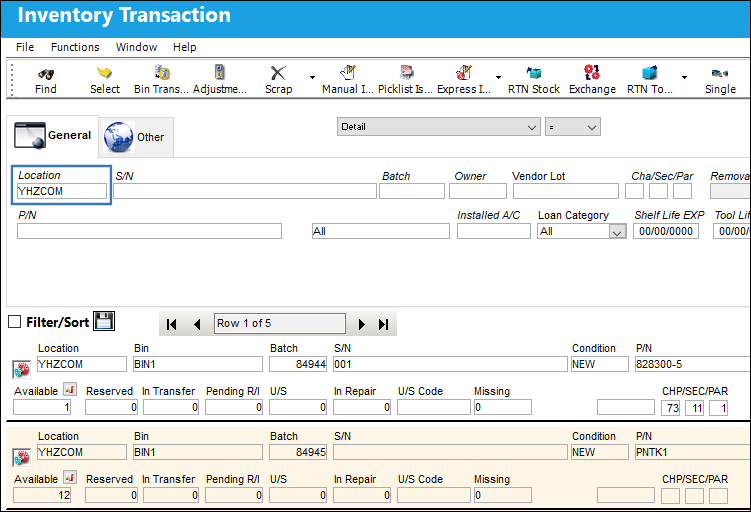
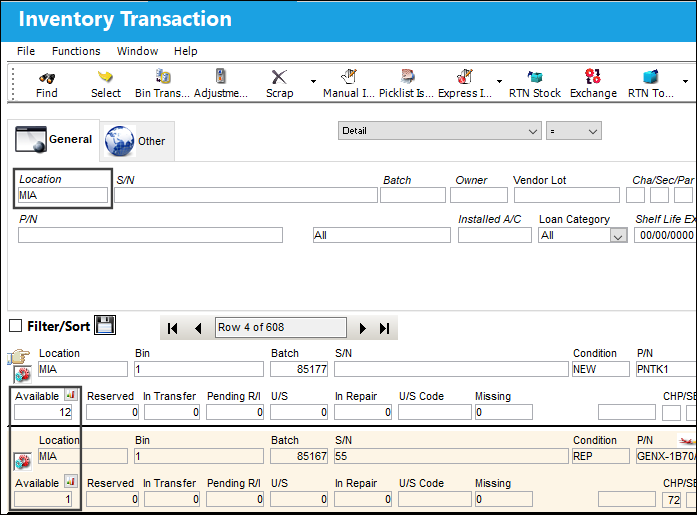
From the Inventory Transaction window, notice that two of the required P/Ns are available at a Location that's different from the Requisition Location.
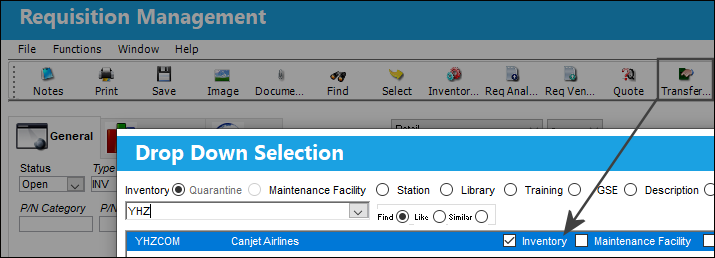
From the Requisition Management window, select the Transfer Order button then choose the inventory Location where the parts are available. The available parts will be transferred from this Location to the Requisition Location.
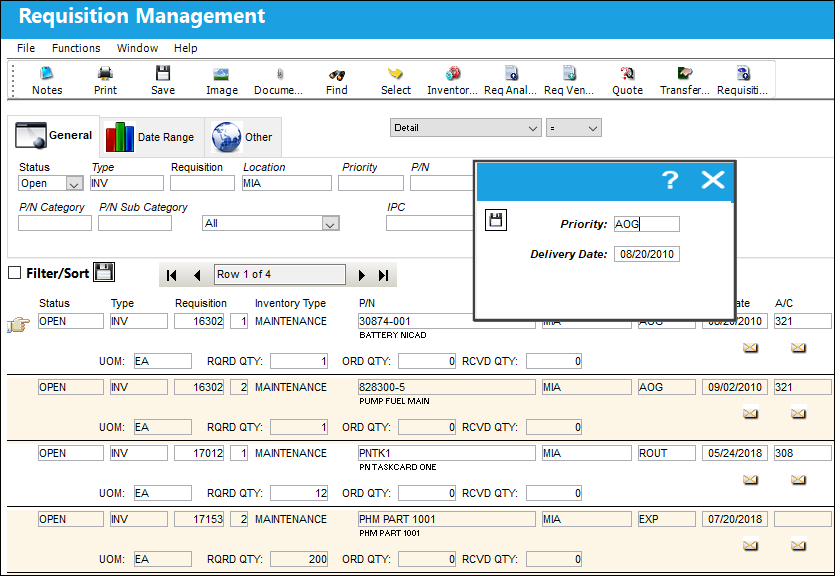
Enter the Priority and the Delivery Date for the T/O in the following prompt. Once entered, select the Save  button to create the T/O.
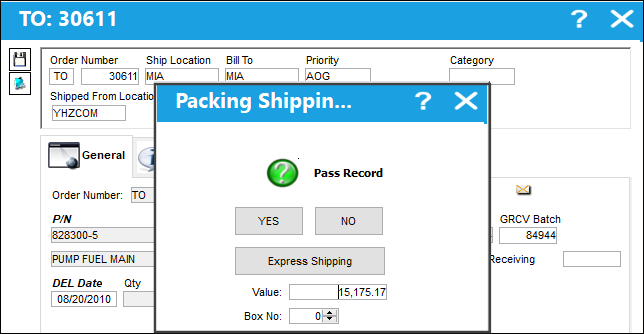
The Packing and Shipping prompt comes up for each of the two available parts.
The T/O Detail window is then displayed. Note that the T/O only includes the two available parts. The Shipped From Location and Ship Location have been automatically populated based on the selected inventory Location and the Requisition Location, respectively. Note that the system automatically skipped any unavailable P/Ns in the T/O Creation process.
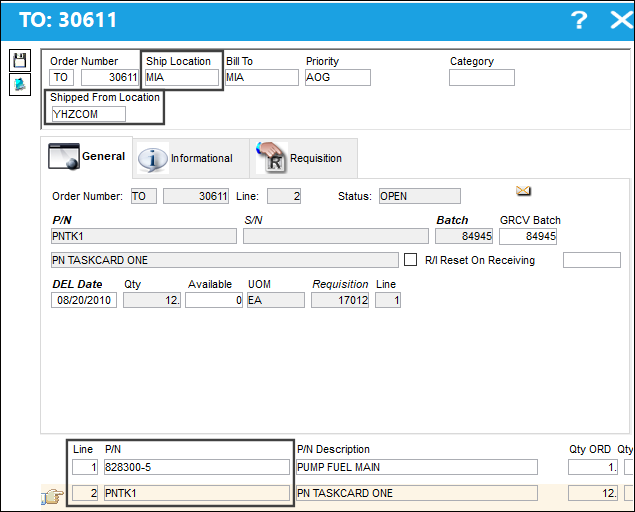
The top of this window contains the Transfer Order Header information, the middle section has the Transfer Order Detail information, and the bottom section lists the requisitioned parts.
Notice that this is a single T/O that compiles all of the Location's Requisitions. From the Requisition tab, notice that the first P/N came from one Requisition number...
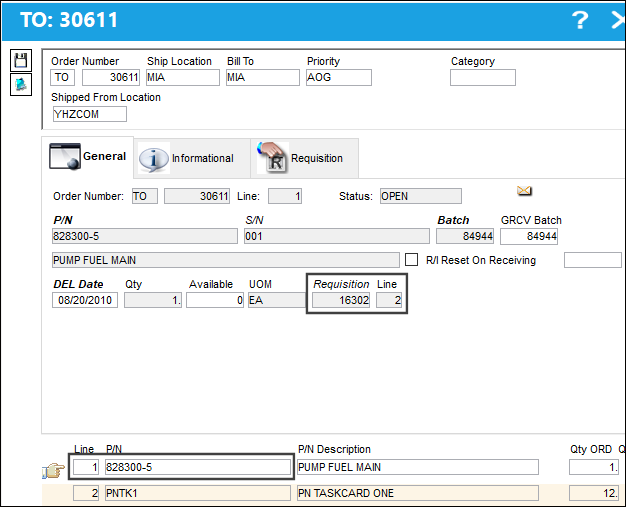
...while the second P/N came from another Requisition number.
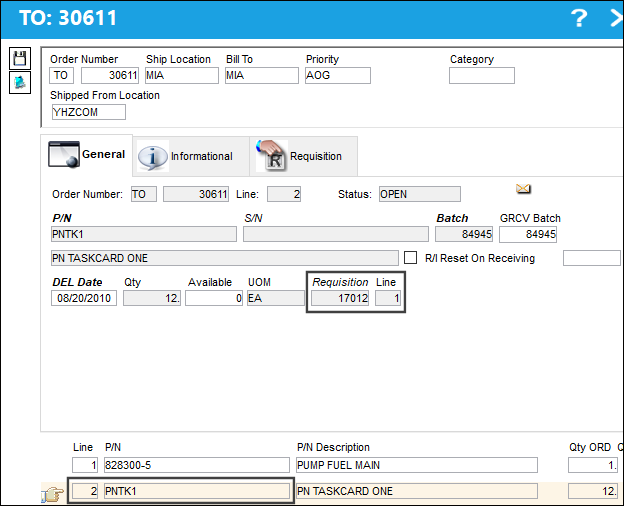
Verify all information then save the T/O.
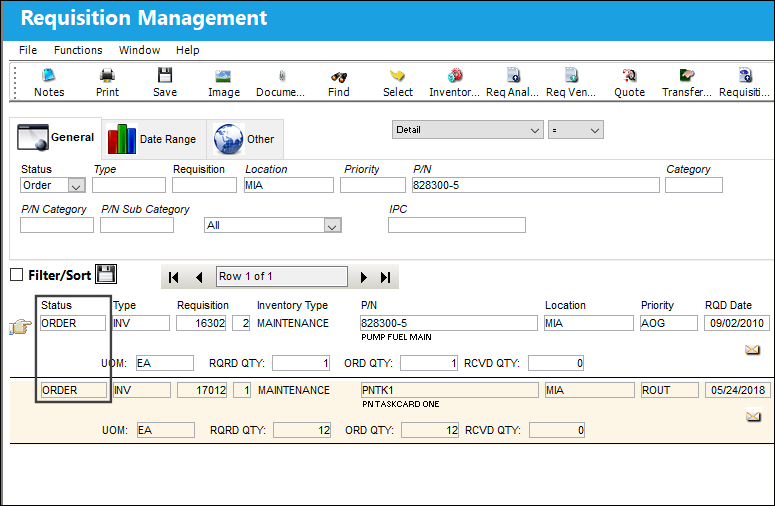
Refresh the Requisition Management window and notice that the Requisitions now are under 'ORDER' Status.
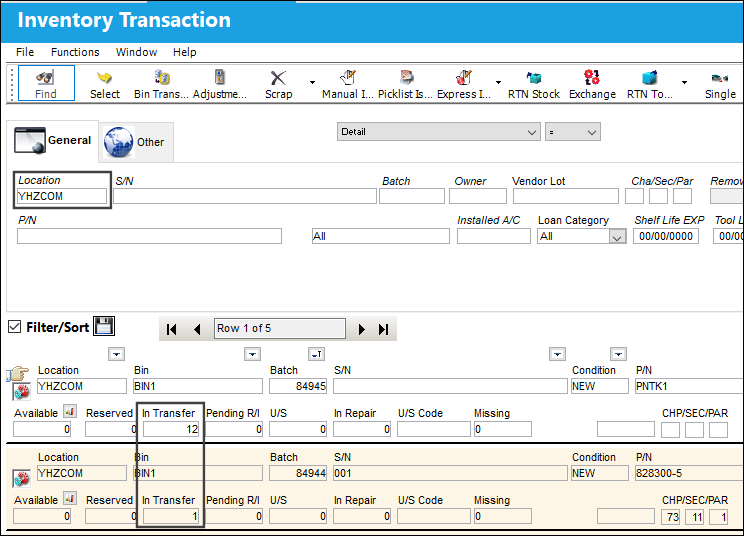
Notice that the parts from the inventory Location are no longer available but have been set to 'In Transfer.'
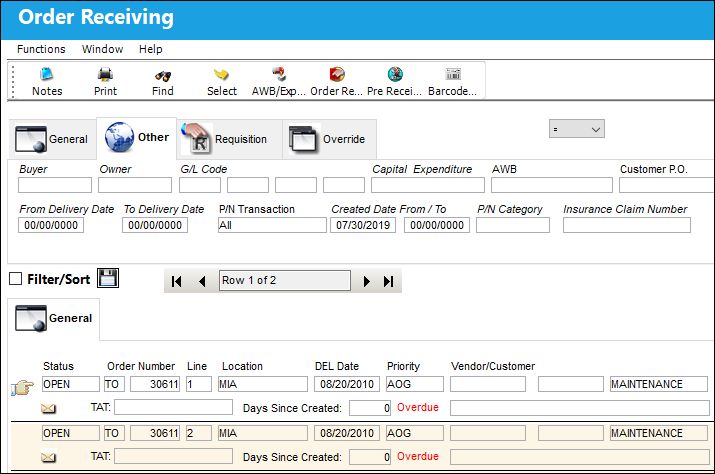
From Order Receiving, users must receive each of the Transfer Order's parts.
From Inventory Transaction notice that the Requisition Location now has the transfered parts available in inventory.
Share
Print
|
©1997-2026 Trax USA Corp. All rights reserved. This manual may not be copied, photocopied, reproduced, translated, or converted to any electronic or machine-readable form, in whole or in part, without prior written approval from Trax USA Corp. |
 |