
 Share
Share
 Print
Print
|
|
|
|
|


Manhours Schedule Generation
Following the creation of Groups, allocating employees, and defining schedules, the Man Hours Schedule Generation option will actualize all schedules for the month.
This window is only available when Planning Switch  LBRBYHCNT is set to 'No.' When set to 'No,' man hour labor generation will be determined by employee and shift and not by the head count functionality. When set to 'Yes,' this functionality is not available and the window cannot be accessed. For more information refer to Switch LBRBYHCNT via the Planning Switches Manual.
This option must be run to create the available labor for the period as follows:
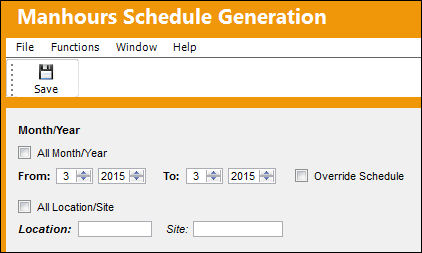
The following information/options are available in this window:
_____________________________________________________________________________________
All Month/Year checkbox
Select this checkbox to generate a schedule for all months and years.
When this checkbox is selected, the To fields are removed.
From-To Month/Year
Select the From-To date range (Month/Year) to generate a schedule for.
Override Schedule
Select the Override Schedule checkbox to override an already existing schedule. TRAX will not notify the user that a schedule already exists, but will go ahead and override it.. The user will not receive an error message.
All Location/Site checkbox
Select this checkbox to generate a schedule for all Locations and Sites.
When this checkbox is selected, the Location and Site fields are removed
Location
The Location for maintenance events, inventory stores, orders, transactions, or training events.
Site
Select a Site to generate a schedule for.
_____________________________________________________________________________________
Select the All Month/Year checkbox OR enter the month and year in the From and To fields to generate the capacity schedules for.
Select the All Location/Site checkbox or select a specific Location and Site to generate the capacity schedules for.
Select the Save  button.
If a schedule has already been created, the following pop up message will appear:
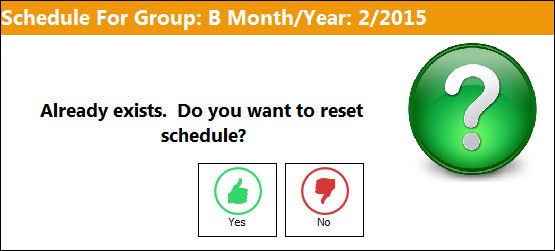
If the user selects Yes, the system will automatically filter for the next potentially available schedule. This will continue until an available schedule is found.
Note the date in the below pop-up.
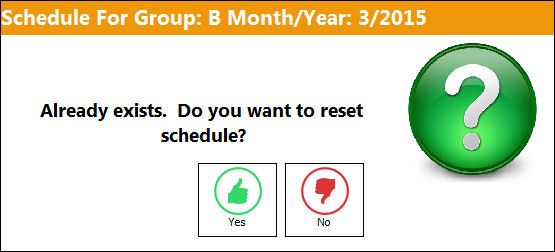
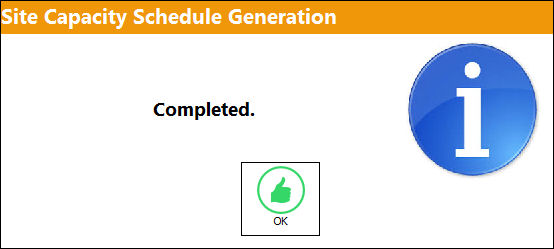
Once the schedule has been generated, the following information box will appear:
Attempting to generate a schedule by selecting the All Month/Year checkbox or by specific month/year works the same way.
This will now allocate all the employees to their respective work patterns (according to their work location/site, shift and skills).
Re-generation of the Man Hour Schedule will automatically cancel any existing Labor Reservations for planned Work Order events for the given month, location and site. The user will be required to re-create labor reservation for all canceled Work Order labor reservations.
Share
Print
|
©1997-2026 Trax USA Corp. All rights reserved. This manual may not be copied, photocopied, reproduced, translated, or converted to any electronic or machine-readable form, in whole or in part, without prior written approval from Trax USA Corp. |
 |