
 Share
 Print
|
|
|
|
|


Unit of Measurement (UOM)
A System Transaction Code is defined with the Code Name and Description. The Code Description directly states its functionality and role in the system, populating applicable fields as tasks are performed.
Available Functionality
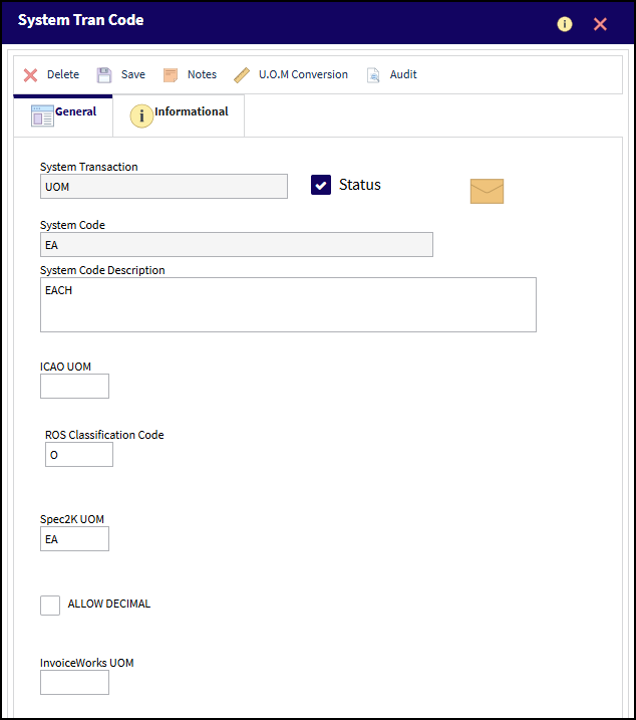
The following information/options are available in this window:
_____________________________________________________________________________________
System Transaction
Defines the system transaction functionality.
System Code
Defines the code.
System Code Description
The description of the System Code.
ICAO UOM
 This field is part of a customized interface and is not functional for most users.
ROS Classification Code
This field is part of a customized interface and is not functional for most users.
Spec2k UOM
This field is part of a customized interface and is not functional for most users.
InvoiceWorks UOM
This field is part of a customized interface and is not functional for most users.
Allow Decimal checkbox
Select to accept decimal numbers as QTY values for a P/N assigned to this UOM category.
Note: The Allow Decimal checkbox only affects a P/N that is assigned the 'Consumable' category, as defined in Settings/ Explorer/ System Transaction Code Explorer/ Settings / P/N Category.
_____________________________________________________________________________________
UOM Conversion
The Unit of Measurement (UOM) tran code can convert Ordered Quantities to Distribution/Inventory quantities. For example, if a part contains a UOM of 'EA' but the part is ordered with a different UOM, a conversion takes place automatically to account for the change.
From the System Tran Code screen, select the U.O.M. Conversion button.
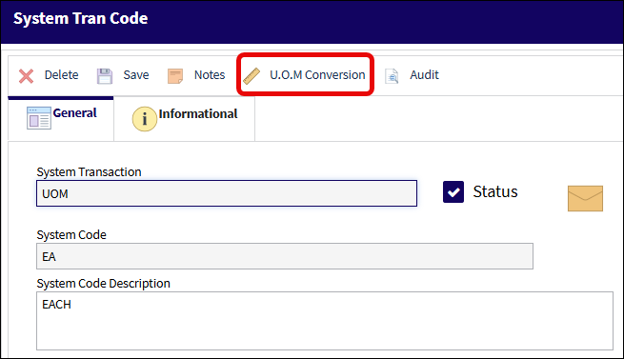
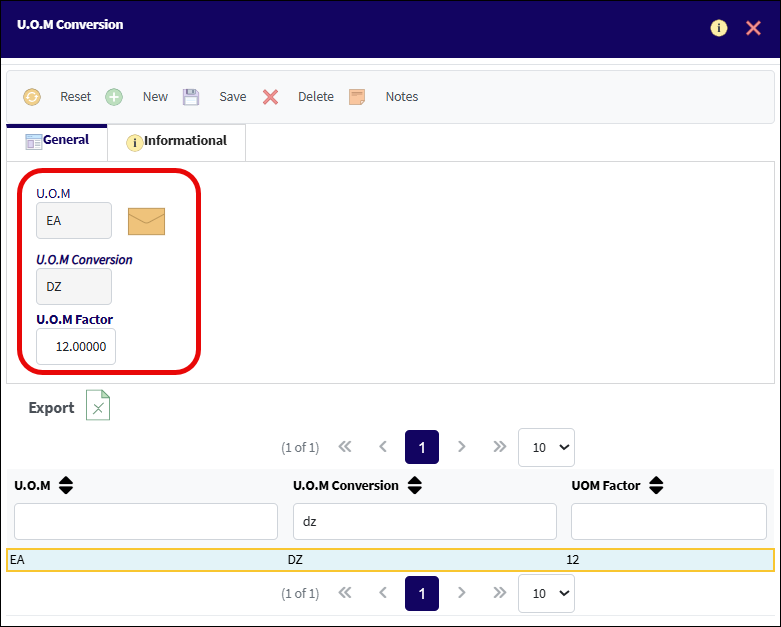
In the following example, the UOM 'EACH' (EA) has a U.O.M. Conversion of 12.00000 (DZ).
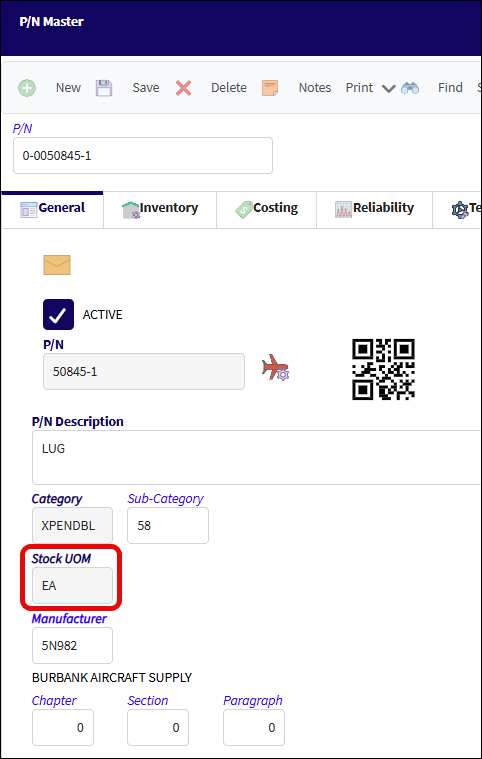
The Part Number has a Stock UOM (Distribution/ Inventory) of 'EA.'
However, the buyer purchases an order Quantity in a different Unit of Measurement (UOM). This change of UOM is considered a Unit of Conversion (UOC).
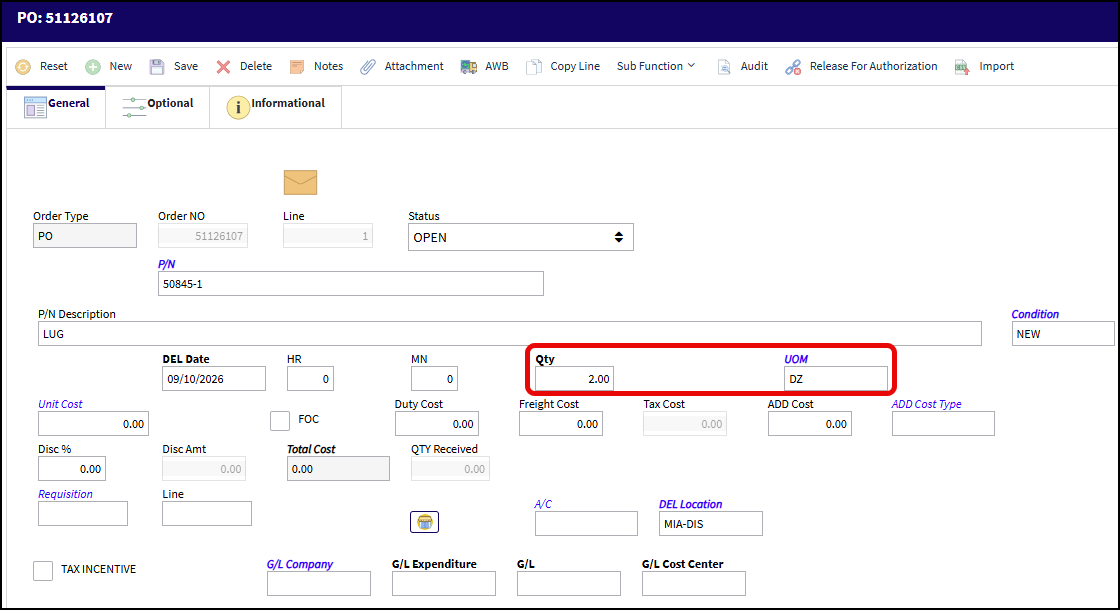
 Note: This functionality is controlled by Orders Switch
 VENDORUOM. When set to Yes, the system automatically populates the PO Detail UOM using the Vendor Costing UOM instead of the default P/N Master UOM. When set to No, the system uses the default P/N Master UOM and does not automatically populate the PO Detail UOM with the UOM defined in Vendor Costing Listing. For more information refer to VENDORUOM in the Orders Switch training manual.
During the Order Receiving process, the system automatically calculates the Unit of Conversion (UOC) for the P/N and flags the Receiving window. Notice that the above ordered Quantity of 2 in UOM 'DZ' has been converted to a Received Quantity of 24 because the part has a different UOM in the P/N Master.
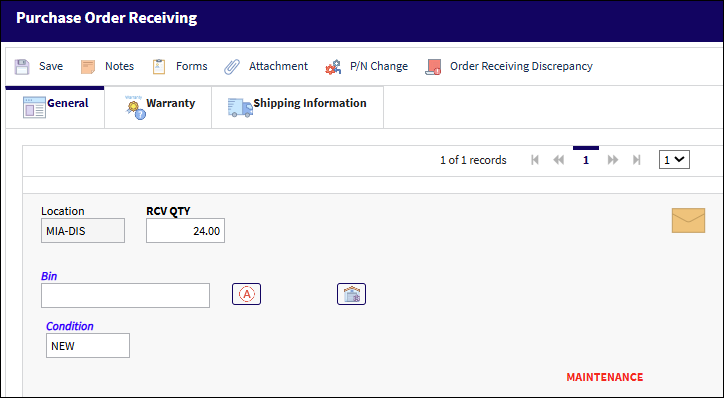
Note: The system automatically populates the RCV QTY field with the Converted Stock UOM quantity providing that the Switch RECQTYMD is set to NO. The non-rotable parts quantity automatically populate with the order quantity. In cases where the Order UOM and the Stock UOM differ, the UOC is used to populate the received quantity with the Stock UOM quantity.
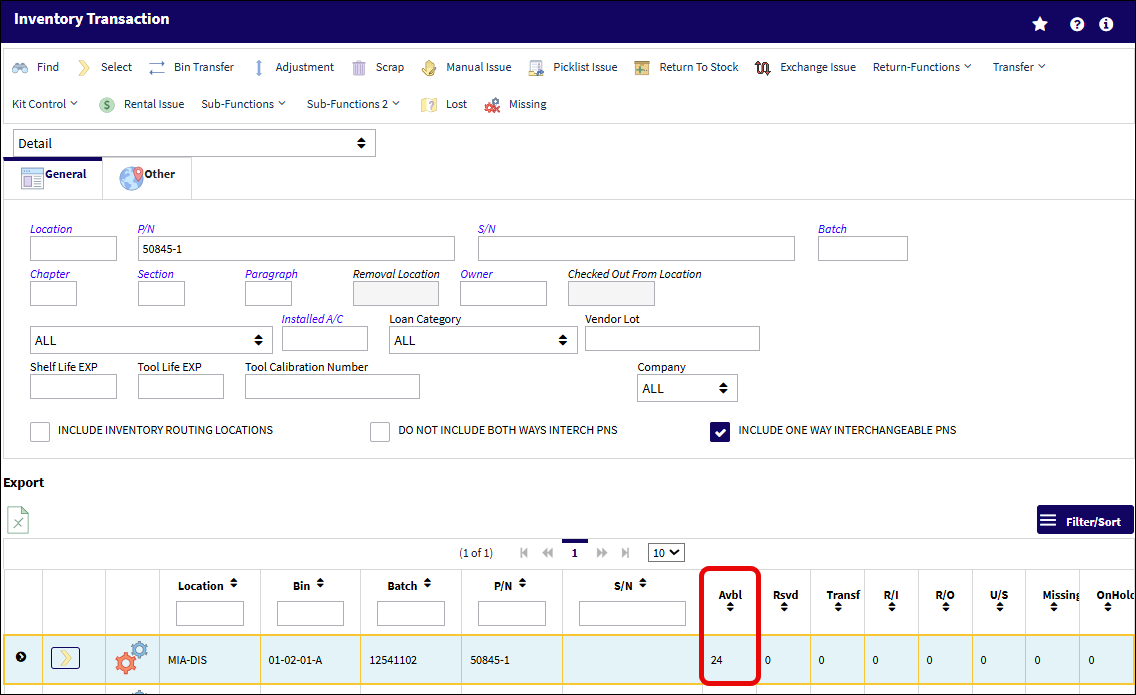
The Available inventory quantity is equal to the converted quantity.
Share
Print
|
©1997-2026 Trax USA Corp. All rights reserved. This manual may not be copied, photocopied, reproduced, translated, or converted to any electronic or machine-readable form, in whole or in part, without prior written approval from Trax USA Corp. |
 |