
 Share
 Print
|
|
|
|
|


PLANDUE% - Planning Warning When Percent Due
Planning Warning When Percent Due
Affected Window: w_ac_planning_sel
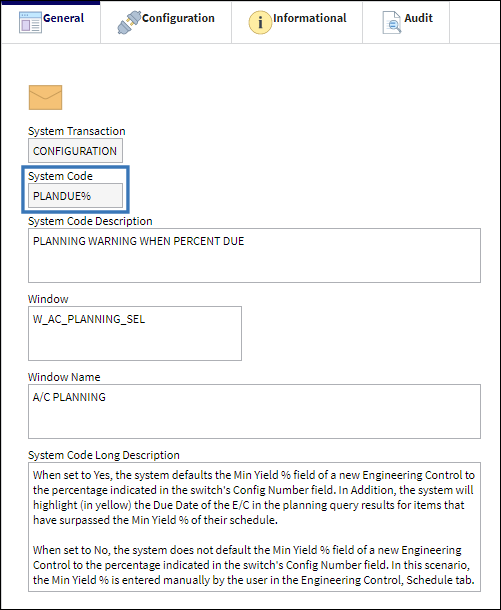
 Note: The Warning % Due field via the Engineering Control, Schedule tab has been renamed the Min Yield % field.
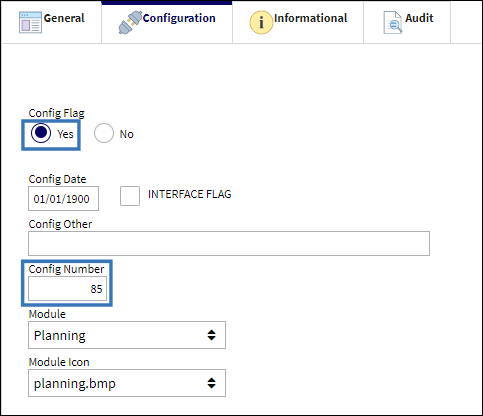
Switch Set to Yes:
When set to Yes, the system defaults the Min Yield % field of a new Engineering Control to the percentage indicated in the switch's Config Number field. In Addition, the system will highlight (in yellow) the Due Date of the E/C in the planning query results for items that have surpassed the Min Yield % of their schedule.
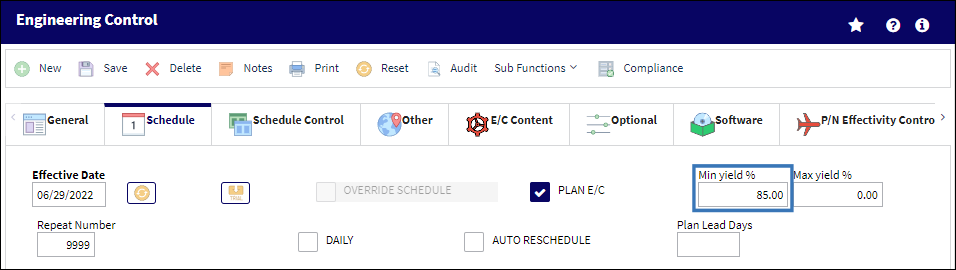
The following Engineering Control is being created. Notice the Min Yield % field of the Schedule tab is defaulted to that of the switch’s Config Number.
Switch Set to No:
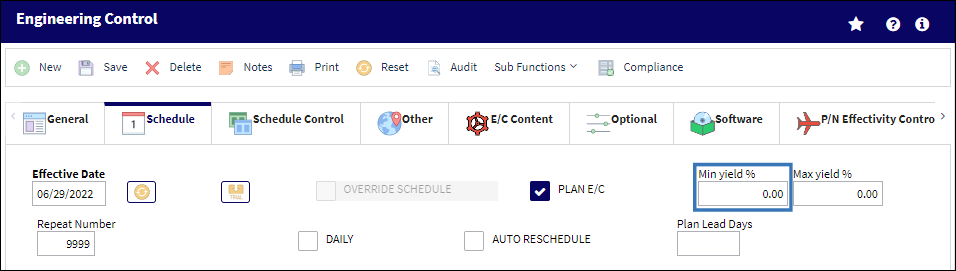
When set to No, the system does not default the Min Yield % field of a new Engineering Control to the percentage indicated in the switch's Config Number field. In this scenario, the Min Yield % is entered manually by the user in the Engineering Control, Schedule tab.
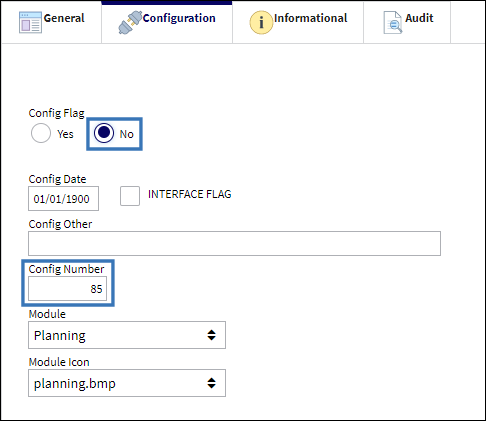
The following Engineering Control is being created. Notice the Min Yield % field of the Schedule tab is not defaulted.
Share
Print
|
©1997-2026 Trax USA Corp. All rights reserved. This manual may not be copied, photocopied, reproduced, translated, or converted to any electronic or machine-readable form, in whole or in part, without prior written approval from Trax USA Corp. |
 |