
 Share
 Print
|
|
|
|
|


WOTCSCHDOVERWRITE - Overwrite existing W/O T/C Schedule Start/End Date with W/O Schedule Start/End Date

Overwrite existing W/O Task Card Schedule Start and End date with W/O Schedule Start and End date
Affected Window: w_ac_planning_qry
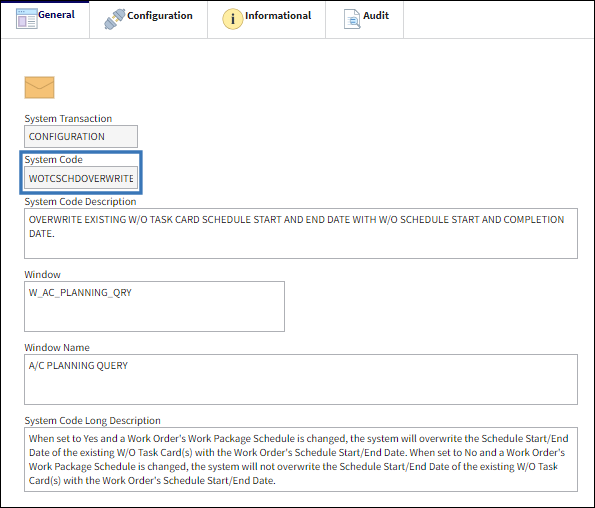
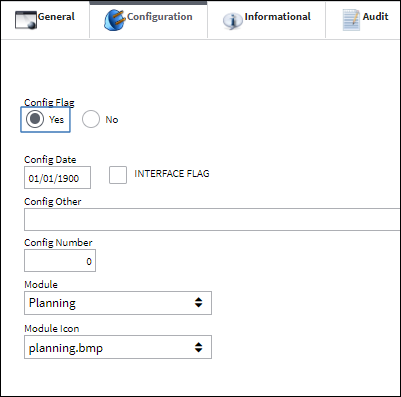
Switch Set to Yes
When set to Yes and a Work Order's Work Package Schedule is changed, the system will overwrite the Schedule Start/End Date of the existing W/O Task Card(s) with the Work Order's Schedule Start/End Date.
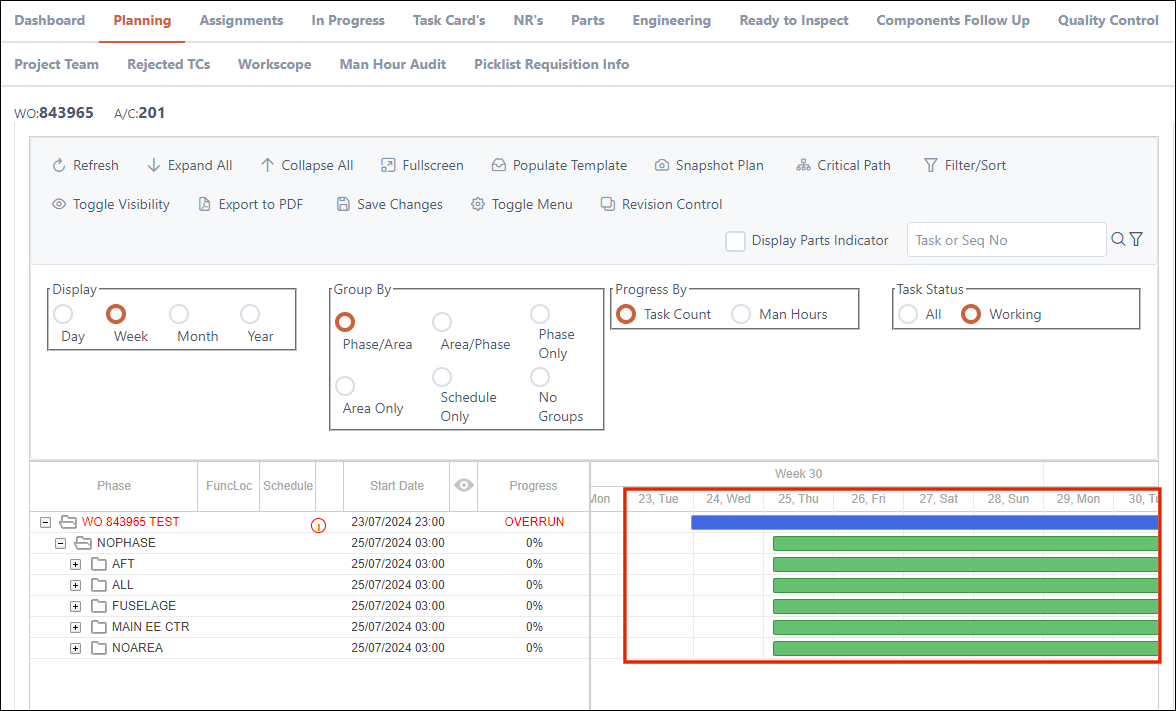
Before changes are made to the W/O Schedule via Planning Control, the following W/O Schedule appears in the Production Control Planning tab, via Sites View Detail.
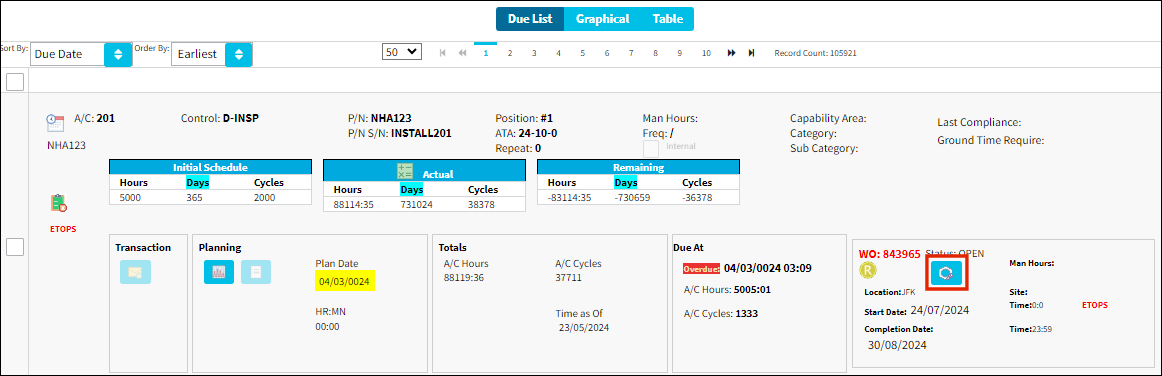
Select the W/O button for the appropriate record from the Due List window in Planning Control.
The Work Order's Schedule Start/End Date is changed to the following.
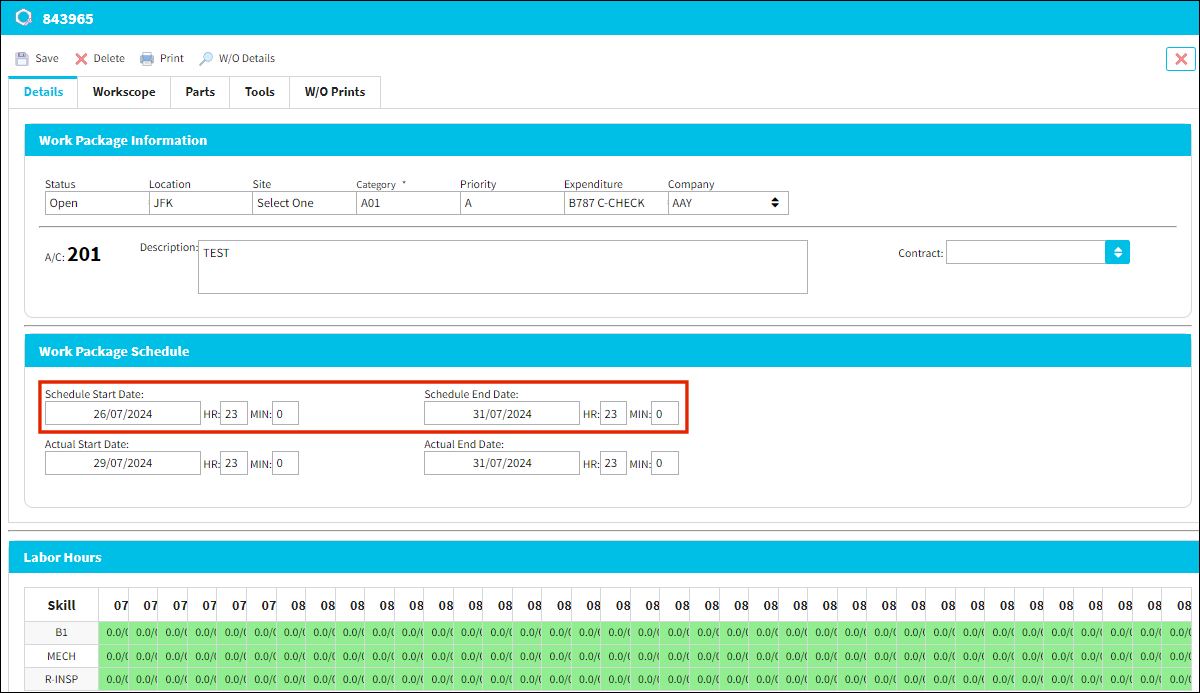
From Production Control, we can see the W/O Task Card(s) Schedule Start/End Date has been overwritten by the Work Order's Schedule Start/End Date.
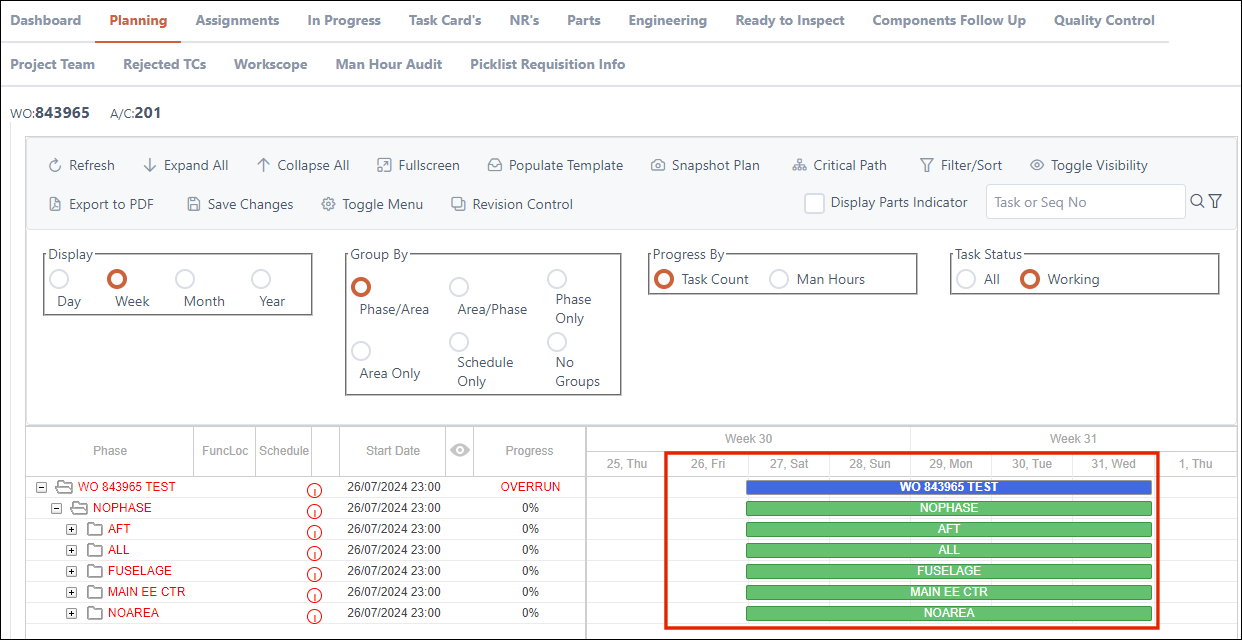
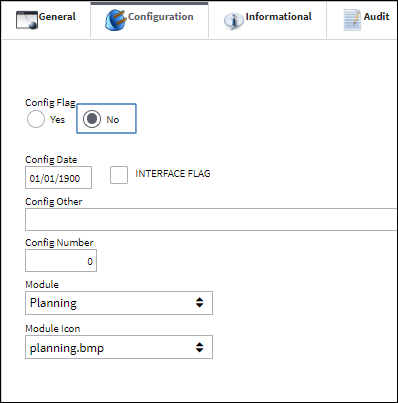
Switch Set to No
When set to No and a Work Order's Work Package Schedule is changed, the system will not overwrite the Schedule Start/End Date of the existing W/O Task Card(s) with the Work Order's Schedule Start/End Date.
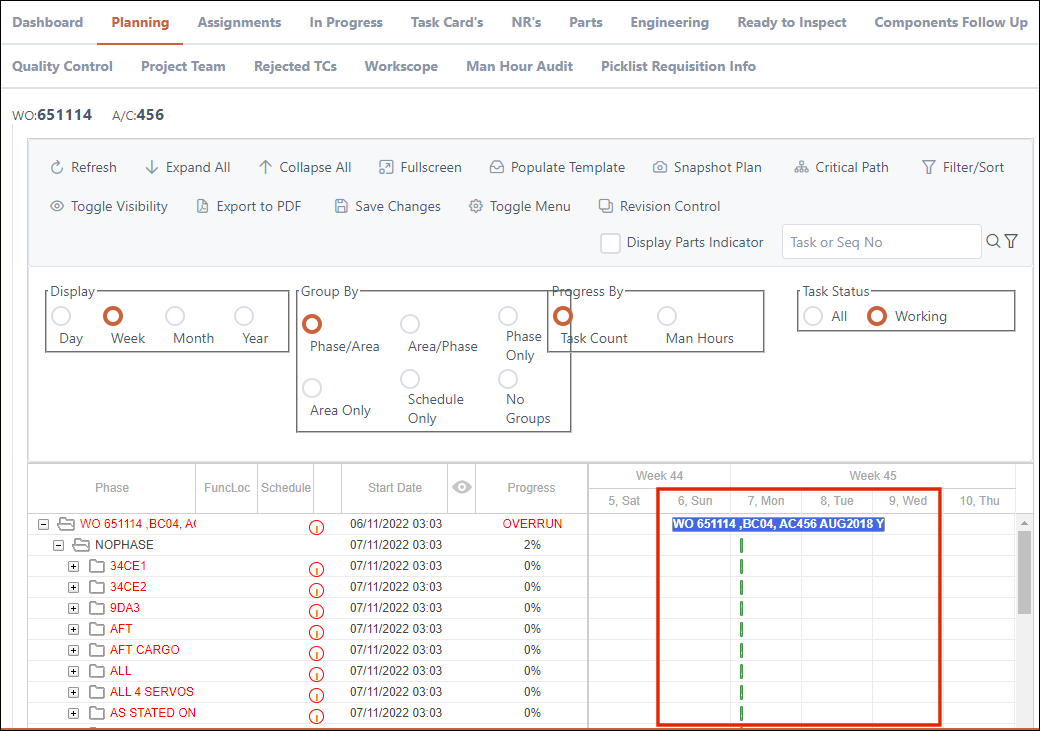
Before changes are made to the W/O Schedule via Planning Control, the following W/O Schedule appears in the Production Control Planning tab, via Sites View Detail.
Select the W/O button for the appropriate record from the Due List window in Planning Control.
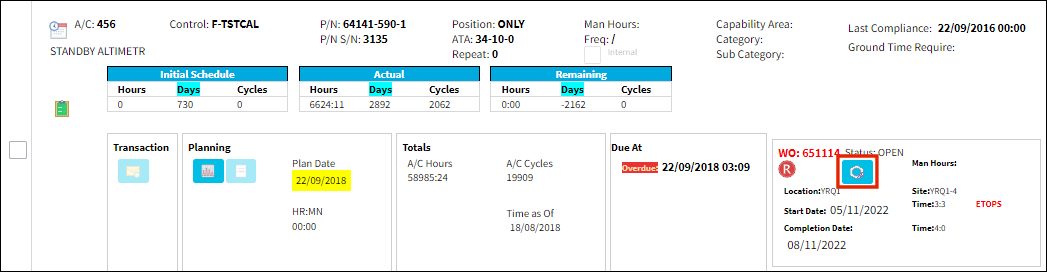
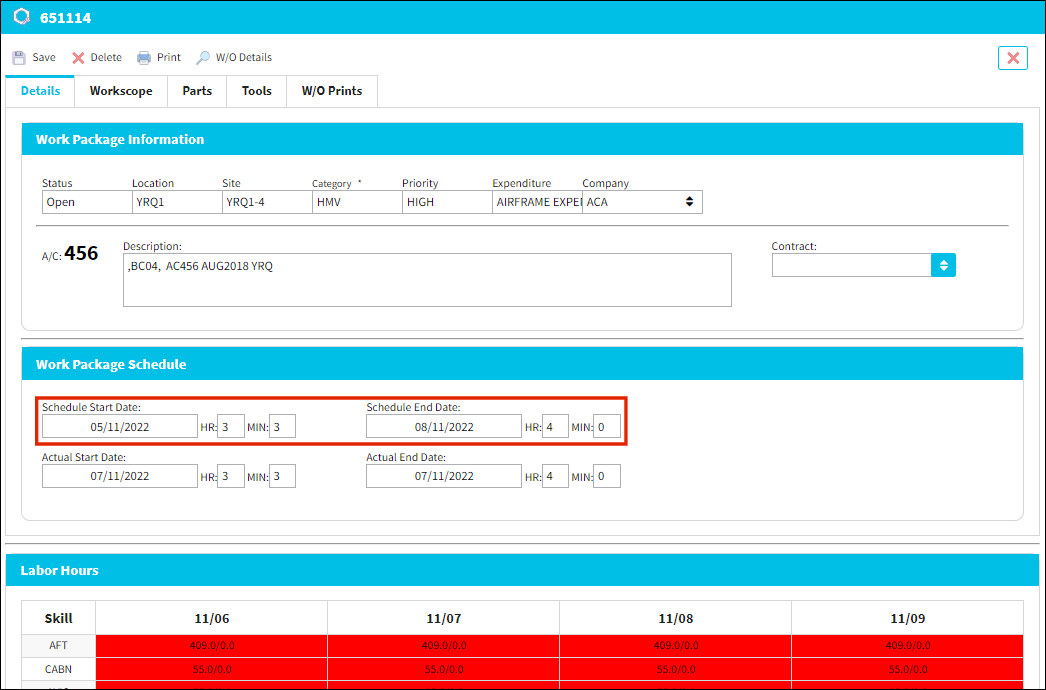
The Work Order's Schedule Start/End Date is changed to the following.
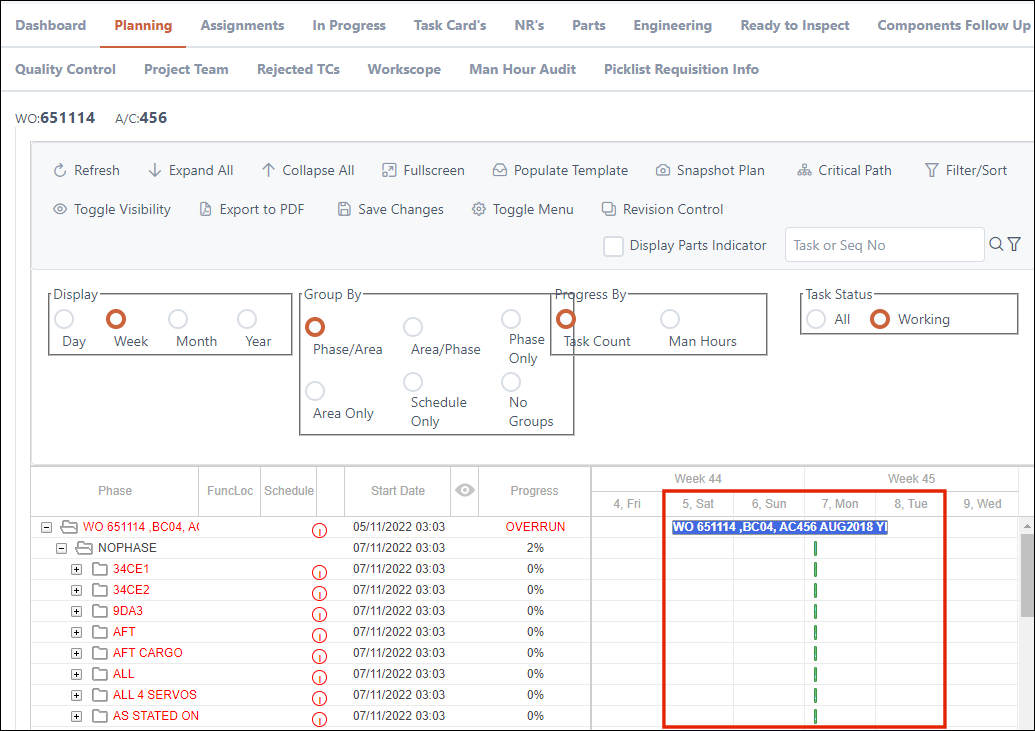
From Production Control, we can see the W/O Task Card(s) Schedule Start/End Date was not overwritten by the Work Order's Schedule Start/End Date.
Share
Print
|
©1997-2026 Trax USA Corp. All rights reserved. This manual may not be copied, photocopied, reproduced, translated, or converted to any electronic or machine-readable form, in whole or in part, without prior written approval from Trax USA Corp. |
 |