
 Share
 Print
|
|
|
|
|


YIELDCHECK - Validate W/O's Start Date is before E/C's Min Yield Date from Planning

Validate W/O's Start Date is before E/C's Min Yield Date from Planning
Affected Window: W_AC_PLANNING_QRY
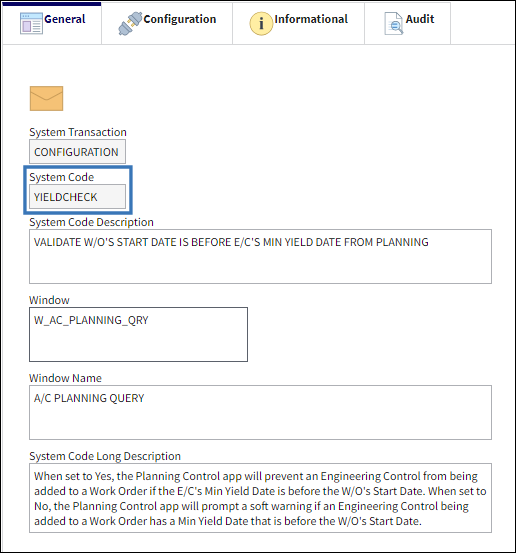
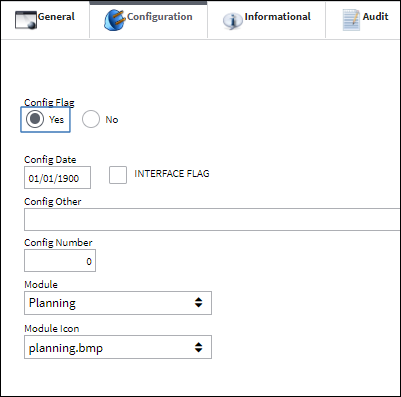
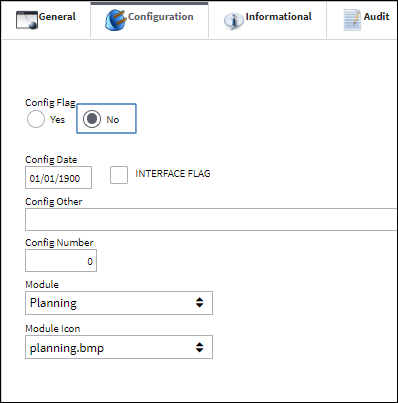
Switch Set to Yes
When set to Yes, the Planning Control app will prevent an Engineering Control from being added to a Work Order if the E/C's Min Yield Date is before the W/O's Start Date.
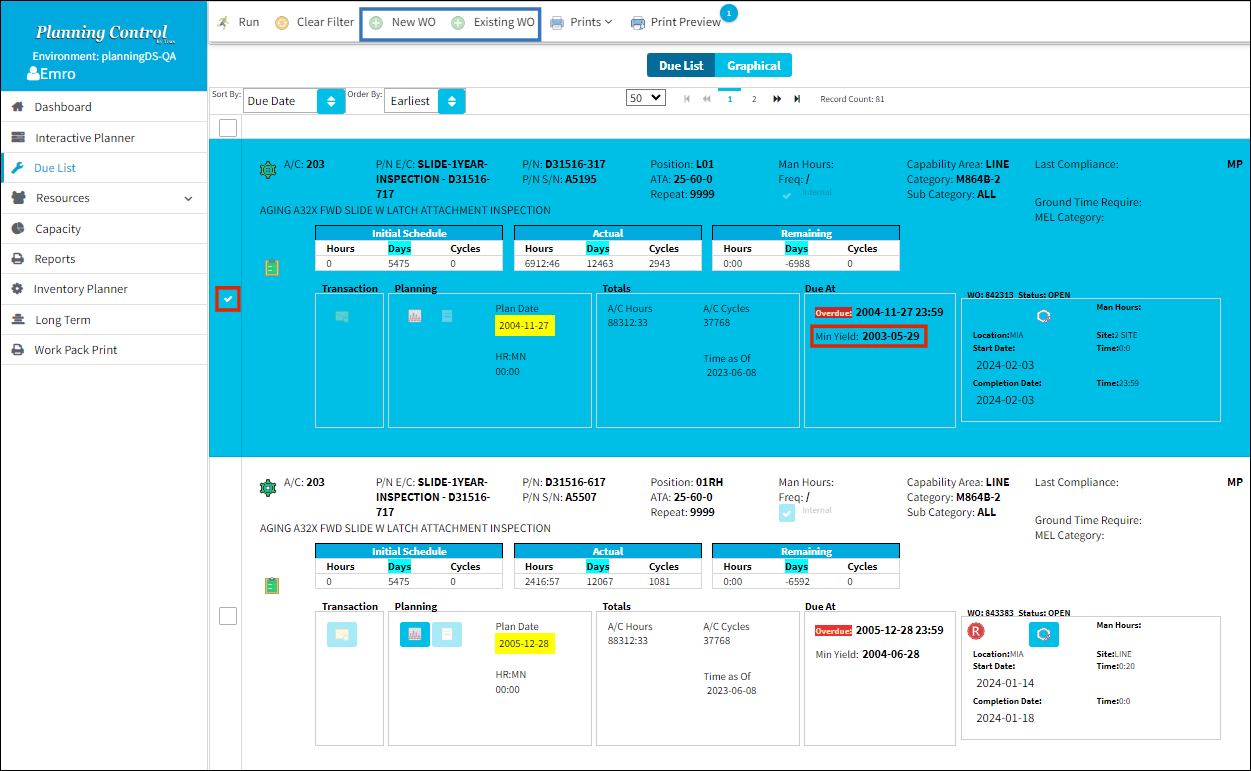
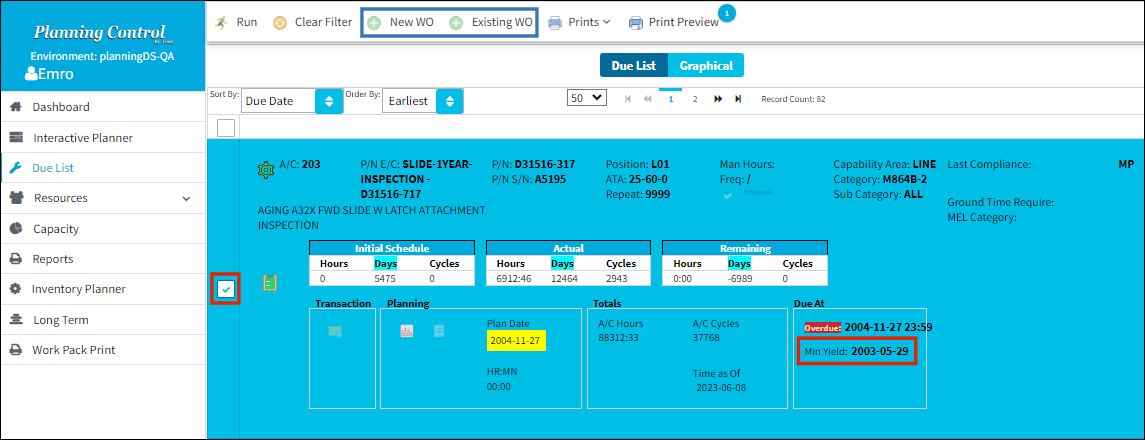
Select an E/C record to add to a W/O, then click the New W/O or Existing W/O button.
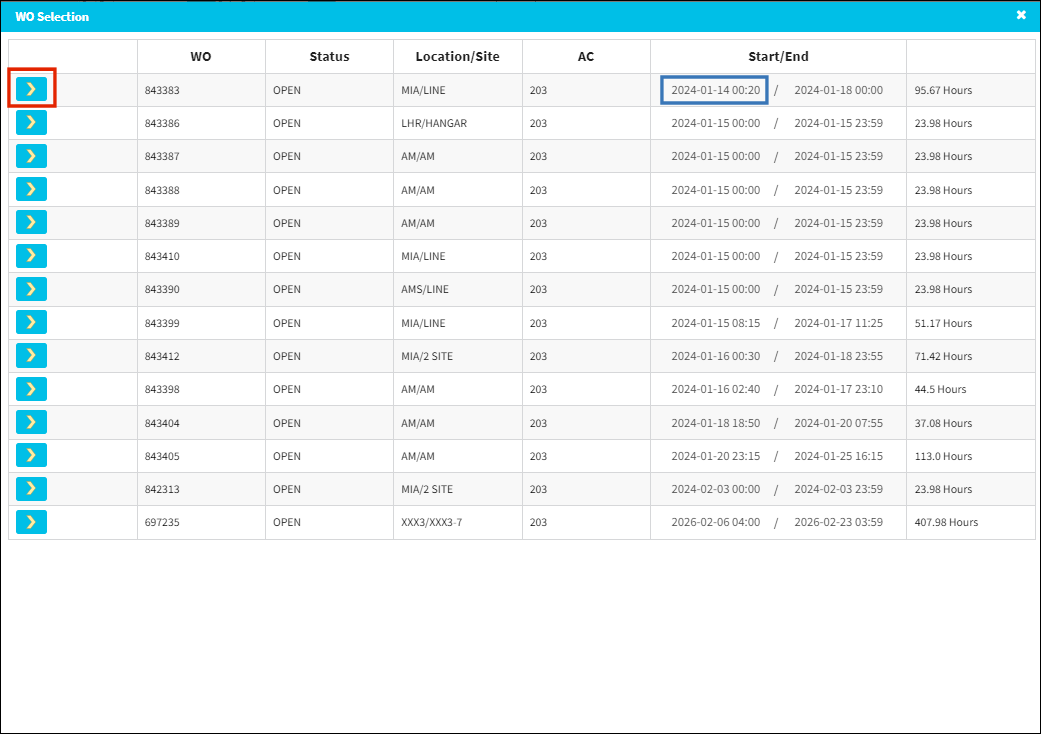
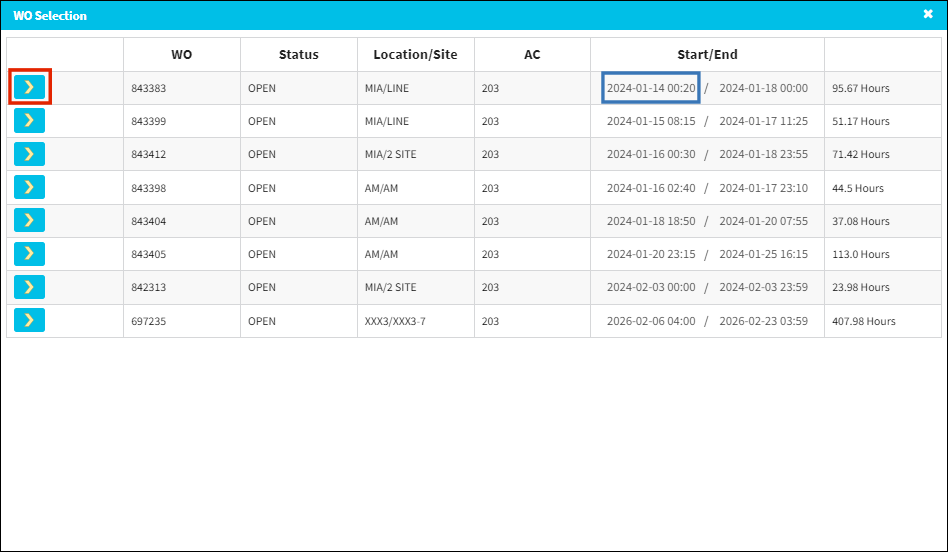
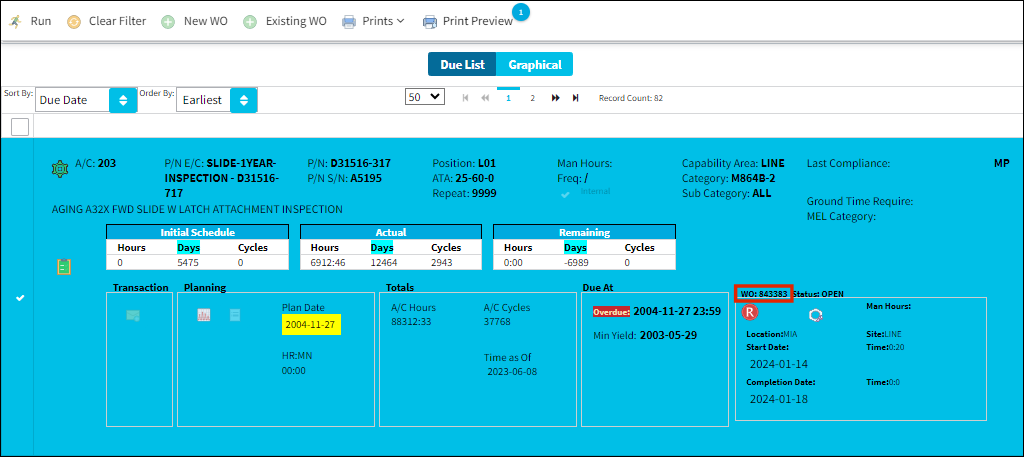
In the W/O selection window, notice the selected W/O's Start Date is after the E/C's Min Yield Date.
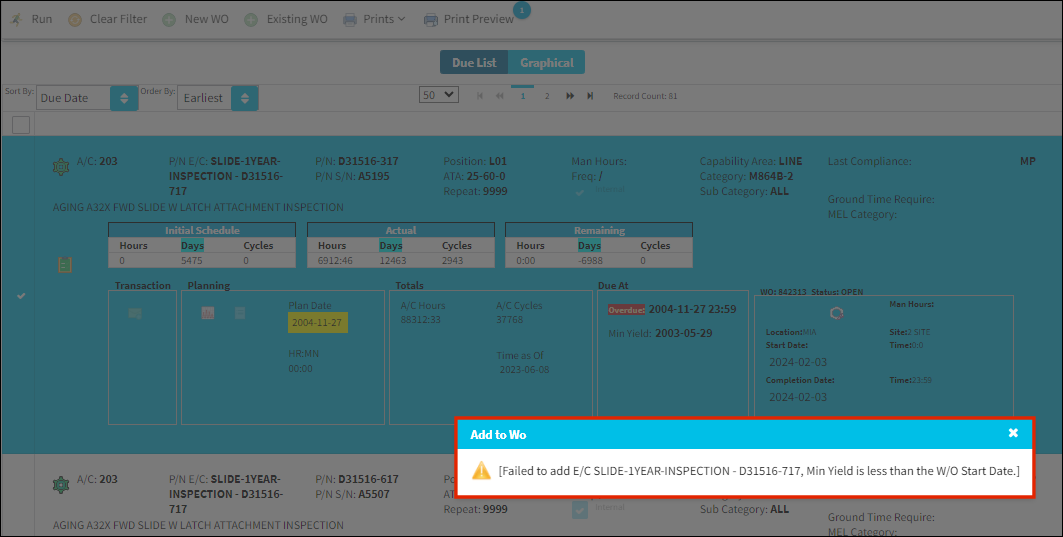
As shown below, a warning indicates to the user that Planning Control failed to add the E/C to the W/O.
Switch Set to No
When set to No, the Planning Control app will prompt a soft warning if an Engineering Control being added to a Work Order has a Min Yield Date that is before the W/O's Start Date.
Select an E/C record to add to a W/O, then click the New W/O or Existing W/O button.
In the W/O selection window, notice the selected W/O's Start Date is after the E/C's Min Yield Date.
As shown below, a soft warning indicates to the user that the E/C's Min Yield Date is before (less than) the W/O's Start Date.
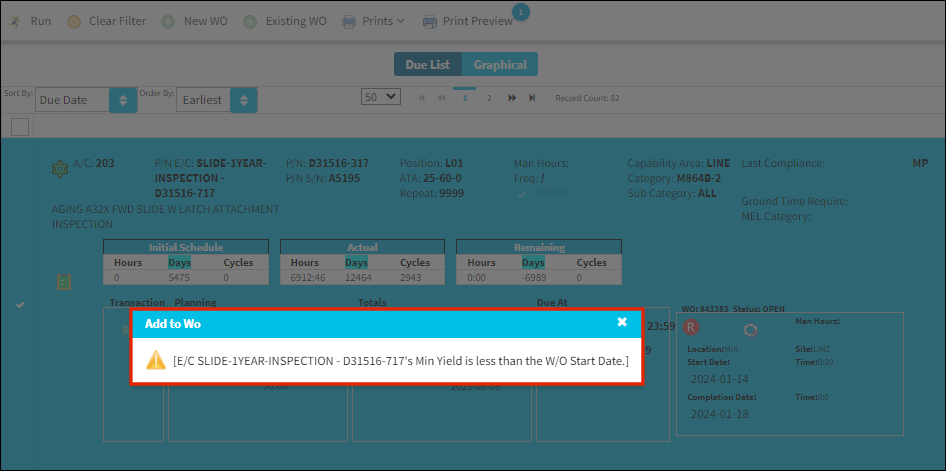
Notice that E/C was added to the W/O regardless of the soft warning.
Share
Print
|
©1997-2026 Trax USA Corp. All rights reserved. This manual may not be copied, photocopied, reproduced, translated, or converted to any electronic or machine-readable form, in whole or in part, without prior written approval from Trax USA Corp. |
 |