
 Share
 Print
|
|
|
|
|


The Tax  button allows users to add Value Added Tax (VAT) percentages to the total cost of the work. These taxes will be applied to the total after all other configurations and rules are applied to the work.
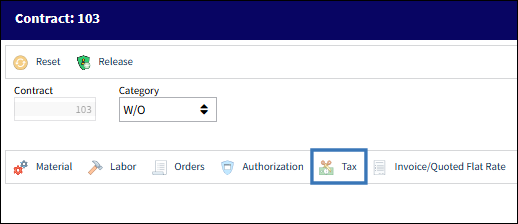
The Tax Selection window appears.
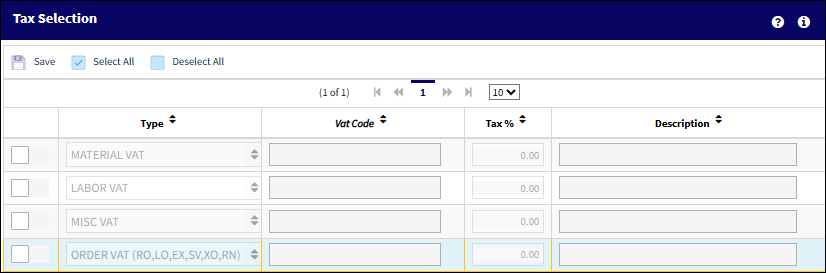
The following information/options are available in this window:
_____________________________________________________________________________________
Order Type
The type of tax rate being applied.
Vat Code
Allows the user to add a Value After Tax percentage to the order. This is set up through the VAT Code System Tran Code. Entering this code automatically populates the Tax Percentage field.
Tax %
The percentage being taxed for the VAT Code. This field is automatically populated, but it can be edited.
Description
A description of the tax being applied.
_____________________________________________________________________________________
Share
Print
|
©1997-2026 Trax USA Corp. All rights reserved. This manual may not be copied, photocopied, reproduced, translated, or converted to any electronic or machine-readable form, in whole or in part, without prior written approval from Trax USA Corp. |
 |