
 Share
 Print
|
|
|
|
|


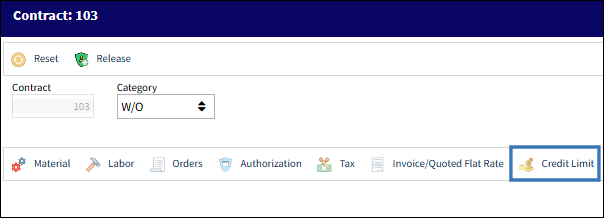
The Credit Limit  button allows users to specify the amount of credit the contract's customer is alloted. Work will be conducted until this credit limit threshold is reached, whereupon the customer must provide payment for the remaining work to be carried out. If the Customer goes over their credit limit, it will appear in red in the W/O TPW Balance window.
The Credit Limit window appears as follows.
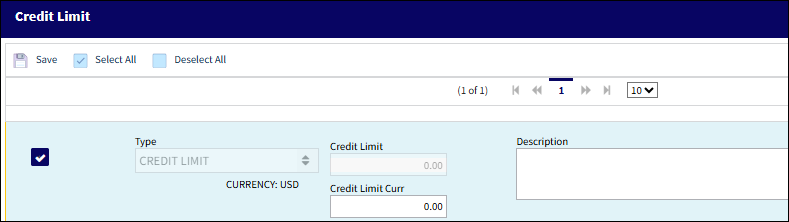
The following information/options are available in this window:
_____________________________________________________________________________________
Order Type
The Credit Limit option being added to the contract.
Credit Limit
The financial credit limit for the Customer. If the Customer goes over their credit limit, it will appear in red in the W/O TPW Balance window.
Description
A description of the credit limit being applied to the contract.
_____________________________________________________________________________________
For additional information, refer to the TPW Balance Button, via Work Order Buttons which can be found in the Production Training manual.
Share
Print
|
©1997-2026 Trax USA Corp. All rights reserved. This manual may not be copied, photocopied, reproduced, translated, or converted to any electronic or machine-readable form, in whole or in part, without prior written approval from Trax USA Corp. |
 |