
 Share
 Print
|
|
|
|
|


Use the Contract Task Cards  button to link E/Cs and T/Cs to a Customer Contract. These records could be manually inputted into the system or imported by the user.
Note: Changes cannot be made to a Customer Contract that has been authorized. Create a new revision to apply changes to an authorized Customer Contract.
Manually Linking E/Cs and T/Cs
Select the Contract Task Cards button.
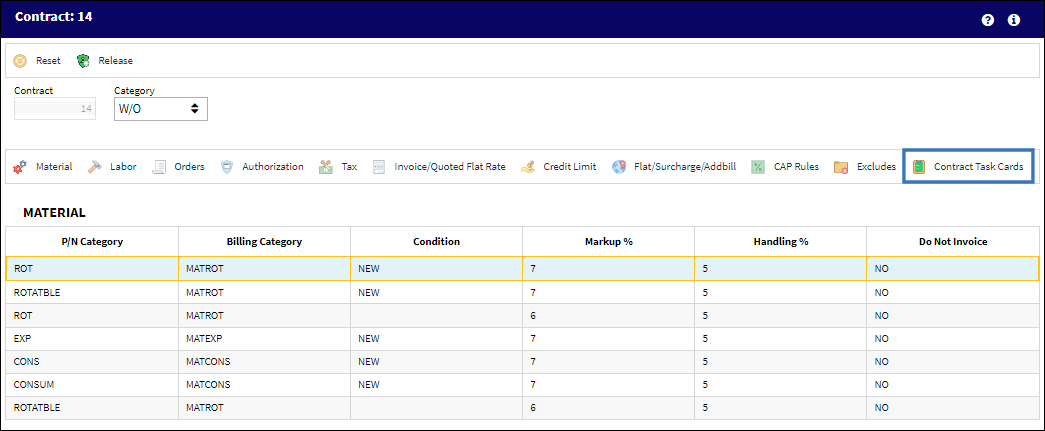
Select the New button and enter the appropriate information.
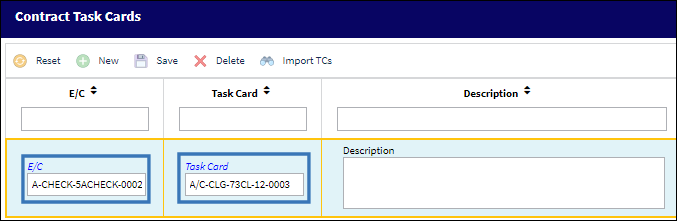
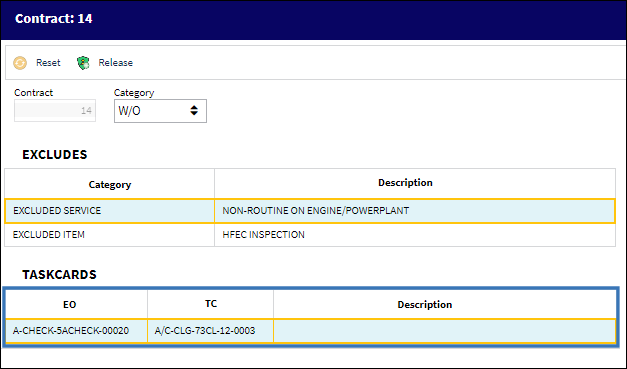
Upon selecting the Save button, the E/C and T/C appear at the end of the Customer Contract Detail window.
Importing E/Cs and T/Cs
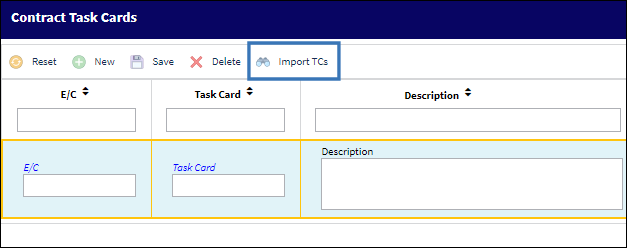
Select the Contract Task Cards button.
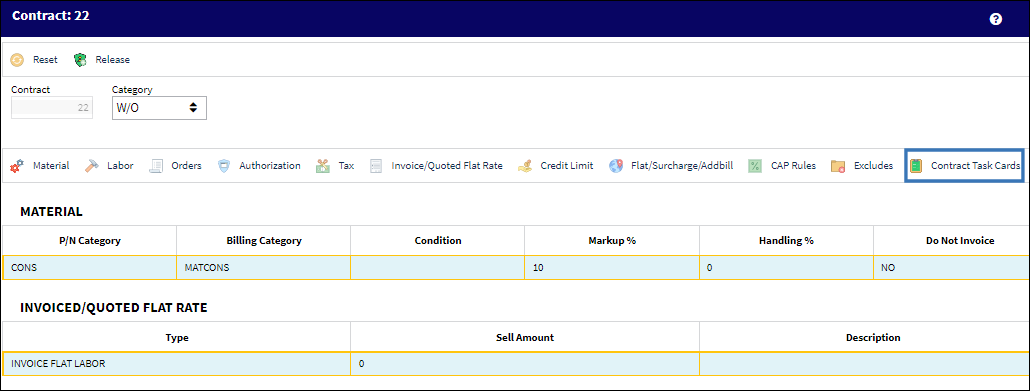
Select the Import TCs  button.
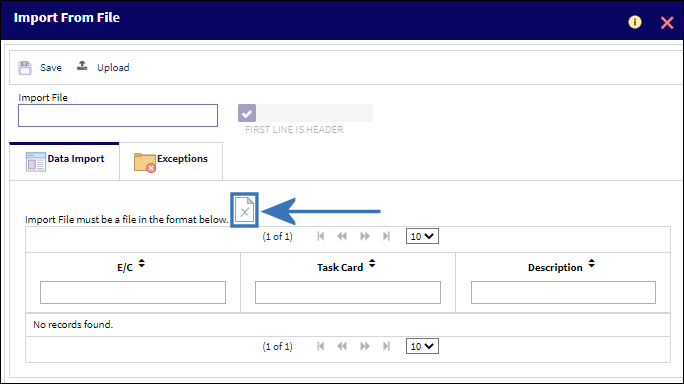
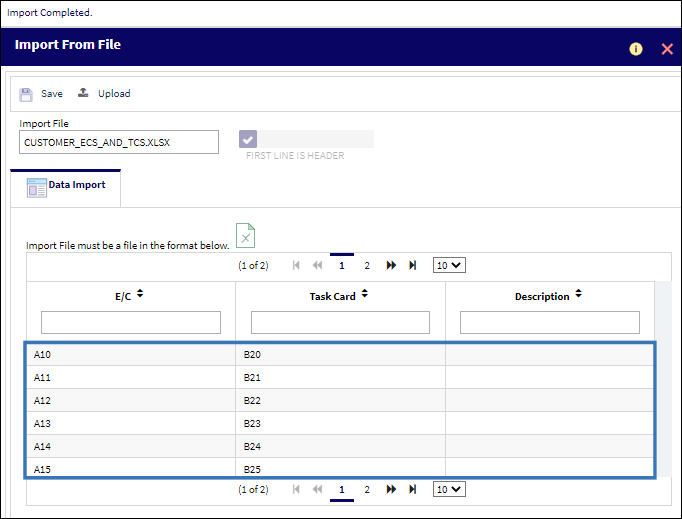
The 'Import From File' pop-up window appears. Select the .xlsx  icon to access the appropriate template.
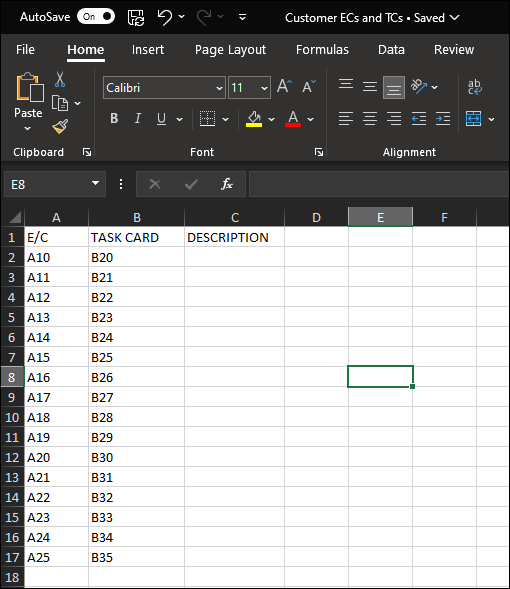
Enter the E/Cs and T/Cs you wish to import and save.
From the 'Import From File' widow, select the Upload  button. Select the appropriate file and upload it to the system.
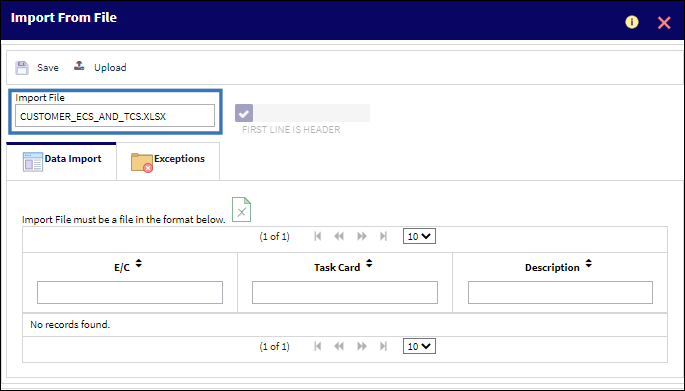
Upon saving, the import is successfully completed.
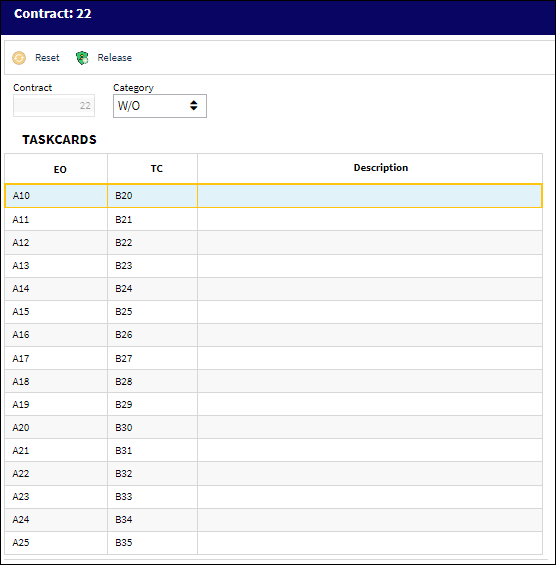
The imported E/Cs and T/Cs appear at the end of the Customer Contract Detail window.
Share
Print
|
©1997-2026 Trax USA Corp. All rights reserved. This manual may not be copied, photocopied, reproduced, translated, or converted to any electronic or machine-readable form, in whole or in part, without prior written approval from Trax USA Corp. |
 |