
 Share
Share
 Print
Print
|
|
|
|
|


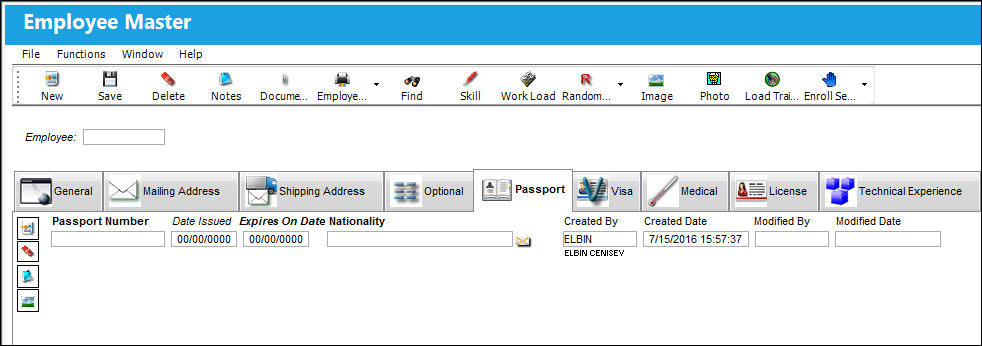
Employee Master, Passport Tab
The Passport Tab is used to record information regarding the employee's passport. Any expiration information will be passed to the Training module in case the training of the employee will take place out of the country.
 Note: All employee Personal Identification Information (PII) is encrypted throughout the system to ensure this sensitive information remains secure.
The following information/options are available in this window:
_____________________________________________________________________________________
Passport Number
The employee's passport number.
Date Issued
The issued date of the passport.
Expires on Date
The expiration date of the passport.
Nationality
The nationality (country) of the employee.
_____________________________________________________________________________________
The user may add or remove as many records as desired by clicking on the New  and/or Delete
  buttons.
Additional functionality is available in this tab through the Notes  and Image
  buttons.
Share
Print
|
©1997-2026 Trax USA Corp. All rights reserved. This manual may not be copied, photocopied, reproduced, translated, or converted to any electronic or machine-readable form, in whole or in part, without prior written approval from Trax USA Corp. |
 |