
 Share
Share
 Print
Print
|
|
|
|
|


Surplus Sales - Completing WPL Sales Orders

As WPL Sales Orders are processed (picklisted and issued), messages are sent automatically to the customer through the World Part Locator interface when the order is Shipped and Invoiced.
When the order is issued to the Picklist, a Packing and Shipping record must be created. Once the record is set to 'Shipped,' the following happens: an interface message is sent to the customer and the invoice is automatically created. Once the invoice is posted and closed via the Customer Invoice Authorization window, an interface message is sent to the customer.
The following process is an overview of the steps to take to complete a WPL Sales Orders.
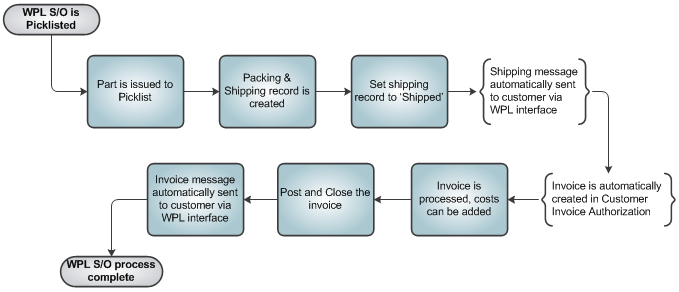
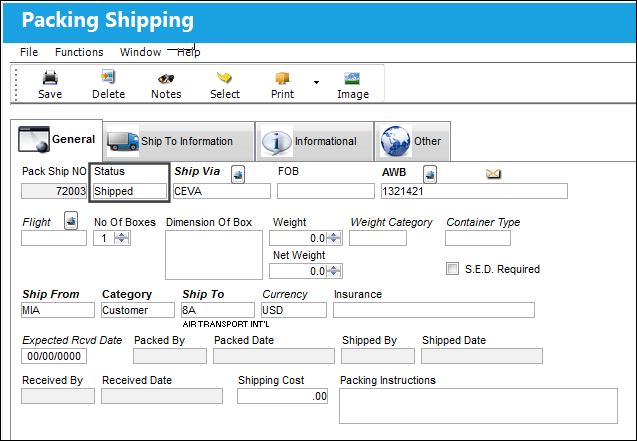
Once the required part is issued to the Sales Order Picklist, a Packing and Shipping record is created. When reviewed, that record must be set to 'Shipped.'
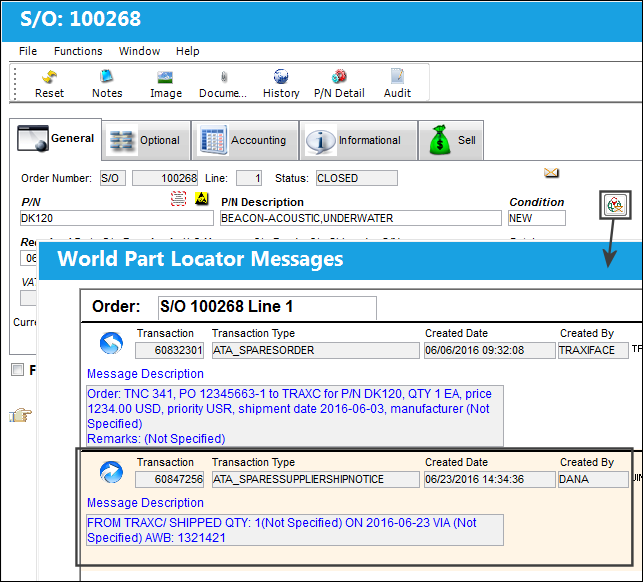
Once set to 'Shipped,' a message is sent via the interface indicating that the order is ready for shipment. Click WPL Message  button from the S/O window to view the message.
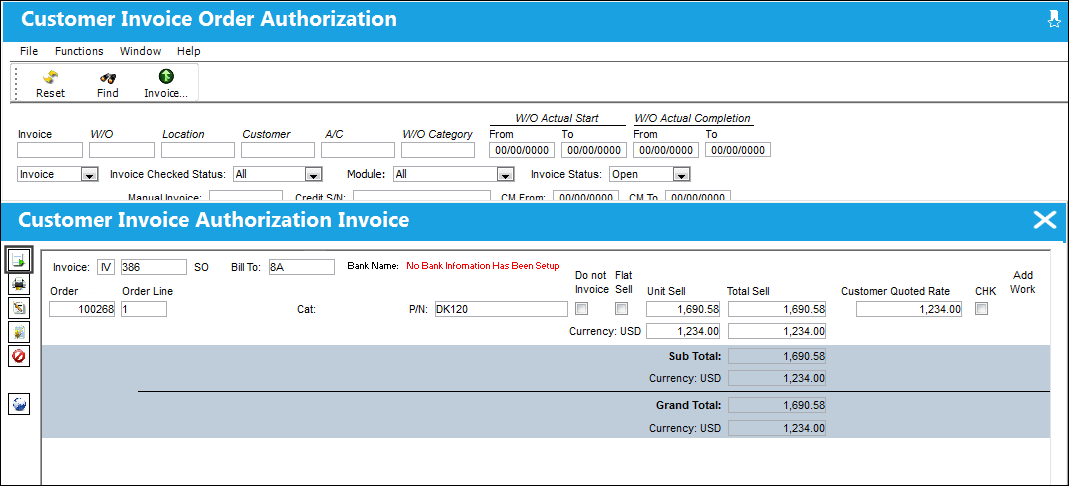
Further, once the Packing and Shipping record is set to 'Shipped,' an invoice for the order is automatically created via the Customer Invoice Authorization window. This invoice must be reviewed and authorized. When ready, select the Post and Close the Invoice  button.
Once posted and closed, an invoice message is sent to the customer. Again, select the WPL Message button from the S/O window to view the message.
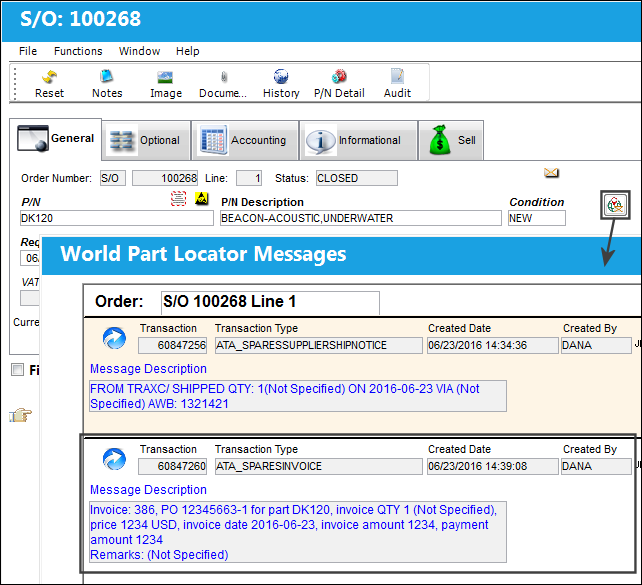
Once the order is shipped to the customer and invoiced, the World Part Locator Sales Order process is complete.
Share
Print
|
©1997-2026 Trax USA Corp. All rights reserved. This manual may not be copied, photocopied, reproduced, translated, or converted to any electronic or machine-readable form, in whole or in part, without prior written approval from Trax USA Corp. |
 |