
 Share
Share
 Print
Print
|
|
|
|
|


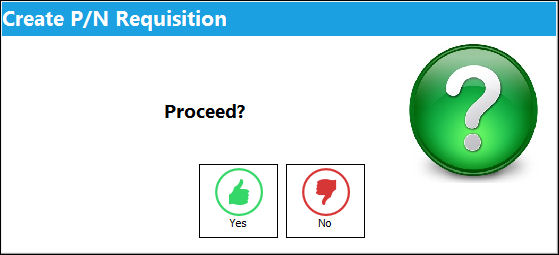
From a Work Order, click on the Requisition All  button. The Create P/N Requisition pop up appears. Select Yes to proceed.
When Switch  BOCRT is set to No, the Requisition All button via cannot be used to create a Requisition.
The Requisition Creation gage will appear illustrating that the requisition is being created.
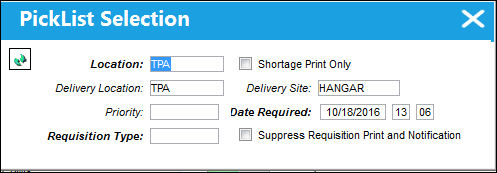
The following information/options are available in this window:
_____________________________________________________________________________________
Location
The Location for maintenance events, inventory stores, orders, transactions, or training events.
Delivery Location
The location to which the part(s) is being delivered.
Priority
The level of importance placed on the need for a part. Notification based on the requisition priority may be defined by location. These codes are defined in the Priority System Transaction Code.
Requisition Type
The type of Requisition used to identify the purpose of the request. The requisition type is also useful for sort, filters and searches in the system. A default requisition type may be configured. These are defined in the Requisition Type System Transaction Code.
Shortage Print Only checkbox
Choose to include, or not include, whether or not there is a shortage of the part on the Requisition Print.
Delivery Site
Site to which part(s) will be delivered.
Date Required
The date that the item(s) is/are required by.
Continue  button
Select this button to proceed with the requisition.
_____________________________________________________________________________________
Share
Print
|
©1997-2026 Trax USA Corp. All rights reserved. This manual may not be copied, photocopied, reproduced, translated, or converted to any electronic or machine-readable form, in whole or in part, without prior written approval from Trax USA Corp. |
 |