 Download Online Help
 Print
|
|
|
|
|


The Document  button allows the user to create a reference to a document (in any format) that exists at your facility which may or may not be entered into the system (i.e., Foreign Directives).
The associated document(s) appear in the AD Status report (Engineering/Print/Engineering Control Print) in the Document/Service Bulletin column.
From the Engineering Control window, select an E/C. Select the Document button. The following window will appear. Select the New  button to create a new record.
On the system Query, Print, and Explorer, the user can select any one of these documents and get information about the main E/C it is associated with.
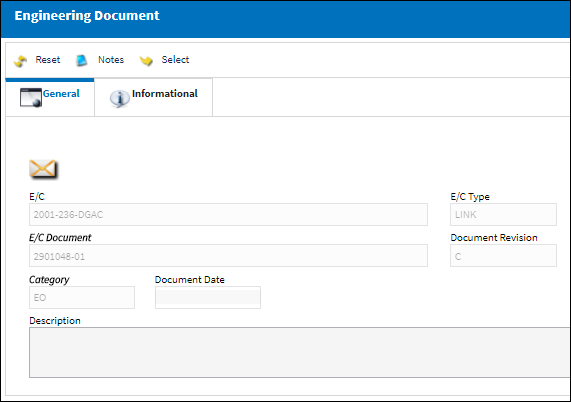
The following options/information is available in this window:
_________________________________________________________________________
E/C
The Engineering Control that specifies aircraft or component scheduled maintenance intervals. The selected E/C to which document association is to be made to.
E/C Type
The Engineering Control Type.
E/C Document
The document reference number associated to the E/C.
Document Revision
The documents most recent revision number.
Category
The category code of the document that is being referenced. This is set up via System Tran Code Explorer/Engineering/E/C Document Category.
Document Date
The date of the document being entered into the system.
Description
A short description of the document.
_________________________________________________________________________
Download Online Help
Print
|
©1997-2018 Trax USA Corp. All rights reserved. This manual may not be copied, photocopied, reproduced, translated, or converted to any electronic or machine-readable form, in whole or in part, without prior written approval from Trax USA Corp. |
 |