
 Share
Share
 Print
Print
|
|
|
|
|


CUST/ORD - Customer Order Next Sequence Number
Customer Order Next Sequence Number
Affected window: w_customer_orders_eu
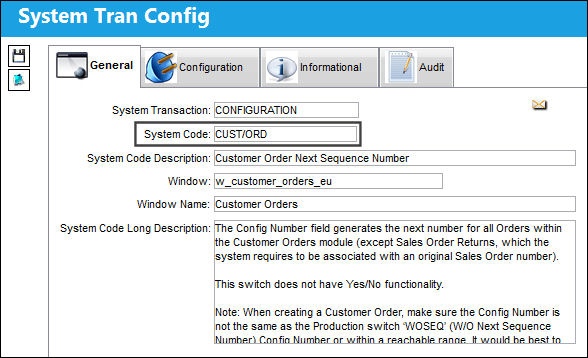
This switch does not have Yes/No functionality.
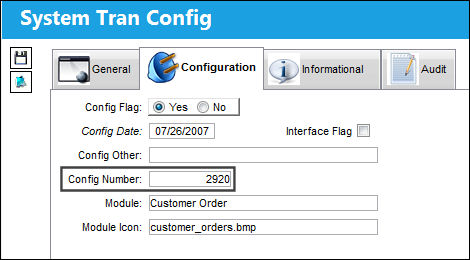
The Config Number field generates the next number for all Orders within the Customer Orders module (except Sales Order Returns, which the system requires to be associated with an original Sales Order number). The number will be generated upon saving the Order Header. The start number is set at implementation but it can be adjusted.
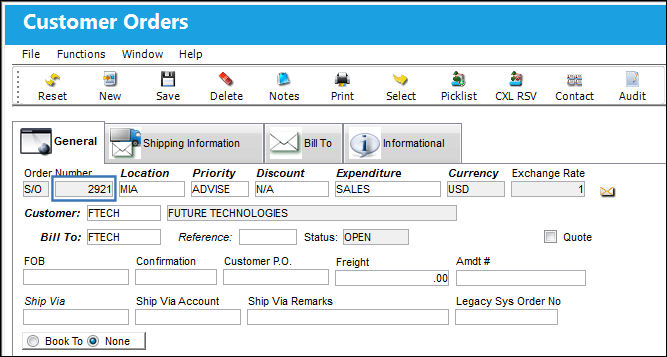
The next sequential number now appears in the Customer Order.
 Warning: It is important to set Customer Orders Switch
  'CUST/ORD' at a much higher configuration number than the configuration number of Production Switch 'WOSEQ' to avoid Sales Orders and Work Orders from ever having the same order number. This will prevent inventoried parts from being misallocated.
Share
Print
|
©1997-2026 Trax USA Corp. All rights reserved. This manual may not be copied, photocopied, reproduced, translated, or converted to any electronic or machine-readable form, in whole or in part, without prior written approval from Trax USA Corp. |
 |