
 Share
Share
 Print
Print
|
|
|
|
|


RENTDAY - Rental Order Add Additional Days For Shipping/Processing
Rental Order Add Additional Days For Shipping/Processing
Affected window: w_m_order_invoice_print
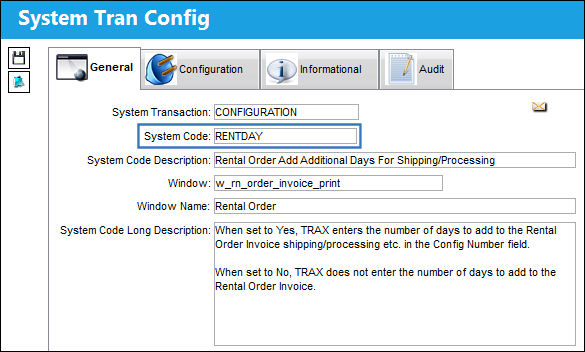
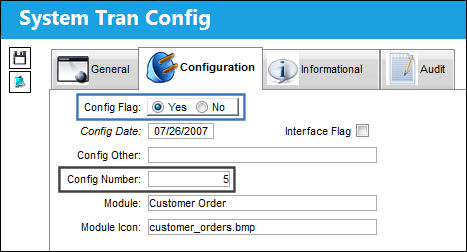
Switch Set to Yes:
When set to Yes, TRAX enters the number of days to add to the Rental Order Invoice shipping/processing etc. in the Config Number field.
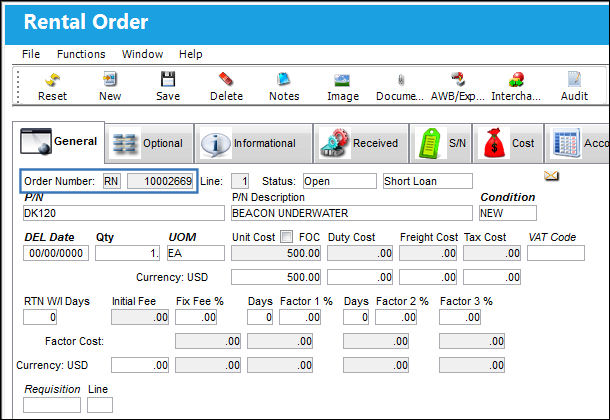
Create a rental order.
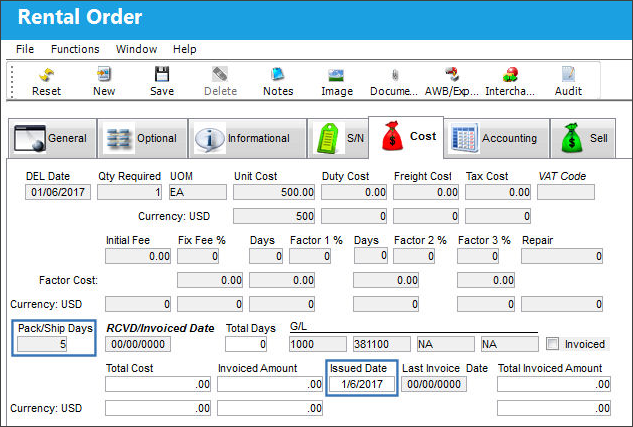
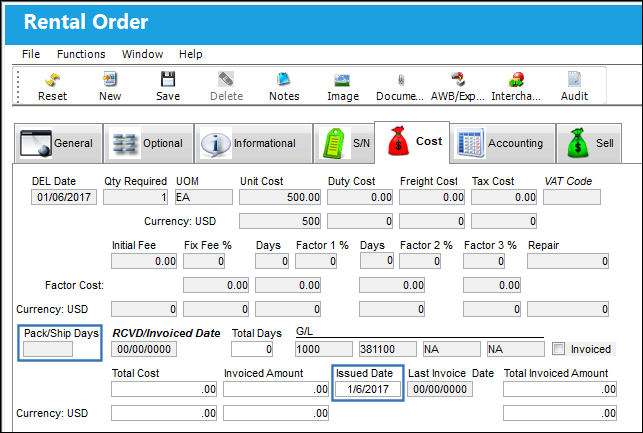
Issue the requested part to the Rental Order, then select into the Rental Order and navigate to the Cost tab. The Pack/Ship Days field is populated with the number previously specified in the Config Num field of the switch settings.
Switch Set to No:
When set to No, TRAX does not enter the number of days to add to the Rental Order Invoice.
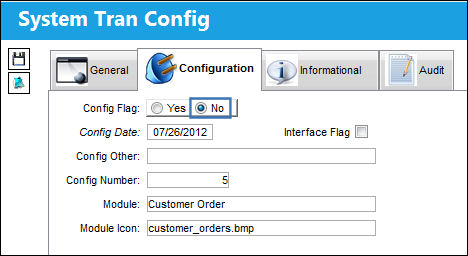
Create a rental order.
Issue the requested part to the rental order, and then select into the Rental Order and navigate to the Cost tab. Note that the Pack/Ship Days field is blank.
Share
Print
|
©1997-2026 Trax USA Corp. All rights reserved. This manual may not be copied, photocopied, reproduced, translated, or converted to any electronic or machine-readable form, in whole or in part, without prior written approval from Trax USA Corp. |
 |