Publication Date: 8/17/2026 Share Print

Previous Topic

Next Topic

Book Contents

Book Index

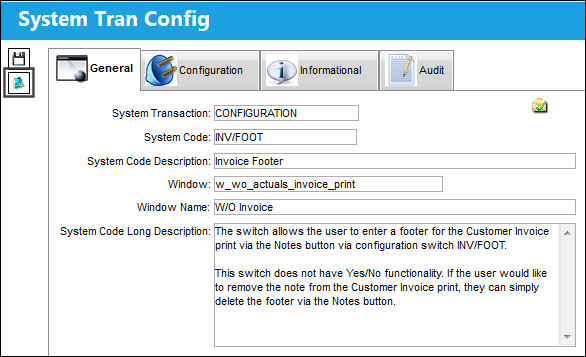
INV/FOOT - Invoice Footer

Invoice Footer

Affected Window: w_wo_actuals_invoice_print
125_INVFOOT(1)

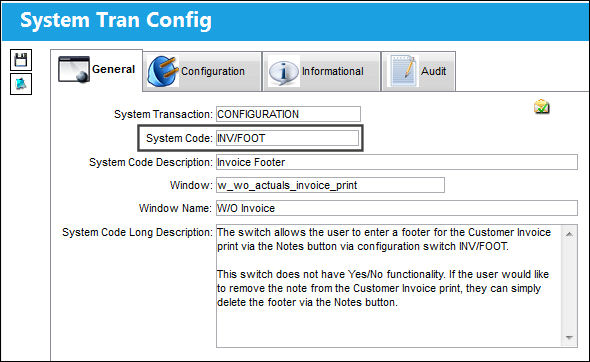
From the INV/FOOT configuration switch, select the Notes but_notes_small button.

125_INVFOOT(3)

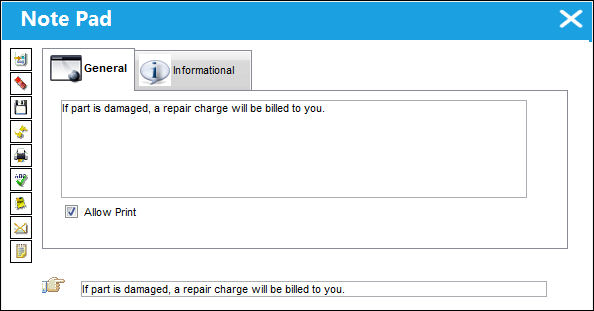
A footer is added via the Note Pad window.
125_INVFOOT(3)

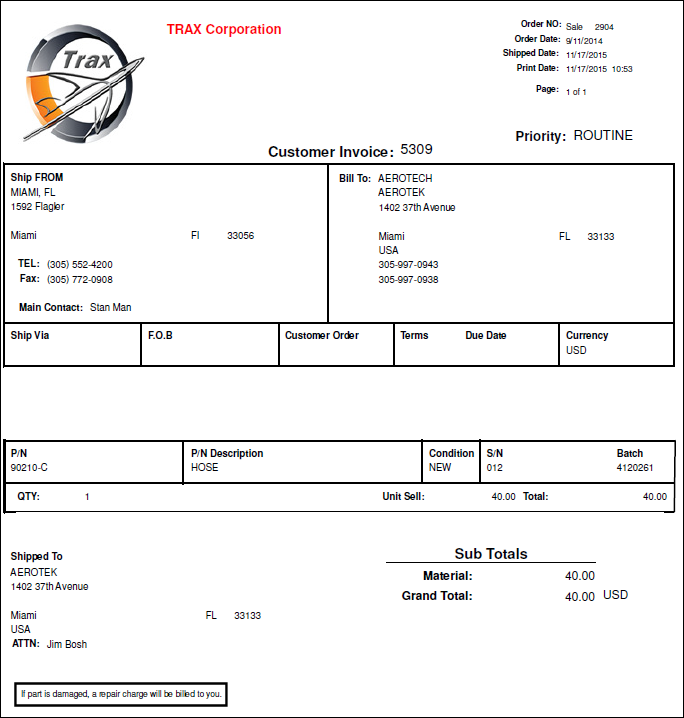
The footer is available via the Customer Invoice print, as shown below.
See Also

Customer Orders Switches

CCPRODSHOPLC

COMULTICURRECY - Customer Order Allow Multi Currency

COMULTICURRECY1 - Customer Order Sell Currency 1

COMULTICURRECY2 - Customer Order Sell Currency 2

CUST/ORD - Customer Order Next Sequence Number

CUSTOMER/CONTRACT - Customer Contract Order SEQ

INVOICE - Customer Order Invoice Sequence Number

RENTDAY - Rental Order Add Additional Days For Shipping/Processing

RNBOOKTOMAN - Enables Booked To Functionality in the Rental Order Finalization

RNINVAUTH - Send Rental Order To Invoice Authorization

SO/FOOT - Customer Order Footer

SOINVAUTH - Send Customer Order To Invoice Authorization

XOBOOKTOMAN - Enables Booked To Functionality in the Exchange Order Out Finalization

XOINVAUTH - Exchange Out Order Allow to send to Invoice Authorization

XOTYPEMAND - Makes XO and RN Type field Mandatory

Top of Page Publication Date: 8/17/2026 Share Print