
 Share
Share
 Print
Print
|
|
|
|
|



The Sub Location  button allows the user to set up sub locations for a main location. Once set up, the Re-Order level functionality will take into consideration the availability of a part(s) in all sub locations for a main location in addition to the main location before creating a requisition based on the Re-Order level for the respective part number. The system will not allow a Re-Order level to be created for a sub location. In addition, a sub location cannot be added to a master location that is not set up as an Inventory location.
Note: This button will only appear in the Location Master if switch  SUBLOCATION is set to Yes and if switch REORLOC is set to No.
From the Location Master, select the Sub Location button.
The system displays the Sub Location Master, where the following locations have been set up as sub locations for master location ATL.
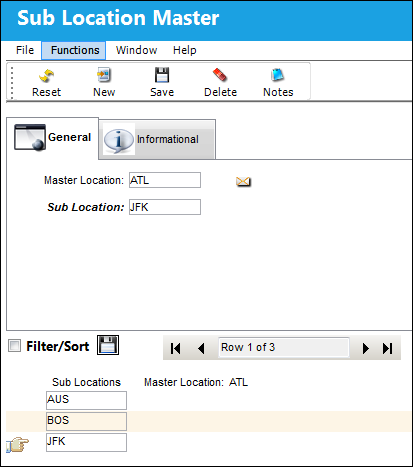
For information on how the Sub Location button impacts the Re-Order Level of part numbers, refer to Sub Location Functionality, via P/N Inventory Level, General Tab.
Errors and Warnings:
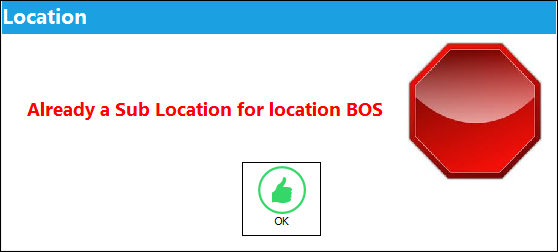
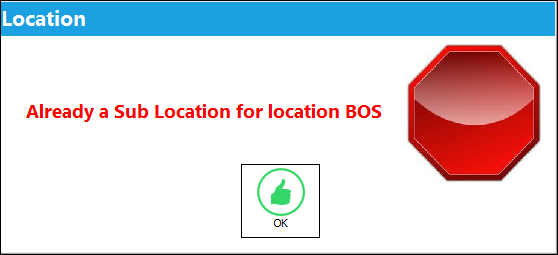
If a location is already established as a sub location for another main location, the system will display the following hard warning:
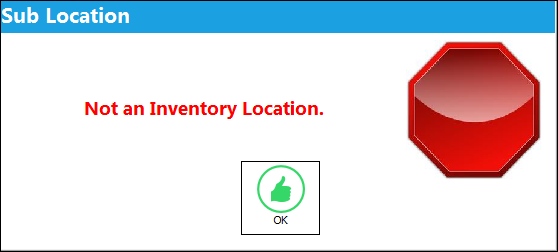
If a sub location is not an Inventory location, the system will display the following hard warning:
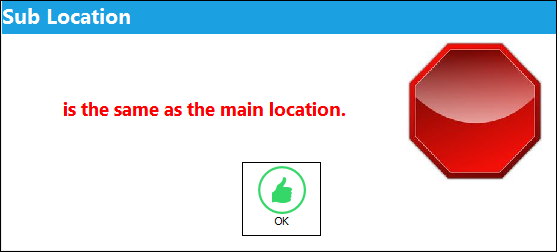
If the main location is the same as the sub location, the system will display to following hard warning:
If attempting to save a location as a sub location that is already a sub location for another main location, the system will display the following hard warning:
Share
Print
|
©1997-2026 Trax USA Corp. All rights reserved. This manual may not be copied, photocopied, reproduced, translated, or converted to any electronic or machine-readable form, in whole or in part, without prior written approval from Trax USA Corp. |
 |