
 Share
Share
 Print
Print
|
|
|
|
|


Note Pad
The standard Note Pad can be found throughout the TRAX system. Users can use this to add pertinent information regarding the file to which it is attached. Each Note Pad can hold various individual notes which are be listed in the bottom portion of the window as separate line items. Below is an example of the Note Pad along with information regarding the available options found in the window.
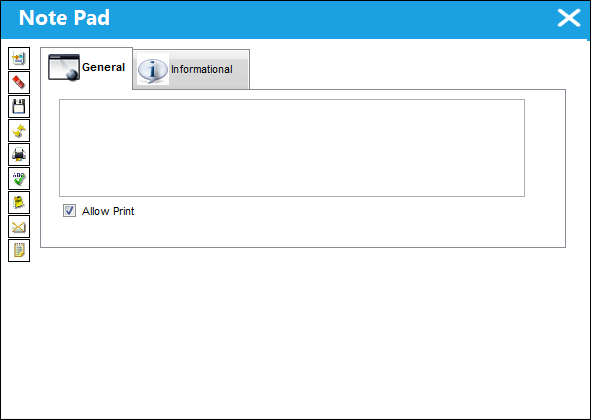
The following information/options are available in this window:
_____________________________________________________________________________________
New  button
Creates a new line item for the note pad.
Delete  button
Erases a line item from the note pad.
Save  button
Saves changes to the line item of the note pad.
Reset  button
Resets the line item in the note pad.
Print  button
Prints a line item from the note pad.
Spell Check  button
Checks a line item for spelling errors.
Notes Template  button
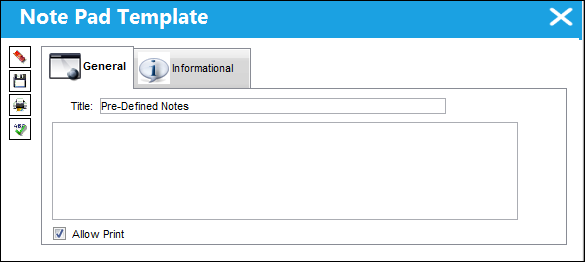
Allows users to set up default note templates in the system. When a user clicks on the Note Template button, a drop down selection pops up and shows the existing default notes. To create a new default note, click on the New button or to edit an existing default note click on the Note Template button. For more information regarding the Notes Template button, refer to the Pre-Defined Notes topic.
Notes Send  button
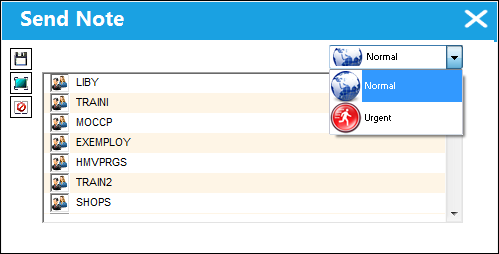
Sends notes to TRAX users or group profiles. It also allows users to select whether the note is normal or urgent.
To Do List  button
Allows the user to set aside important Notes for later reminders and create a to do list. When the user selects this button, it places the note in the Control Panel Explorer in the To Do List tab. Users can view their To Do List daily and manage this list with the following options located when right-clicking over the note in the To Do List tab of the Control Panel (the options are listed to the left):
Check/Uncheck checkbox - Users can check or uncheck notes that are completed.
Delete - Delete an individual note.
Add (New) - Add a new entry to the To Do List.
Delete Checked  - Deletes all of the checked notes.
Delete All  - Deletes all of the notes in the To Do List window.
Check All  - Select all of the notes in the To Do List window.
Uncheck All  - Deselects all of the checked items in the To Do List window.
Print - Prints the To Do List window note.
Priority to High  - Sets a high priority on the To Do List window note which is shown in a red flag.
Priority to Mid  - Sets a mid priority on the To Do List window note which is shown in a red flag.
Priority to Low  - Sets a low priority on the To Do List window note which is shown in a black flag.
_____________________________________________________________________________________
Share
Print
|
©1997-2026 Trax USA Corp. All rights reserved. This manual may not be copied, photocopied, reproduced, translated, or converted to any electronic or machine-readable form, in whole or in part, without prior written approval from Trax USA Corp. |
 |