
 Share
Share
 Print
Print
|
|
|
|
|


E-mail/Notes Notifications Set Up
The System Notification  feature is used throughout TRAX. It allows users to send notes and e-mail notifications via TRAX when a record is created, saved and/or deleted. All of System Notifications can be found in Settings/Update/System Notification window.
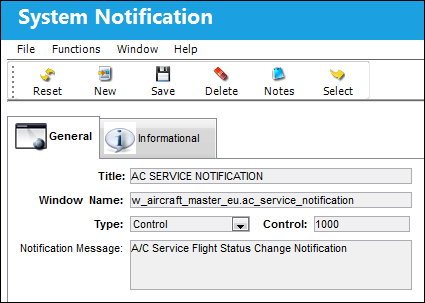
Below is a list of all of the system transaction codes where several of the System Notification functions are also available:
_____________________________________________________________________________________
EO Category
Engineering
Task Card Category
Setting
Employee Category
Setting
P/N Category
Setting
Vendor Category
Setting
Defect Type
Technical Records
 Note: The Defect Type notification will include the following information: A/C Number, MEL Number, MEL Category, MDDR Number, Defer Due Date, and Defect Description.
_____________________________________________________________________________________
From the EC Category only, the Revision, Issued, Terminated and Release radio buttons are available in the Action field for additional notifications. Notice the extra buttons found in the Action field of the EC Category compared to the buttons in another Transaction Code category:
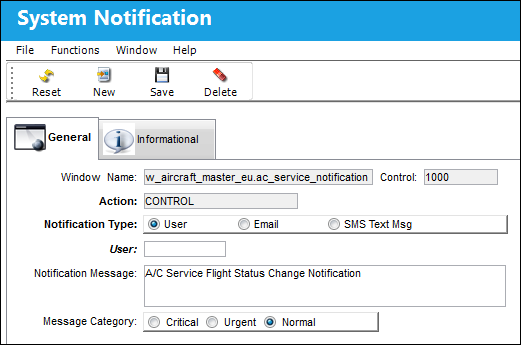
Users also have other options to set up system notifications in TRAX. Below is a list of all of windows where specific System Notifications are also available.
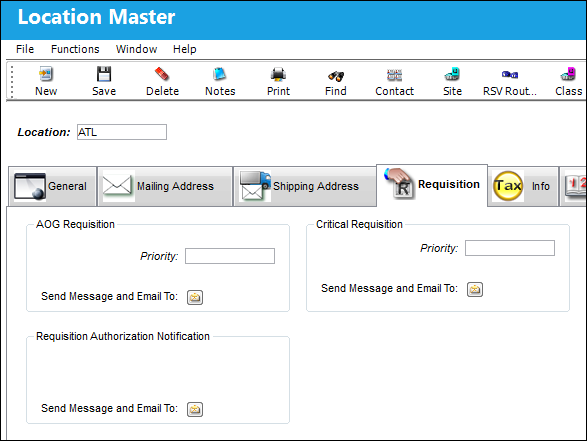
In the Location Master Requisition Tab under Settings/Update/Location Master a user can set up system notifications for the following items:
_____________________________________________________________________________________
AOG Requisitions
Users specify which users need to be notified when an AOG requisition is created.
Critical Requisitions
Users specify which users need to be notified when a critical requisition is created.
Requisition Authorization Notification
Users specify which users need to be notified when a requisition requires authorization.
_____________________________________________________________________________________
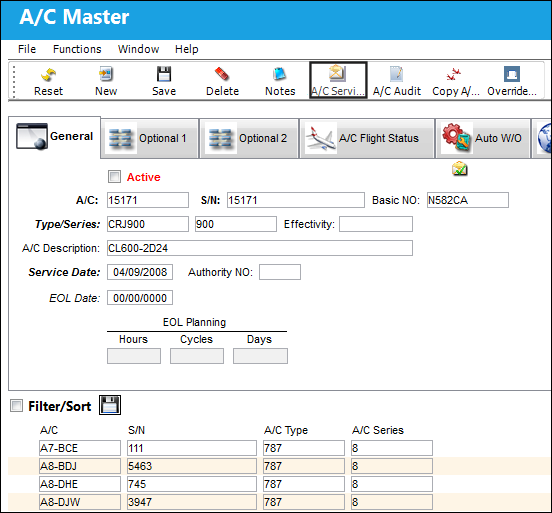
In the Aircraft Master under Settings/Update/Aircraft a user can set up system notifications for the following item:
_____________________________________________________________________________________
A/C Service Notifications button
A list of users can be configured who need to be notified when an Aircraft's status changes to and from 'out of service.' The A/C can be placed out of service through the A/C Out of Service  button available in the A/C Controller Panel, the Work Order window, and Defect Reports. Once the status is changed, a message is sent along with the status details. These details include the associated Work Order or Defect Report Description, the Aircraft, Station, Out of Service date/time, and Estimated In Service date/time. For more information on this notification, refer to the A/C Service Notification Button, via the A/C Master of the Settings Training Manual.
From the System Notification window, a system notification can be configured to send a notification to specified users whenever any aircraft has its flight status changed. This notification is called 'AC SERVICE NOTIFICATION'. For more information refer to the System Notification window via the Settings Training Manual.
_____________________________________________________________________________________
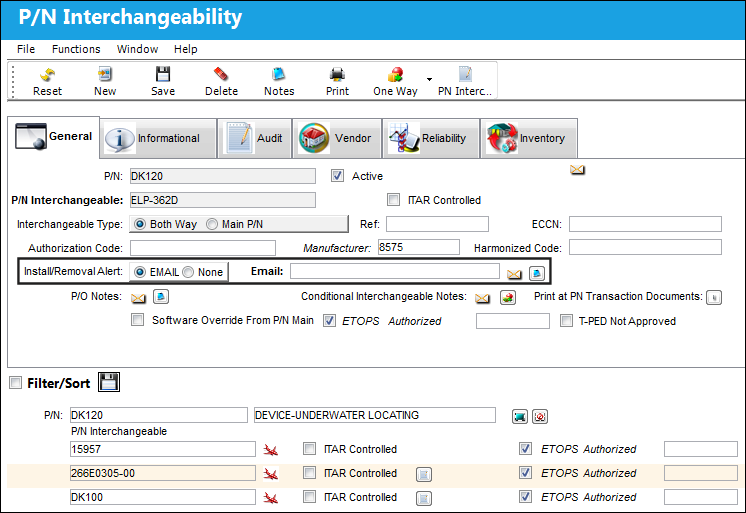
In the P/N Master under Settings/Update/P/N, a user can set up system notifications in the P/N Interchangeability Window:
_____________________________________________________________________________________
Install/Removal Alert
Users set up e-mail notifications every time a part is installed and removed.
_____________________________________________________________________________________
Share
Print
|
©1997-2026 Trax USA Corp. All rights reserved. This manual may not be copied, photocopied, reproduced, translated, or converted to any electronic or machine-readable form, in whole or in part, without prior written approval from Trax USA Corp. |
 |