
 Share
Share
 Print
Print
|
|
|
|
|


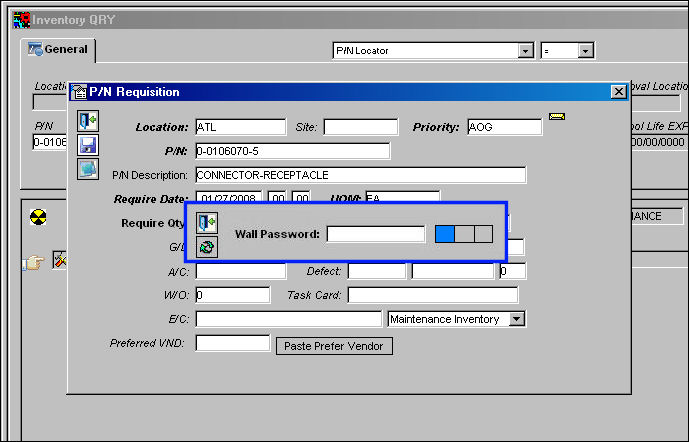
The requisition function can have the Wall Password added (pop-up) – so that regardless of who has requested the part, when the Wall Password is entered (or the biometric) there is no doubt as to who has asked for it.
Set up the Security and Wall Password in the Control Panel. For more information on how to set up Security and Wall password, please refer to the previous example, Task Card Work in Progress.
Go to Inventory/Query/Inventory Query.
Find a part number and select the Requisition  button. The P/N Requisition window appears. complete all mandatory field information and select the Save
  button. The Wall Password pop-up appears.
Share
Print
|
©1997-2026 Trax USA Corp. All rights reserved. This manual may not be copied, photocopied, reproduced, translated, or converted to any electronic or machine-readable form, in whole or in part, without prior written approval from Trax USA Corp. |
 |