
 Share
Share
 Print
Print
|
|
|
|
|


The E/C Called On  button allows the user to view the E/C that the current E/C is calling on for its schedule.
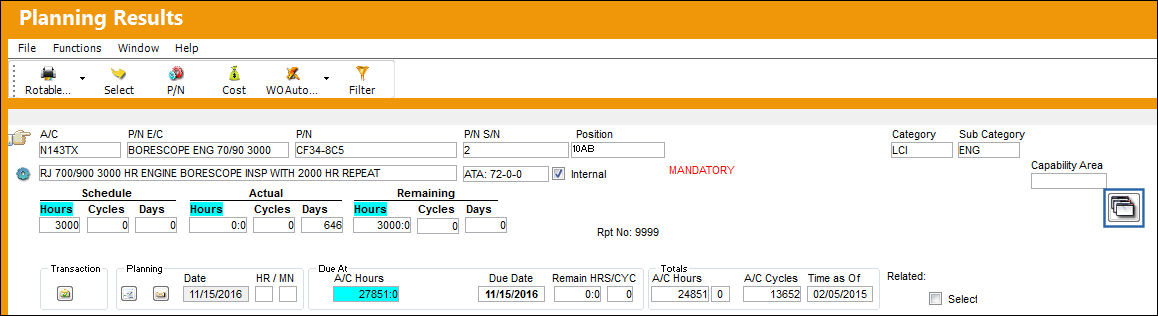
This button only appears when the parent E/C has a schedule and it takes that due date of the parent E/C; the button calculates the 'called ons' to see what are their projected due dates. If the E/C does not have a schedule it will not display the 'called ons' because there is no schedule to drive a due date to allow the view of the projected due dates on the called ons.
When selected, the E/C Called On Planning window is displayed.
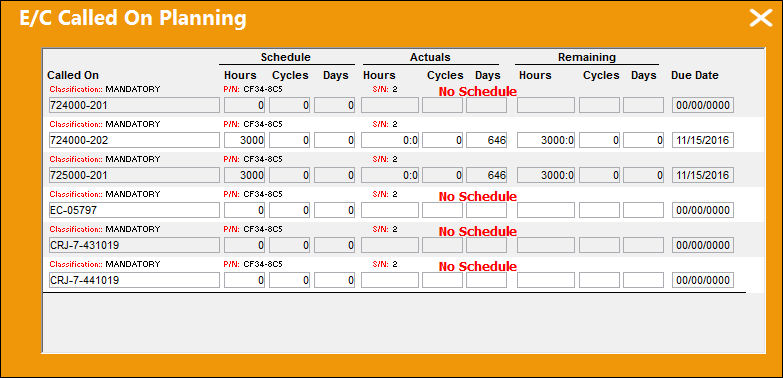
If the E/C has a Called On, the following message may appear:
'This E/C has dependencies which are being called on other frequencies, but will note be carried out on this current frequency of the parent E/C. For additional information refer to the parent E/C's Schedule Control tab.'
Share
Print
|
©1997-2026 Trax USA Corp. All rights reserved. This manual may not be copied, photocopied, reproduced, translated, or converted to any electronic or machine-readable form, in whole or in part, without prior written approval from Trax USA Corp. |
 |