
 Share
Share
 Print
Print
|
|
|
|
|


The results of the Highest Assembly View are displayed, as follows:
The following only displays the first due NHA when querying for a part number. The NHA must have a P/N Control or E/C.
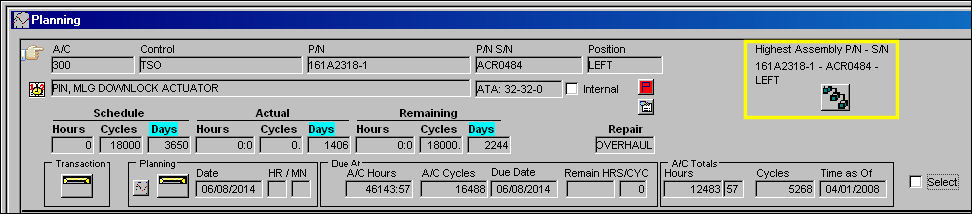
Select the Next Lower Assembly  button to view all NLA's associated to the NHA in the above window.
TRAX displays the associated records as follows:
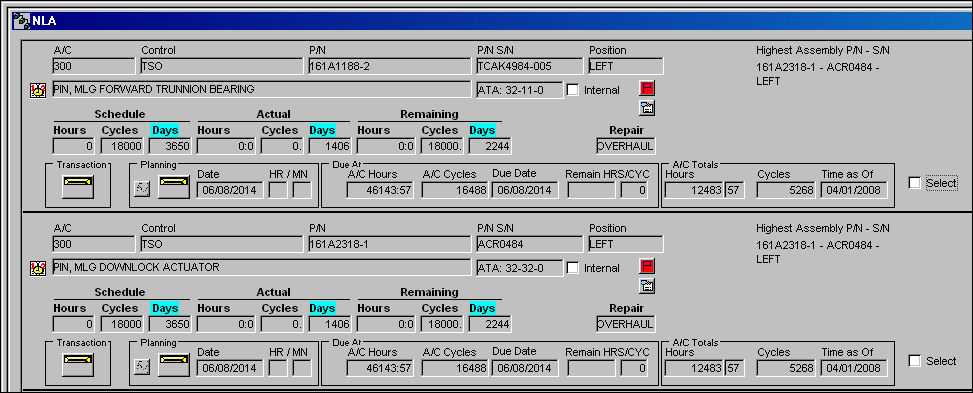
Additional information for the fields within the Planning Results, in detail, are explained in the following:
- Man Hours
- Schedule, Actual, and Remaining Hours/Cycles/Days
- LRU checkbox
- Repair flag
- Transaction Notification button
- Planning Info button
- Work Order flag
- A/C Totals
- Due At
- Authorization flag
- E/C Called On button
- Internal checkbox
- Mandatory flag
- Select checkbox
- Tool Status Indicator button
- Part Status Indicator button
- Reservation Status Indicator button
- Requisition button
- Calendar Hours icon
For information regarding additional functionality available with these results, refer to the A/C Planning (Highest Assembly View) Results Buttons.
Share
Print
|
©1997-2026 Trax USA Corp. All rights reserved. This manual may not be copied, photocopied, reproduced, translated, or converted to any electronic or machine-readable form, in whole or in part, without prior written approval from Trax USA Corp. |
 |