
 Share
Share
 Print
Print
|
|
|
|
|


View Tab
The View tab contains options that adjust the appearance of the tabs, the view layout, selection functionality and field transparency.
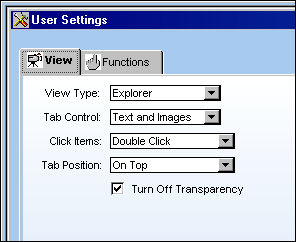
The following information/options are available in this window:
_____________________________________________________________________________________
View Type drop down
These options relate to the way the modules and windows are listed in the Control Panel Explorer window. For more information on the Explorer and List types refer to the topic View Type.
Tab Control drop down
This option controls how the tab information will be listed in the actual tab. User can alternate between the display of the text and the images that relate to each tab. The tabs can either display the text and images, the pictures only or the text only. For more information refer to the topic Tab Looks.
Click Items drop down
This option allows users to choose between single clicking or double clicking an available window to open it from the Control Panel Explorer window. For more information refer to the topic Click Items.
Tab Position drop down
These options allow users to choose between locating the tabs on the top or on the bottom of each window. For more information refer to the topic Tab Position.
Turn Off Transparency checkbox
This options designates whether or not windows are transparent. This mainly refers to the windows where right-click functionality is applied such as the P/N, Task Card, Work Order, etc. For more information refer to the topic Turn Off Window Transparency.
_____________________________________________________________________________________
Select the Save  button to save the changes.
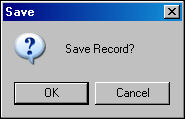
Select the Apply to All  button to save the changes for all users within the database.
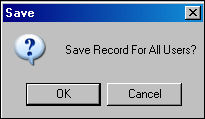
Select the Reset  button to revert all of the fields to their original settings.
If changes are made but not saved, when exiting a prompt will ask the following:
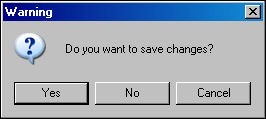
Select 'Yes' to save and exit, 'No' to not save and exit, or 'Cancel' to remain in the window.
Share
Print
|
©1997-2026 Trax USA Corp. All rights reserved. This manual may not be copied, photocopied, reproduced, translated, or converted to any electronic or machine-readable form, in whole or in part, without prior written approval from Trax USA Corp. |
 |