
 Share
Share
 Print
Print
|
|
|
|
|


User Settings
The User Settings menu allows users to customize the appearance of the database they are using. These changes mainly apply to overall layout and view of the trax windows and applications. Users will also have the ability to apply these changes for all users within the same database but it should be left to administrators only.
 This option is security controlled via the Control Panel. For more information refer to the Security Explorer via the System Administration Training Manual.
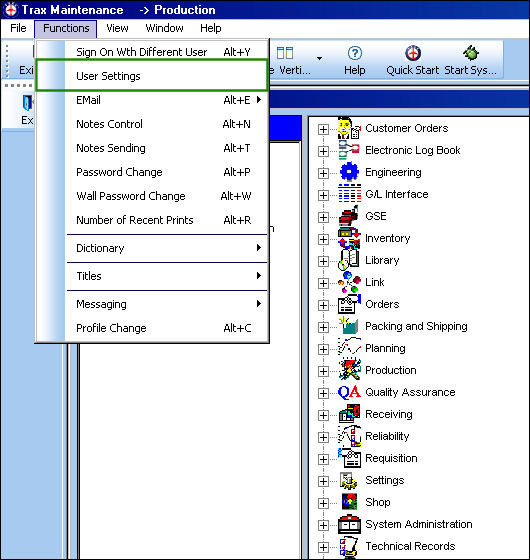
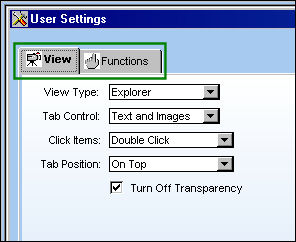
By selecting the User Setting button, a different window will appear with three different tabs which relate to the different options users will have: the View tab, Functions tab and Color tab.
Share
Print
|
©1997-2026 Trax USA Corp. All rights reserved. This manual may not be copied, photocopied, reproduced, translated, or converted to any electronic or machine-readable form, in whole or in part, without prior written approval from Trax USA Corp. |
 |