
 Share
Share
 Print
Print
|
|
|
|
|


Password Change
The Password Change option allows the currently logged in user to change their log in password as desired.
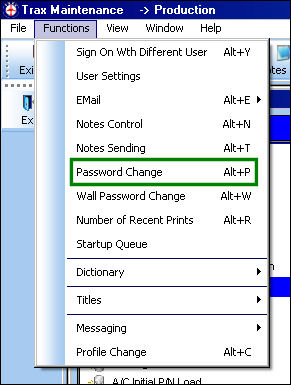
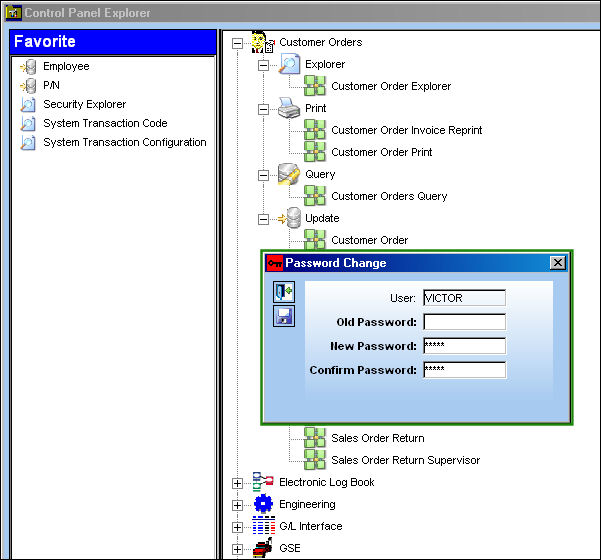
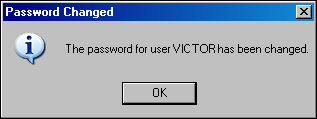
The following information box will appear, informing the user that their Password has been changed. Select 'OK'.
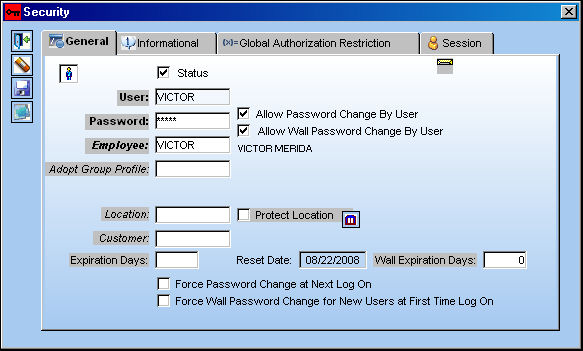
If the Password Change option is not available in the Functions Menu, go to System Administration/ Explorer/ Security Explorer. Right-click on the user and select Update User. Check the following checkboxes: Allow Password Change By User and Force Password Change at First Log On.
Share
Print
|
©1997-2026 Trax USA Corp. All rights reserved. This manual may not be copied, photocopied, reproduced, translated, or converted to any electronic or machine-readable form, in whole or in part, without prior written approval from Trax USA Corp. |
 |