
 Share
Share
 Print
Print
|
|
|
|
|


Number of Recent Programs
The Number of Recent Programs allows users to specify the number of Programs saved in their Recent Visits.
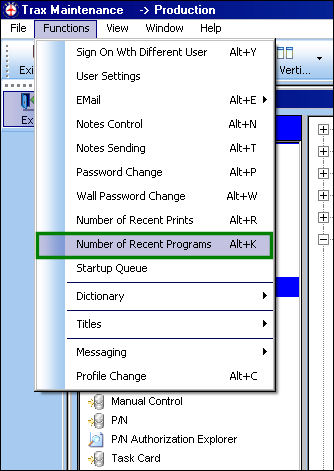
Select the Number of Recent Programs option.
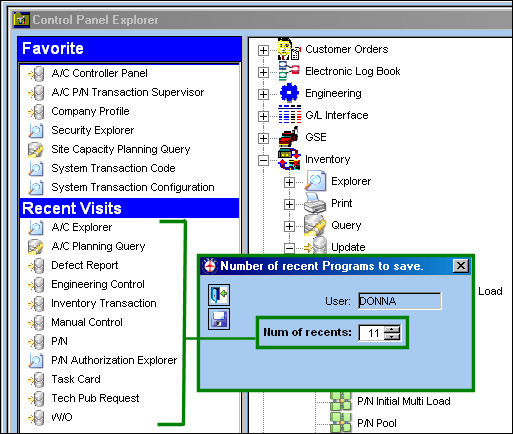
The Number of recent Programs to save pop up appears. Notice that in the current users' settings, the Num of recents field is set to 11 and that is the number of programs being saved in the Recent Visits.
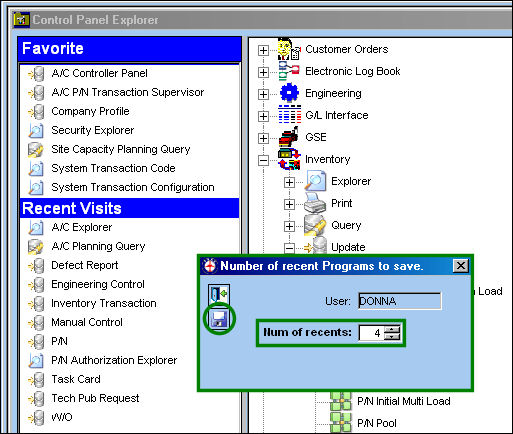
Change the Num of recents field to 4 and select the Save  button. Exit TRAX and Log in again.
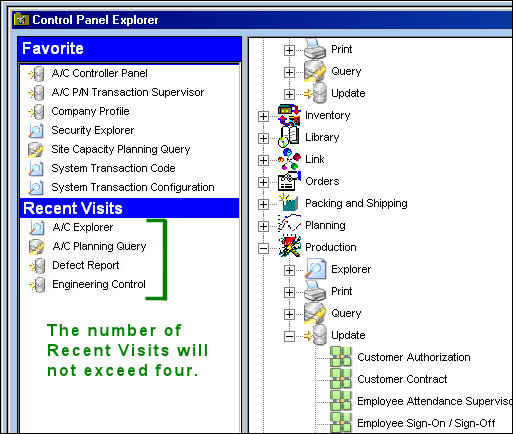
The number of Recent Visits are displayed below:
Share
Print
|
©1997-2026 Trax USA Corp. All rights reserved. This manual may not be copied, photocopied, reproduced, translated, or converted to any electronic or machine-readable form, in whole or in part, without prior written approval from Trax USA Corp. |
 |