
 Share
Share
 Print
Print
|
|
|
|
|


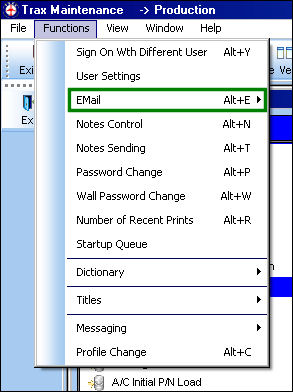
Email:

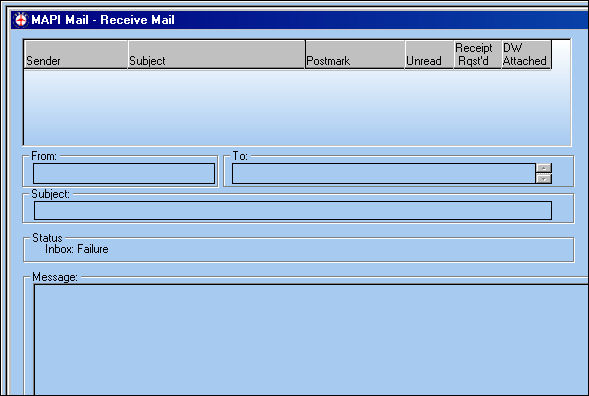
Please refer to the Network Administrator for the proper set up of (third-party) e-mail system and it’s integration with TRAX. Once properly set up, users can view all e-mails from the Inbox via this option. |
Inbox:
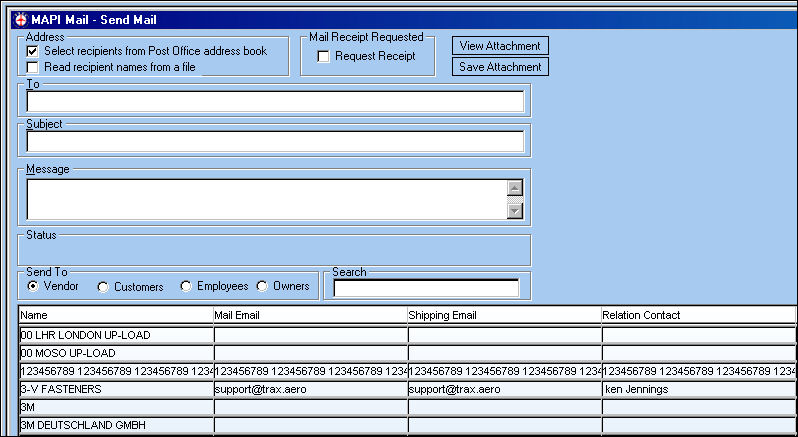
Outbox:
E-mail Notification – Update List
Automatic e-mail notification can be set up for specific transactions within the system. Once the appropriate system transaction codes are set up, e-mail notification is available in the following windows:
w_employee_master_eu.
w_engineering_eu.
w_pn_master_eu.
w_requisition_aog.
w_requisition_crt.
w_vendor_master_eu.
Also, an e-mail recipient can be specified in the P/N Interchangeability window (w_pn_interchangeable_eu).
Share
Print
|
©1997-2026 Trax USA Corp. All rights reserved. This manual may not be copied, photocopied, reproduced, translated, or converted to any electronic or machine-readable form, in whole or in part, without prior written approval from Trax USA Corp. |
 |