
 Share
Share
 Print
Print
|
|
|
|
|


Manhours Schedule by Head Count Query
The Head Count functionality via Planning/Query/Man Hours Schedule by Head Count Query window allows users to view available labor man hours by Skill type per Location and Site on a daily basis. This information is used to show available man hours against planned work. This is different from the other labor generation methods where man hours are comprised from the employee records and shifts.
This functionality is only available when Planning Switch  LBRBYHCNT is set to 'Yes.' When set to 'Yes,' man hour labor generation will be determined by the head count functionality and not by employees and shifts. When set to 'No' this functionality is not available and the window cannot be accessed. For more information refer to Switch LBRBYHCNT via the Planning Switches Manual.
The value "0" can be selected and saved in the Head Count field to accommodate for those days when employees who have a certain skill are not scheduled to work.
From the query window, enter all pertinent information then select the Find  button.
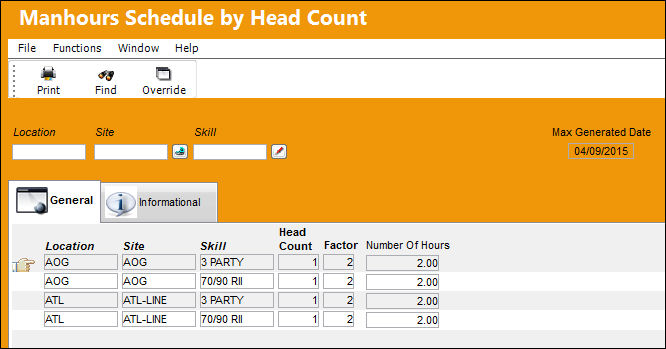
Additional functionality is available through the following:
- Manhours Schedule by Head Count, Informational Tab
- Print button
- Override button
Share
Print
|
©1997-2026 Trax USA Corp. All rights reserved. This manual may not be copied, photocopied, reproduced, translated, or converted to any electronic or machine-readable form, in whole or in part, without prior written approval from Trax USA Corp. |
 |