
 Share
Share
 Print
Print
|
|
|
|
|


Inventory Count (Murata)
Users can perform inventory counts through the Physical Inventory Count window. When Interface Switch  MURATA is set to Yes, the following buttons are available from the Physical Inventory Count window.
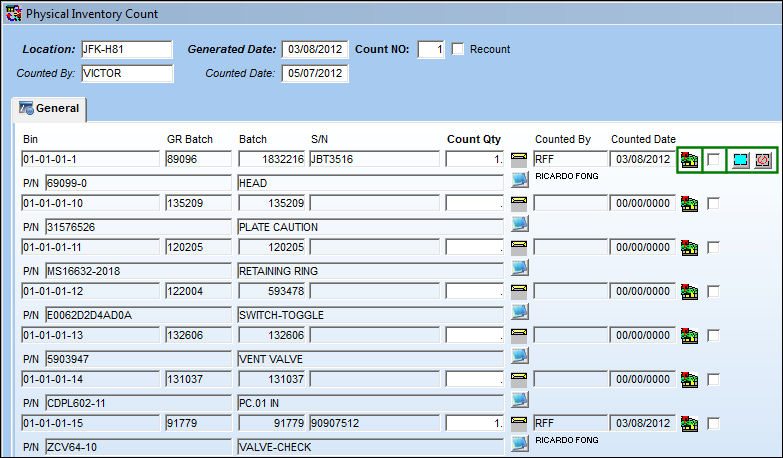
The following information/options are available in this window:
_____________________________________________________________________________________
ASRS  icon
icon
Indicates which Bins are ASRS Bins (Automated Storage and Retrieval System).
Select checkbox
Allows users to select the Bins required for the inventory count. These selected Bins will then be requested from the MCM. Each Tray containing these Bins will be delivered to the Picking Station.
Select All  / Deselect All
  buttons
Allows users to select all Bins or to deselect all Bins.
_____________________________________________________________________________________
Select the required Bins.
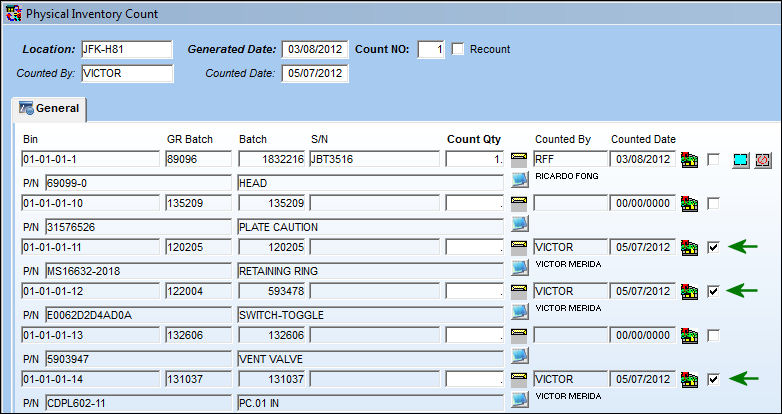
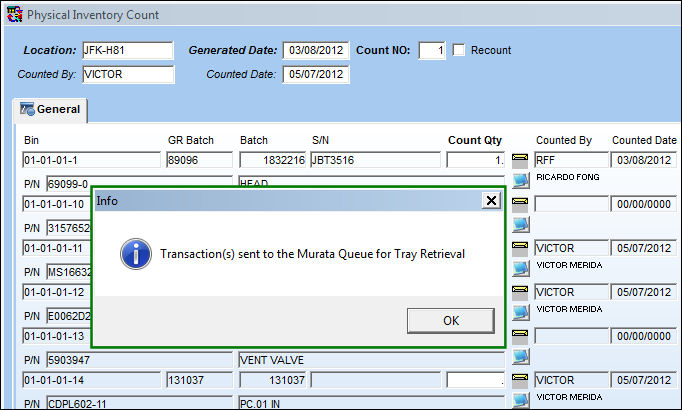
Select the Request Tray  button. Once requested, the following informational prompt appears indicating that the transactions have been sent to the Murata Queue and the required Bins will be retrieved by the MCM.
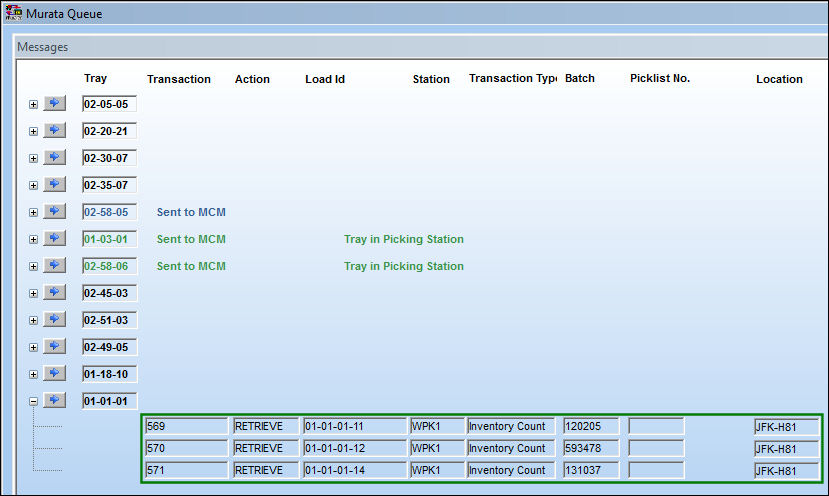
From the Murata Queue, notice that the Tray containing the required Bins has been requested.
Once the Tray is delivered, from the Murata Multifunctional Screen all required Bins are displayed in green. When ready to perform the count, select the Inventory Count Transaction  button.
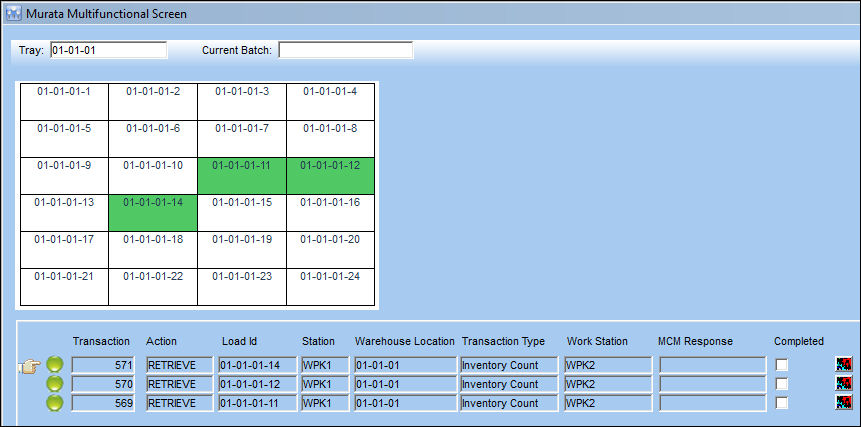
 The Bin containing the pending Murata request(s) will be highlighted in blue, Bins that contain a part are green, and empty Bins are white.
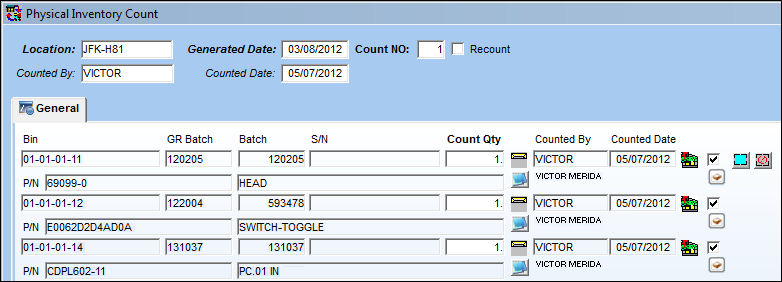
Users are taken to the Physical Inventory Count window where only the selected Bins are listed. Here the count can be performed.
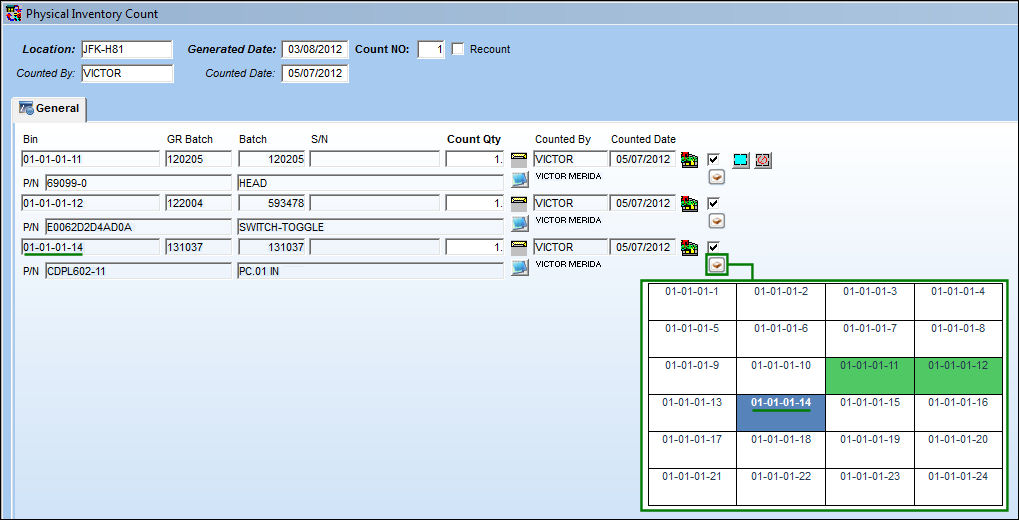
Users can select the Tray Management  button under each entry to view the Tray/Bin layout from the Murata Multifunctional Screen. All of the Bins requested are in green while the selected Bin is listed in blue.
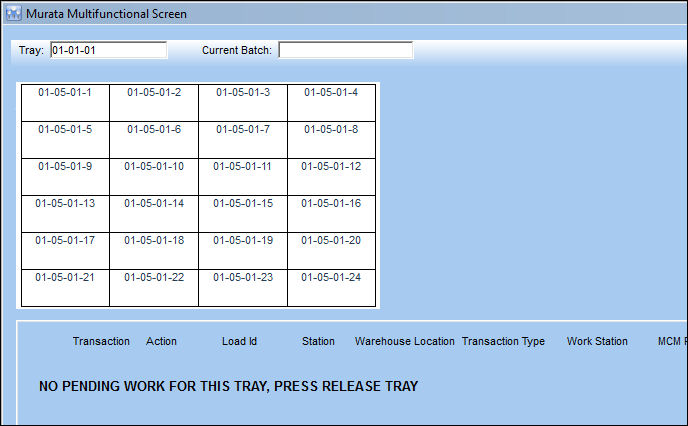
Once the count is saved, the Bins in the Tray are no longer listed in the Murata Multifunctional Screen.
Share
Print
|
©1997-2026 Trax USA Corp. All rights reserved. This manual may not be copied, photocopied, reproduced, translated, or converted to any electronic or machine-readable form, in whole or in part, without prior written approval from Trax USA Corp. |
 |