
 Share
Share
 Print
Print
|
|
|
|
|


In order to authorize Non-Routine Task Cards with a Work Order authorization level of 'Lead' (as specified via the W/O Category transaction code), the N/R T/C which has been preliminarily accepted by the user who created it can be accepted in the W/O Non-Routine Lead Authorization window by a Lead mechanic. For detailed information on the N/R Express authorization processes, refer to the Non-Routine Express Authorization Process via the Production Training Manual.
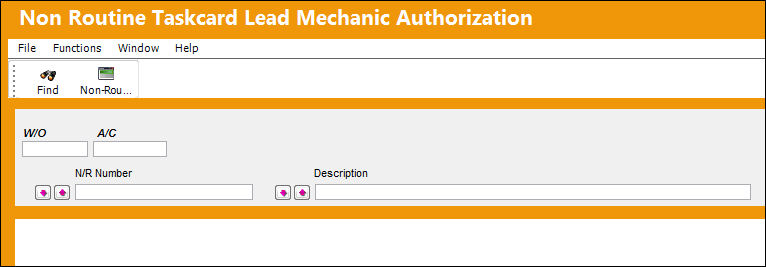
When selected, the Non Routine Task Card Lead Mechanic Authorization window displays as follows.
 This functionality was designed as specified by a TRAX customer. The procedures intended through this functionality are part of their customized program and therefore cannot be modified by any other TRAX customer.
 This window is security-controlled via Production/ Update/ W/O Non-Routine Lead Authorization. For more information refer to the Security Explorer via the System Administration Training Manual.
The following information/options are available in this window:
_____________________________________________________________________________________
W/O
The Work Order used to categorize, manage, and schedule work requirements for aircraft maintenance.
A/C
The individual aircraft tail number.
N/R Number
The pending Non-Routine Task Card number.
N/R Number Sort radio buttons
Allows users to sort the queried Non-Routines. The options are ascending (ASC), descending (DEC), or None.
Description
The Description of the N/R T/C. This field uses a 'like' search function.
Description Sort radio buttons
Allows users to sort the queried Non-Routine Descriptions. The options are ascending (ASC), descending (DEC), or None.
Select All  / Deselect All
  buttons
Each buttons allows users to select all listed Non-Routines for authorization or to deselect all listed Non-Routines.
_____________________________________________________________________________________
Lead Mechanic Authorization Process:
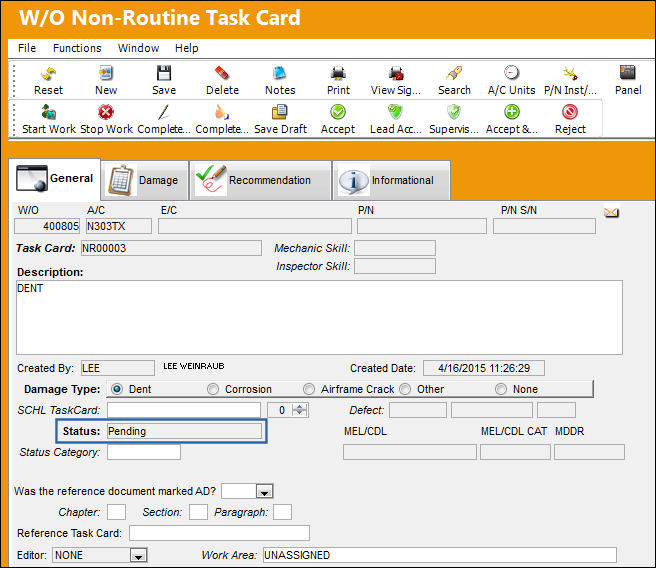
First, notice that the following N/R T/C is in Pending status (meaning the draft has been saved by its creator).
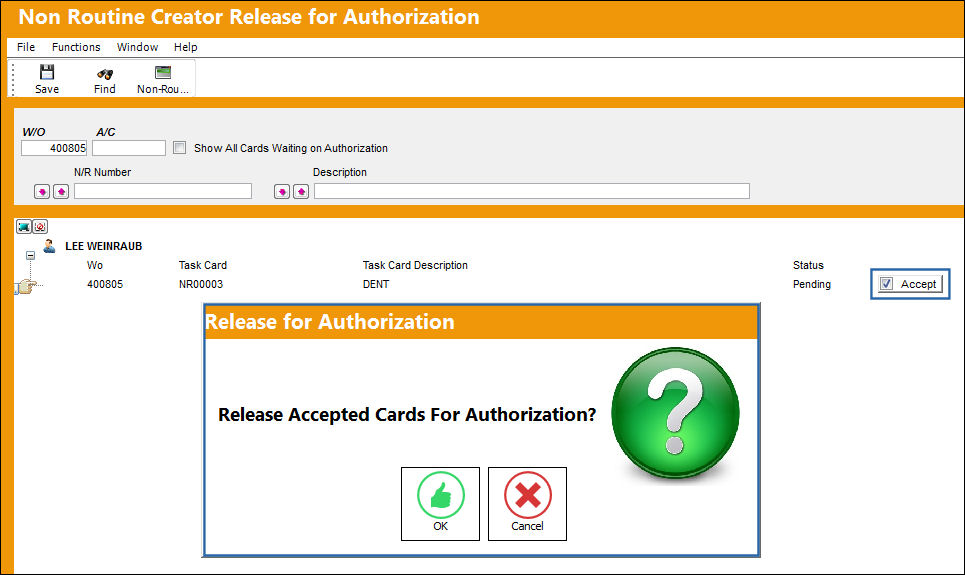
From the Non Routine Creator Release for Authorization window, the N/R T/C is accepted and authorized by the creator.
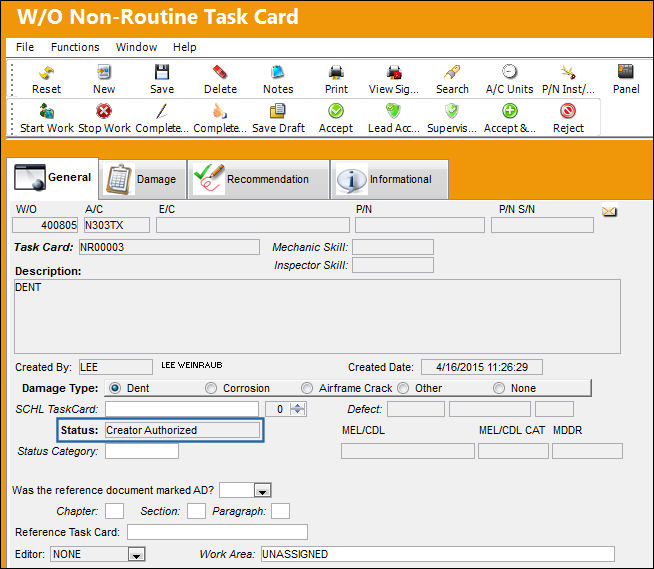
However, because the Work Order that the N/R T/C is associated to requires a Lead authorization, the status of the N/R T/C is set to 'Creator Authorized.' This N/R T/C must now be authorized by a Lead mechanic.
A Lead mechanic then opens the Non Routine Task Card Lead Mechanic Authorization window and searches for the above N/R T/C.
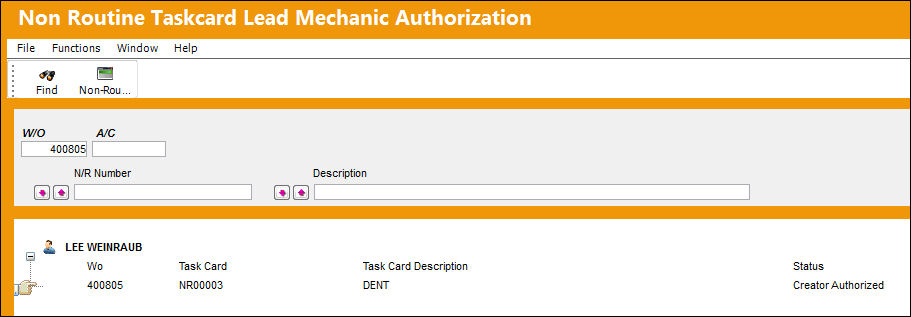
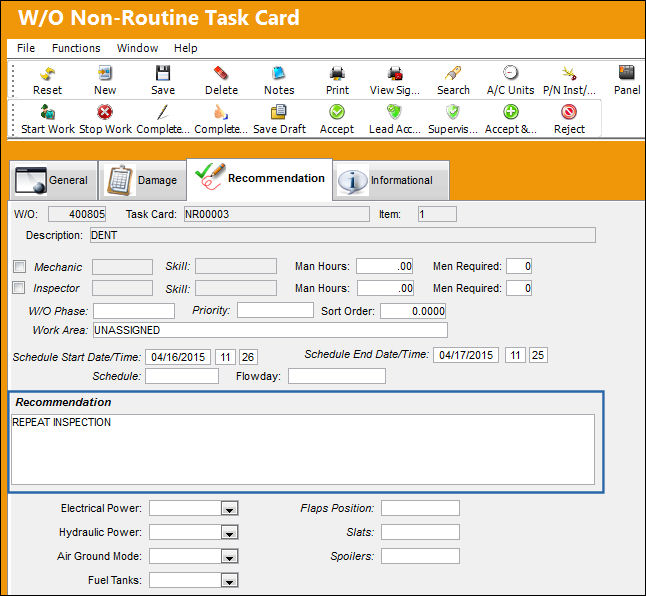
The Lead mechanic then double-clicks into the N/R T/C which sends the Lead to the N/R Express, Recommendation tab of the N/R T/C requiring authorization. From this tab, the Lead enters a recommendation and saves the window.
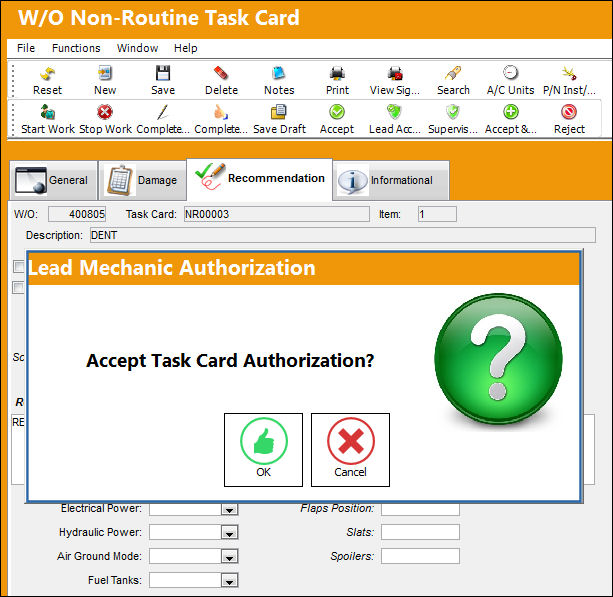
Once saved, the Lead select the Lead Accept  button. Select OK to authorize in the Lead Mechanic Authorization prompt.
From the N/R Express, General tab, notice that the Status for the N/R T/C has been automatically changed to Open.
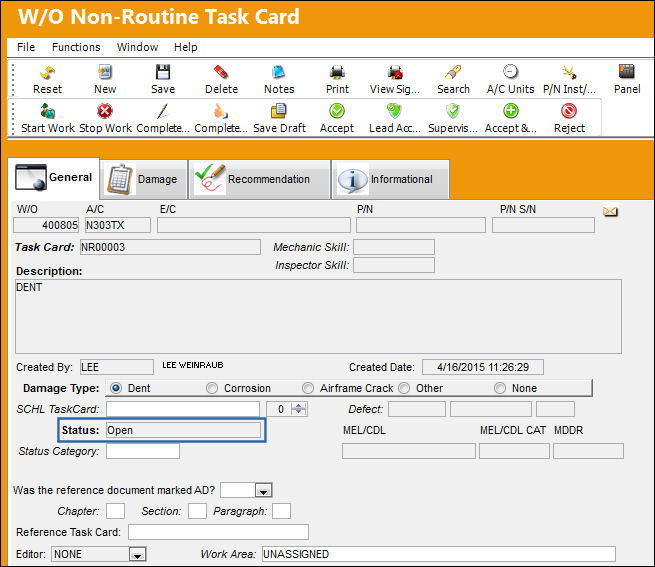
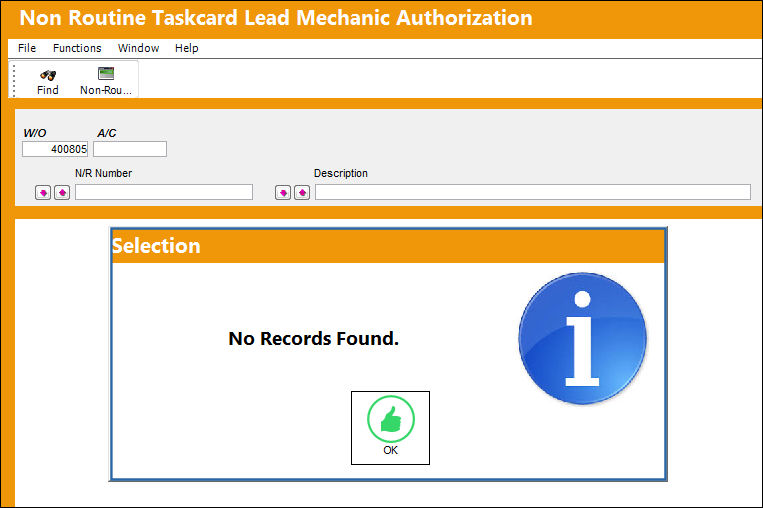
Once authorized and set to Open, the N/R T/C can no longer be found in the Non Routine Task Card Lead Mechanic Authorization window.
Share
Print
|
©1997-2026 Trax USA Corp. All rights reserved. This manual may not be copied, photocopied, reproduced, translated, or converted to any electronic or machine-readable form, in whole or in part, without prior written approval from Trax USA Corp. |
 |