
 Share
Share
 Print
Print
|
|
|
|
|


New N/R Express Button, via W/O Task Card and Non-Routine Search
The W/O Non-Routine Task Card Express window allows mechanics/users to enter all necessary information for W/O Non-Routine Task Cards from the same window. This window is meant to function as a one-stop workshop with just a few tabs that combine multiple fields and buttons into the same window, thereby limiting the need to navigate through multiple Non-Routine Task Card windows and tabs (such as the N/R T/C Item window). Mechanics and Inspectors can also perform the necessary work from the N/R Express window that is typically utilized from the W/O Task Card Work In Progress window. This window also contains system enhancements such as the Recommendation tab, the Follow Up Requirement (FUR) functionality, and adaptable authorization processes. Many of the fields, buttons, and options in the N/R Express window are security-controlled in order to allow supervisors to designate which particular functions are available to certain mechanics.
 This window is security-controlled via Production/ Update/ W/O Task Card and Non-Routine Search. For more information refer to the Security Explorer via the System Administration Training Manual.
 This functionality was designed as specified by a TRAX customer. The procedures intended through this functionality are part of their customized program and therefore cannot be modified by any other TRAX customer.
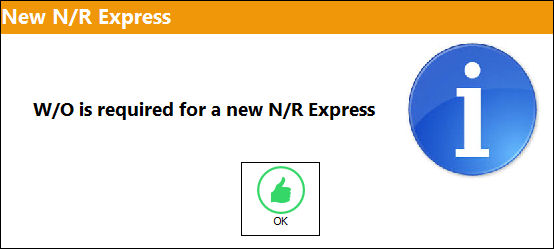
If a W/O isn't first selected, the following error will appear:
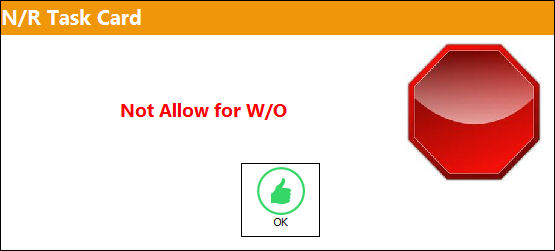
 Allow N/R Creation Warning:
The following hard warning will appear when selecting the Non-Routine Express  button if the 'Allow N/R Creation' checkbox is deselected for the specified Work Order. For additional information, refer to the Work Order Header, Optional tab.
Share
Print
|
©1997-2026 Trax USA Corp. All rights reserved. This manual may not be copied, photocopied, reproduced, translated, or converted to any electronic or machine-readable form, in whole or in part, without prior written approval from Trax USA Corp. |
 |