
 Share
Share
 Print
Print
|
|
|
|
|


When Follow Up Requirements (FUR) are created for Non-Routine Task Cards, they can be viewed from the Follow Up Requirements tab of the Non-Routine Express window. This tab lists all FURs whether they are authorized, rejected, or pending authorization.
If a Non-Routine Task Card does not have any FURs, this tab is not displayed in the N/R Express window.
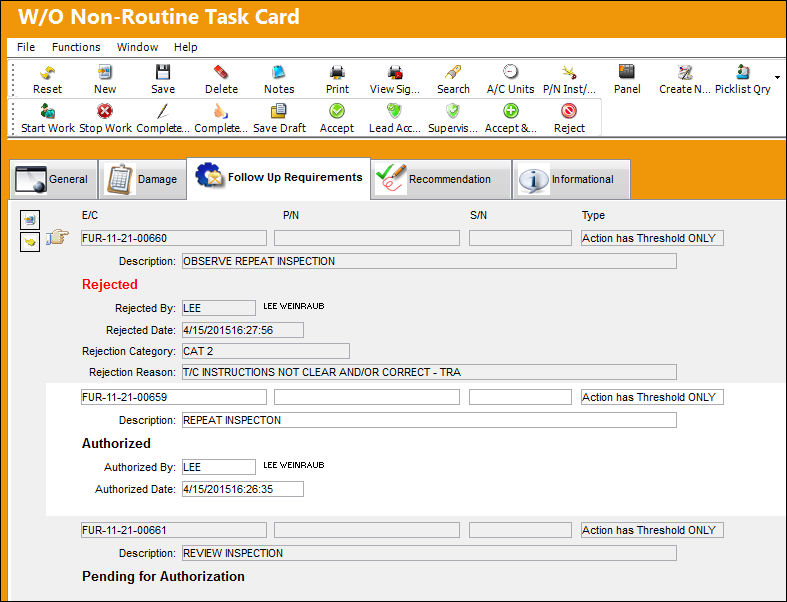
 This tab is security-controlled via Production/ Update/ W/O/ W/O Non Routine Express FUR Tab. For more information refer to the Security Explorer via the System Administration Training Manual.
Users can double-click over either of the FURs to view it in detail. Once the Follow Up Requirements pop-up window is opened, users can modify the information or accept/reject the FUR.
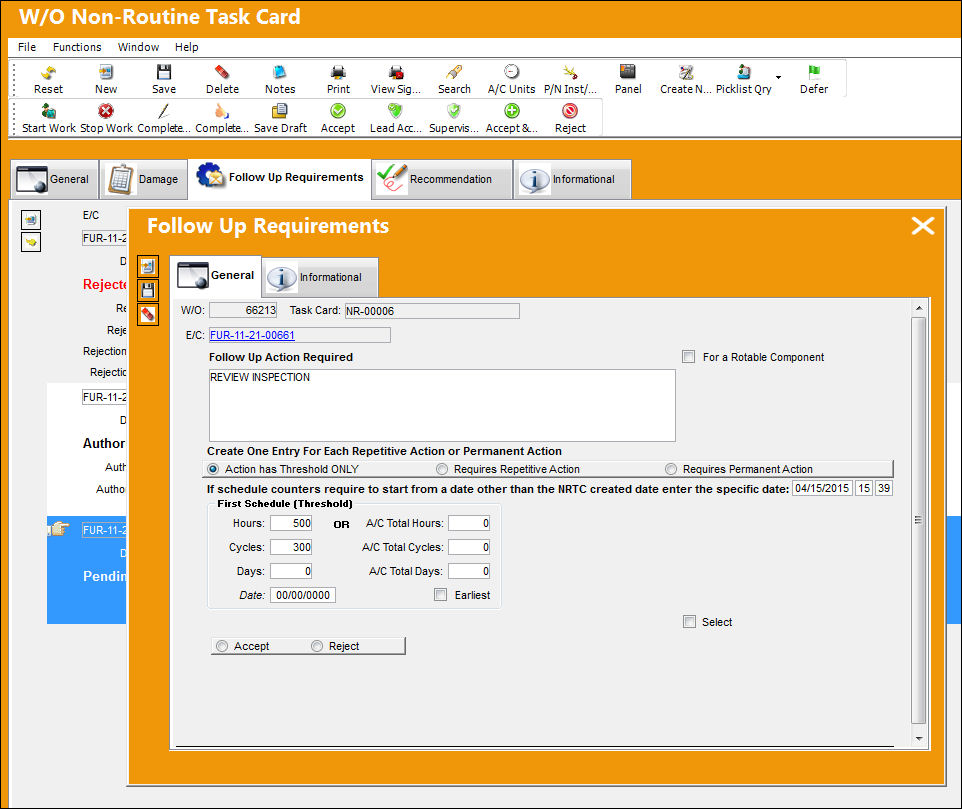
For detailed information regarding the FUR window, refer to the Follow Up Requirements (FUR), via Non-Routine Express.
Share
Print
|
©1997-2026 Trax USA Corp. All rights reserved. This manual may not be copied, photocopied, reproduced, translated, or converted to any electronic or machine-readable form, in whole or in part, without prior written approval from Trax USA Corp. |
 |