
 Share
Share
 Print
Print
|
|
|
|
|


In order to authorize Non-Routine Task Cards with a Work Order authorization level of 'Supervisor' (as specified via the W/O Category transaction code), the N/R T/C which has been preliminarily accepted by the user who created it and by the Lead mechanic can finally be accepted in the W/O Non-Routine Supervisor Authorization window by a Supervisor. From this window, Supervisors have the option of accepting or rejecting N/R T/Cs (see below). For detailed information on the N/R Express authorization processes, refer to the Non-Routine Express Authorization Process via the Production Training Manual.
When selected, the Non Routine Task Card Supervisor Authorization window displays as follows.
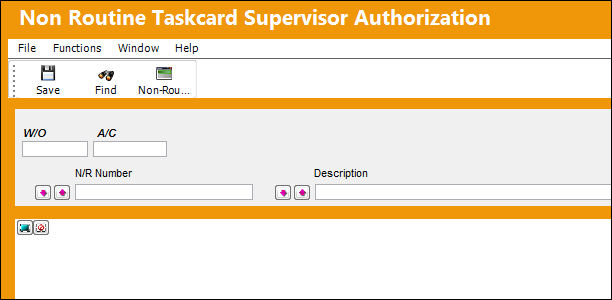
 This functionality was designed as specified by a TRAX customer. The procedures intended through this functionality are part of their customized program and therefore cannot be modified by any other TRAX customer.
 This window is security-controlled via Production/ Update/ W/O Non-Routine Supervisor Authorization. For more information refer to the Security Explorer via the System Administration Training Manual.
The following information/options are available in this window:
_____________________________________________________________________________________
W/O
The Work Order used to categorize, manage, and schedule work requirements for aircraft maintenance.
A/C
The individual aircraft tail number.
N/R Number
The pending Non-Routine Task Card number.
N/R Number Sort radio buttons
Allows users to sort the queried Non-Routines. The options are ascending (ASC), descending (DEC), or None.
Description
The Description of the N/R T/C. This field uses a 'like' search function.
Description Sort radio buttons
Allows users to sort the queried Non-Routine Descriptions. The options are ascending (ASC), descending (DEC), or None.
Select All  / Deselect All
  buttons
Each buttons allows users to select all listed Non-Routines for authorization or to deselect all listed Non-Routines.
_____________________________________________________________________________________
Supervisor Authorization Process: Accepted
First, notice that the following N/R T/C is in Pending status (meaning the draft has been saved by its creator). It is then accepted by its creator.
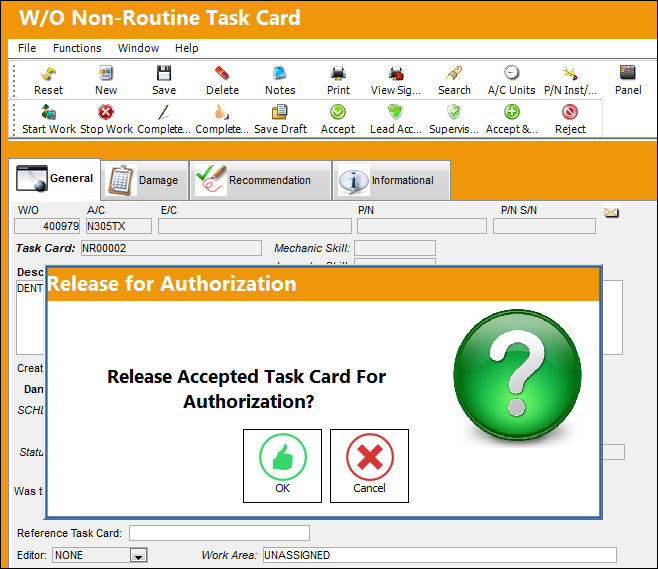
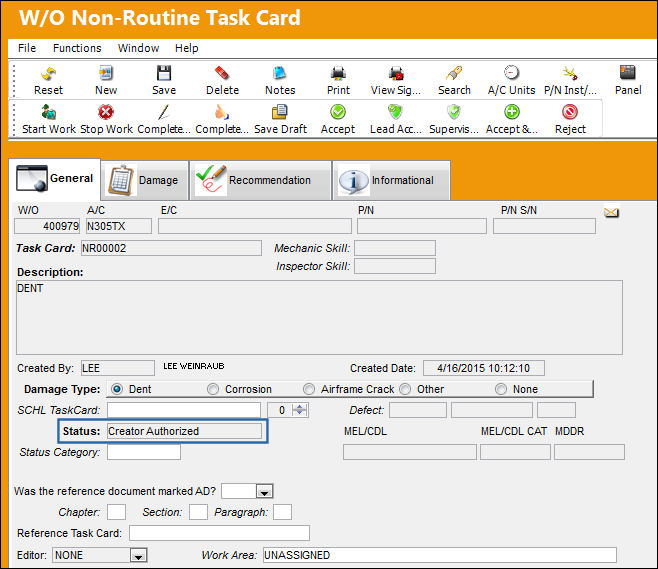
Once accepted by its creator, the N/R T/C status is automatically changed to 'Creator Authorized.'
Before the Supervisor can authorize the N/R T/C, a Lead mechanic must first authorize the creator's N/R T/C in the Non Routine Task Card Lead Mechanic Authorization window.
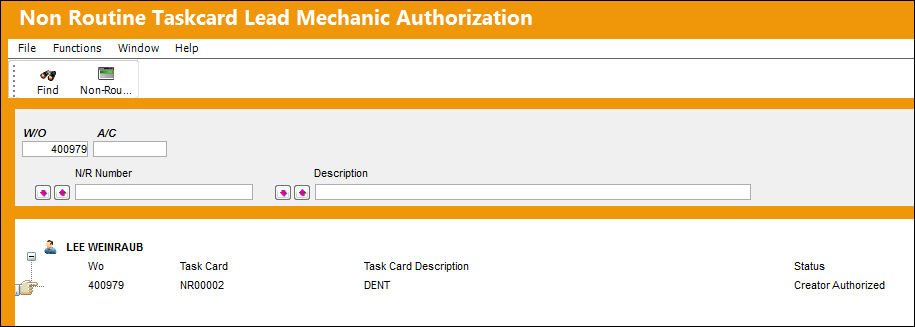
For more information in the Lead mechanic authorization process, refer to the W/O Non-Routine Lead Authorization via the Production Training Manual.
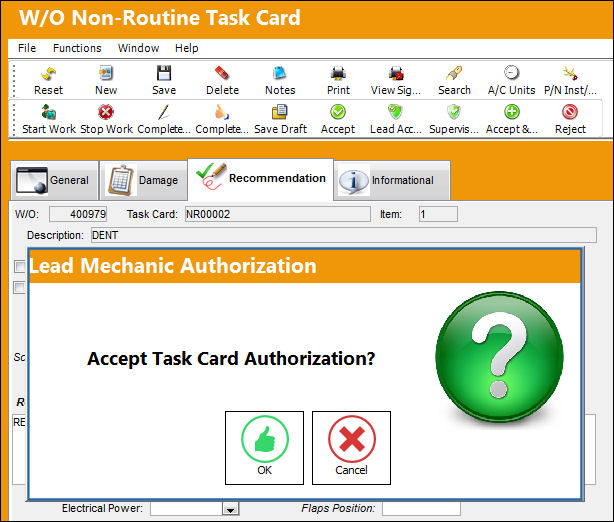
The N/R T/C is then accepted by the Lead mechanic.
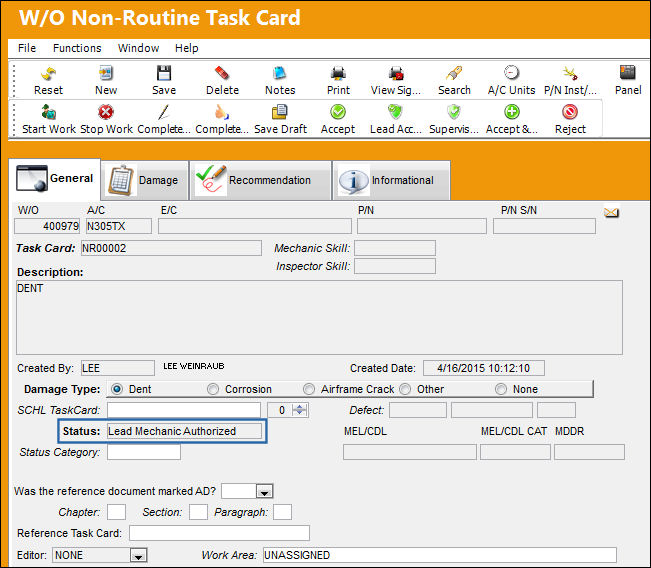
Notice that the status of the N/R T/C has been automatically changed to 'Lead Mechanic Authorized.'
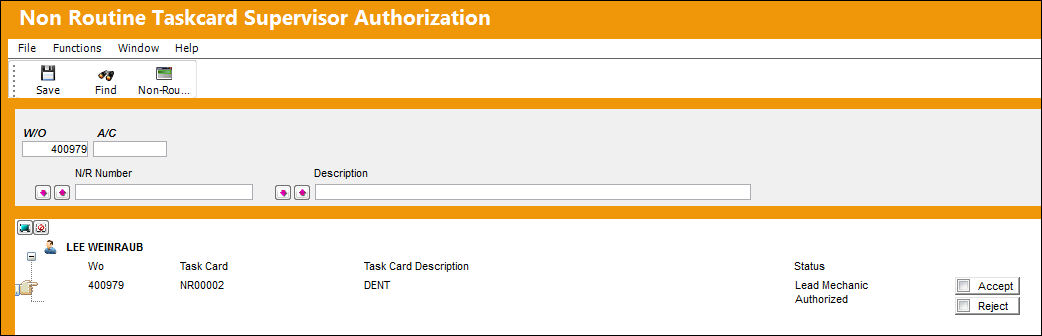
Now the N/R T/C is ready to be authorized by a Supervisor. From the Non-Routine Task Card Supervisor Authorization window, search for the Lead Mechanic Authorized N/R T/C. Notice that the N/R T/C at this point can be accepted or rejected.
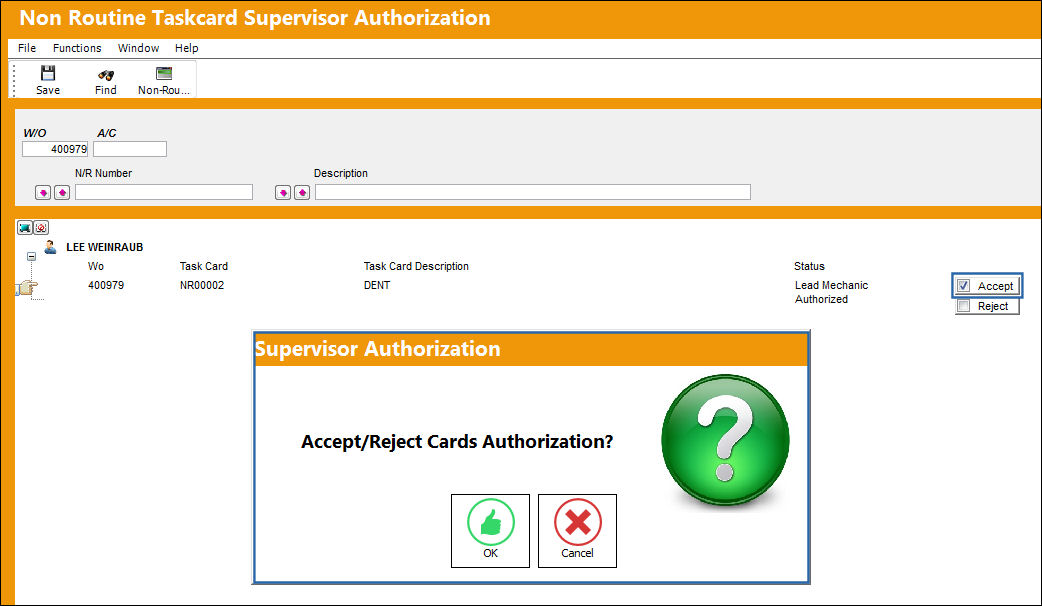
For this example, the N/R T/C will be accepted. Notice that the Accept radio button is selected. Now select the Save  button. Select OK at the Supervisor Authorization prompt.
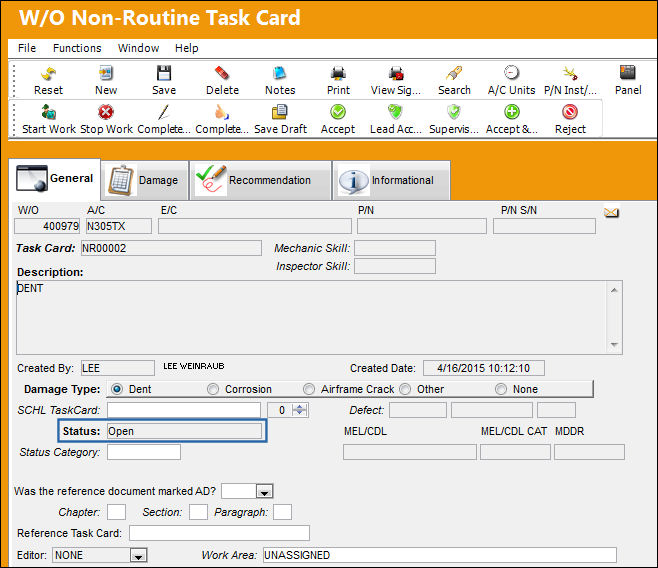
Once authorized, notice in the N/R Express, General tab that the N/R T/C has been automatically set to Open status.
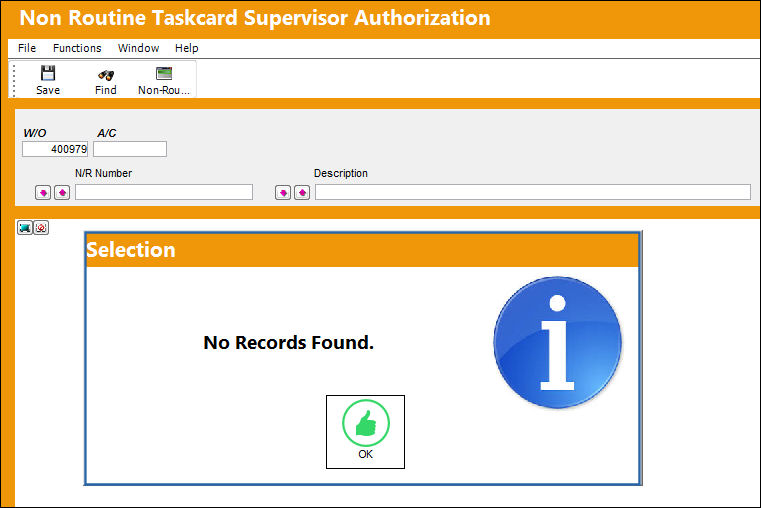
From the Non-Routine Task Card Supervisor Authorization window, the N/R T/C is no longer available.
Supervisor Authorization Process: Rejected
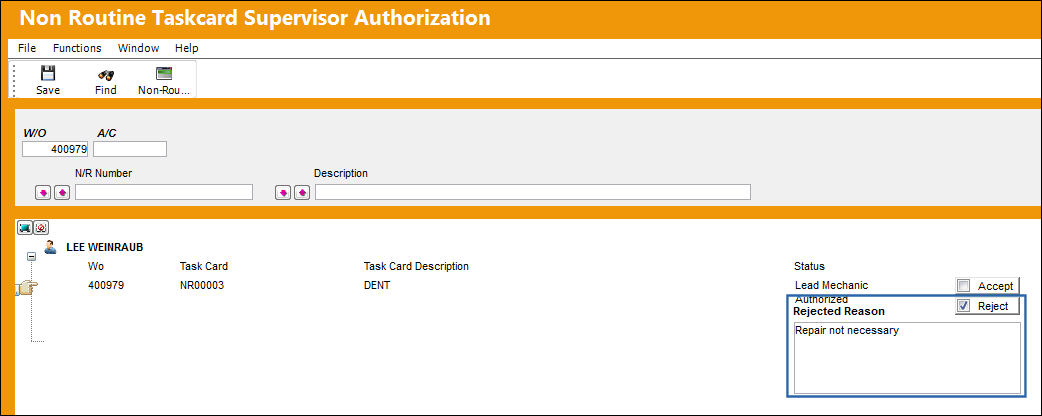
The steps leading up the N/R T/C rejection are the same as above. In the case of a rejection, however, the Supervisor must select the Reject radio button. Once selected, the Rejected Reason field becomes available. Enter the Rejection Reason then save the window.
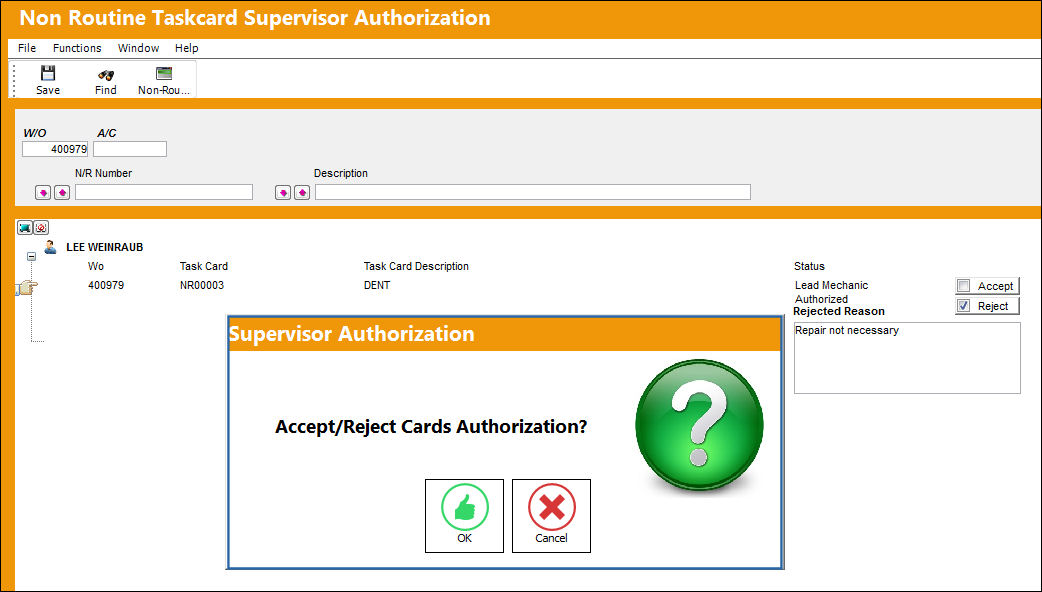
Select OK the reject the N/R T/C.
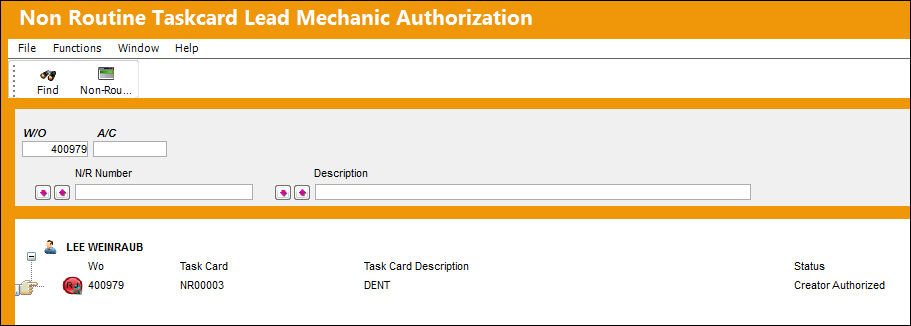
Once rejected, notice from the Non Routine Task Card Lead Mechanic Authorization window and the N/R Express, General tab that the N/R T/C has been reset to 'Creator Authorized' status and the Rejected  icon is displayed indicating that the inspection was rejected.
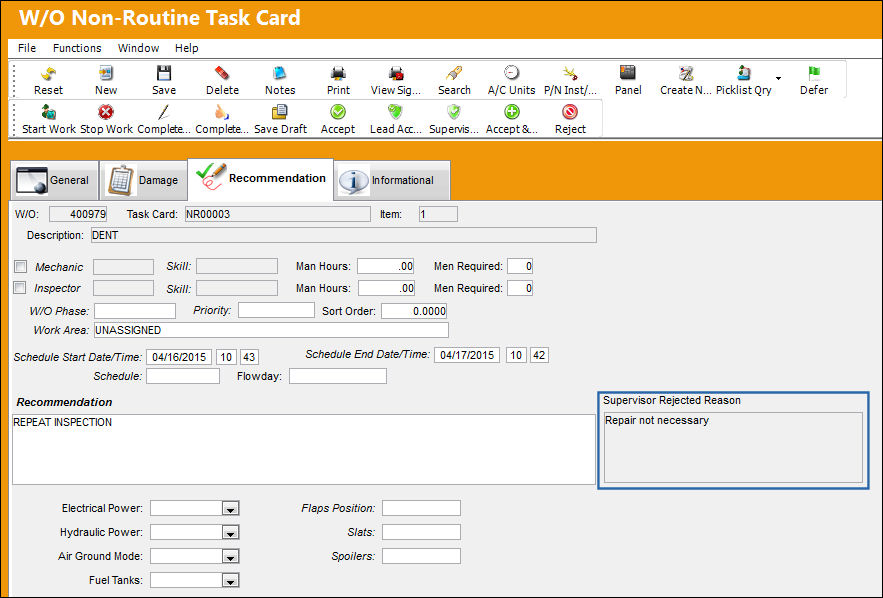
From the Recommendation tab, the Rejection Reason field that was populated in the Supervisor Authorization window is displayed to the right of the window.
Share
Print
|
©1997-2026 Trax USA Corp. All rights reserved. This manual may not be copied, photocopied, reproduced, translated, or converted to any electronic or machine-readable form, in whole or in part, without prior written approval from Trax USA Corp. |
 |